A clean email list is easier to manage when you know which addresses are reliable. Catch-all emails create a challenge because a domain can accept messages for addresses that may not have a real mailbox.
That makes it difficult to know if an address reaches a real person or whether it should be reviewed before it is used in email marketing campaigns.
Learning how to verify catch-all emails helps you understand what these addresses mean, how verification systems identify them, and what actions to take before sending email campaigns.
This guide walks through the verification process, result types, and practical ways to handle catch-all addresses.
A catch-all domain receives emails sent to both existing and nonexistent addresses on the domain. They are sometimes called accept-all domains because their mail servers can accept messages even when the specific recipient cannot be confirmed.
Instead of rejecting unknown addresses, the domain accepts that incoming mail and may route it to a designated catch-all inbox or another internal system.
For example:
Existing address: sales@company.com
Unknown address: randomname@company.com
If the domain accepts both addresses, it may be using catch-all routing. This means the server can receive emails sent to addresses that were not specifically created.
Companies may use catch-all settings as a safety net to avoid missing important messages. It can help capture emails sent to incorrect addresses, route unknown recipients internally, or prevent legitimate messages from being rejected.
However, acceptance from the server does not always confirm that someone is actively using that mailbox. Catch-all settings create uncertainty because a domain may accept emails even when a specific address has not been created.
Catch-all email addresses are challenging to verify because the receiving server may accept messages for addresses that do not have a dedicated mailbox. Standard email verification tools rely on several signals to determine if an email appears valid, but catch-all settings can make those signals less conclusive.
Common verification checks include:
The challenge appears when a catch-all server accepts unknown recipients. A verification system may receive a positive response even when the specific address being checked may not exist.
Catch-all servers do not always reveal if a specific mailbox exists. As a result, email tools can check the same address and still get different results. What the server reveals during those checks can also affect email verification accuracy.
That does not mean every catch-all address should get the same treatment. Not all catch-alls have the same level of risk. Some need to be discarded, while others need a closer look before you send.
Other email risks, such as spam traps, are separate from catch-all behavior and require different checks.
Catch-all email verification uses several layered checks to build a more complete picture of an email address. No single verification step can confirm every address on its own.
The process starts with basic technical validation and progresses through mailbox, catch-all, and risk analysis before a final verification result is returned.
Before checking anything deeper, make sure the email address follows the right format. Simple mistakes in the address can cause delivery problems, even if the domain can receive email.
For example:
Invalid: john@company
Valid: john@company.com
Removing obvious formatting errors helps identify addresses with a proper structure before moving into deeper verification checks. These basic checks help separate potentially valid emails from addresses that need correction or removal.
Once the email format looks correct, the next step is checking the domain. A valid email needs a working domain behind it, so verification confirms that the domain exists, is active, and can accept mail.
The check looks at:
This step is especially useful when working with enterprise domains, where email settings may vary depending on how the organization manages its infrastructure.
Domain settings can also affect domain reputation and how receiving servers respond during verification.
MX records show which mail servers receive email for a domain. Even if a domain appears active, it still needs properly configured MX records to receive incoming messages.
The verification process checks MX records to confirm that the domain has a working email setup. Some organizations may route email through a secure email gateway, which can affect how verification responses are interpreted.
SMTP email verification checks how the receiving mail server responds without actually sending an email.
A catch-all email verifier connects with the server and reviews signals related to mailbox availability. These same checks can also be used during single email verification when you want to assess one address before adding it to a list.
For catch-all domains, the server may accept mail for unknown recipients. This makes it difficult to confirm if a specific mailbox exists and can make it harder to predict potential bounce messages in the future.
The next step is identifying whether the domain accepts unknown email addresses.
Catch-all detection checks how the server responds when testing addresses that may not exist. If the domain accepts these unknown recipients, it may use catch-all routing.
Catch-all validation through catch-all email verification can use real-time validation to analyze this behavior and provide more context for addresses that cannot be fully confirmed.
Verification systems can detect catch-all domains by analyzing server responses, but the result should be treated as a signal rather than a guarantee that every address under that domain is active.
After catch-all detection, verification systems can check for disposable email services and generic role-based addresses.
Examples include:
Disposable email addresses and role-based inboxes are not always invalid, but they may require separate review depending on how your business manages contact data and outreach.
The final step looks for additional risk signals that may affect email quality.
Some verification systems review address patterns, inactive accounts, and known spam-trap indicators to identify contacts that may create delivery problems, including a potential hard bounce.
These checks can help protect sender reputation and improve list quality. However, no verification service can identify every spam trap or predict every future delivery issue with complete certainty.
A common misconception about catch-all emails is that a positive verification result always means the mailbox exists. That is not always the case.
A catch-all result tells you how a domain handles unknown recipients, but it does not tell the full story about a specific email address. The domain setting alone cannot confirm if a mailbox exists or determine the full status of an address.
Knowing the difference between mailbox verification and catch-all detection helps businesses understand what their verification results actually mean.
Mailbox verification evaluates a specific email address using available verification signals from the receiving server.
These signals help determine if an email address exists and provide more context when identifying real contacts that may be able to receive messages.
Catch-all detection checks whether an email belongs to a domain that accepts messages for addresses that may not have a dedicated mailbox.
When a server accepts these unknown recipients, regular checks may not be enough to tell if that specific inbox exists.
A catch-all result does not mean the email address is bad. It means the domain needs a deeper check to understand if the address can be used.
Catch-all verification gives businesses the extra information they need to validate emails and decide how to handle those contacts.
Catch-all verification results help you understand what a verification response means and what action to take next. These results provide signals based on available verification checks, not guarantees that an email address will always receive messages.
A valid result means the email address meets the available verification criteria and appears deliverable.
Businesses can keep these addresses in their verified contact data because the verification signals indicate that the address can receive email.
An invalid result means the address cannot receive email based on the verification response. These addresses are more likely to create delivery issues and are usually removed from contact lists.
This can help reduce exposure to risks such as spam traps and other unwanted email problems.
A catch-all valid result means the email address belongs to a catch-all domain and appears usable based on catch-all verification. Although the domain accepts unknown recipients, additional verification signals indicate the address is likely able to receive email.
Unlike standard verification, which often labels catch-all addresses as risky, deeper catch-all verification uses additional checks to provide a more specific result.
Some providers report high accuracy for this type of verification, but results still depend on the signals available from the receiving server.
Businesses can keep these addresses as part of their verified contact data instead of removing them automatically.
A catch-all invalid result means the email address belongs to a catch-all domain but does not appear usable based on catch-all verification.
Although the domain accepts unknown recipients, the available verification signals were not sufficient to indicate that the address can receive email.
Businesses can review these addresses further or remove them based on their sending strategy and risk tolerance.
An unknown result means the available verification signals were not enough to confirm the address status.
This can happen when server responses are unclear, unavailable, or temporarily limited. These addresses may need another verification attempt before making a final decision.
Understanding these results helps businesses improve data quality, identify risky emails, and review potentially risky email leads before sending messages.
Removing addresses that fail verification can also reduce the risk of high bounce rates and help teams make more informed decisions about their email lists.
Catch-all emails are often treated as risky addresses when standard verification tools cannot confirm them. However, you do not need to treat all the emails returned as catch-all the same way.
Catch-all verification helps businesses differentiate between catch_all_valid and catch_all_invalid addresses and identify which ones should be removed.
Catch-all addresses do not always need to be removed before launching cold email campaigns. Doing so could mean losing high-value leads whose addresses are still usable.
Verification gives sales teams more information to decide which contacts are worth keeping and which ones carry more risk. It cannot guarantee that an email will reach the primary inbox, though.
Sender reputation and other deliverability factors still affect where a message ends up.
For email marketers, catch-all addresses should be monitored as part of regular email marketing practices. Older contacts may need to be reverified because domain settings and email conditions can change over time.
Good list hygiene means regularly reviewing uncertain addresses, removing contacts that consistently fail, and keeping your database updated.
CRM records often stay active for long periods, so storing verification information helps teams understand the quality of their contacts.
For teams working with a large data set, verification status can support rules for reviewing, flagging, or removing uncertain records. An API integration can push those results into the CRM automatically, so RevOps does not have to move data between systems manually.
Catch-all results give businesses more context on which addresses can remain on their lists and which ones should be removed.
Yes, catch-all emails can still bounce. A catch-all setting only shows that a domain accepts messages sent to unknown addresses. It does not confirm that every address under that domain belongs to an active mailbox.
For example, a domain may accept an email sent to randomname@company.com, but that address may not have a real inbox. The message may still fail later after the receiving server processes the email.
Catch-all verification helps you identify addresses that need more review before sending campaigns.
It can help reduce bounces by identifying catch-all addresses that pass verification checks and separating them from addresses that cannot be confirmed. This is especially useful when reviewing valuable prospects that may need additional consideration.
However, other factors can still affect delivery. Old contact data, inactive mailboxes, and low engagement can influence your bounce rates over time.
Removing addresses that fail verification can support better deliverability, but sender practices and inbox placement also affect future email outcomes.
Catch-all verification works best when it is part of a regular email review process. The purpose is not to remove every catch-all address, but to understand which contacts need more attention before sending messages.
Checking catch-all addresses before sending campaigns helps you identify contacts that need additional review. Verification provides more context about uncertain emails before they are added to outreach or marketing campaigns.
For businesses handling large contact lists, a bulk email verification upload makes it easier to check addresses together before sending. Reviewing these results can support better email deliverability and help protect sender reputation over time.
Email data can become outdated over time. Addresses that were valid in the past may change because people leave companies, domains update settings, or inboxes become inactive.
Regularly reviewing older lists helps improve inbox placement and gives you a better understanding of the contacts you still want to reach.
Depending on the age and quality of your data, you may need to reverify the whole list before using it for another campaign.
Verification results give businesses the information they need to decide which addresses can remain on their lists and which ones should be removed.
For small teams, keeping verification results in one platform can make it easier to review valid, invalid, catch-all, and unknown addresses without managing separate records.
Combine catch-all status with other verification signals to get a more complete view of an address before making a decision. There is always a trade-off between keeping potentially useful contacts and removing addresses that may create delivery issues.
Not every catch-all address is an invalid contact. Some may belong to real businesses, active prospects, or important accounts that are worth reviewing.
Removing all catch-all emails without additional checks can cause you to lose useful contacts. A careful review process helps you balance list quality with contacts that may still provide value.
Many verification tools identify catch-all domains but stop before confirming whether those addresses are usable. These addresses are usually marked as risky because the mailbox cannot be confirmed through regular checks.
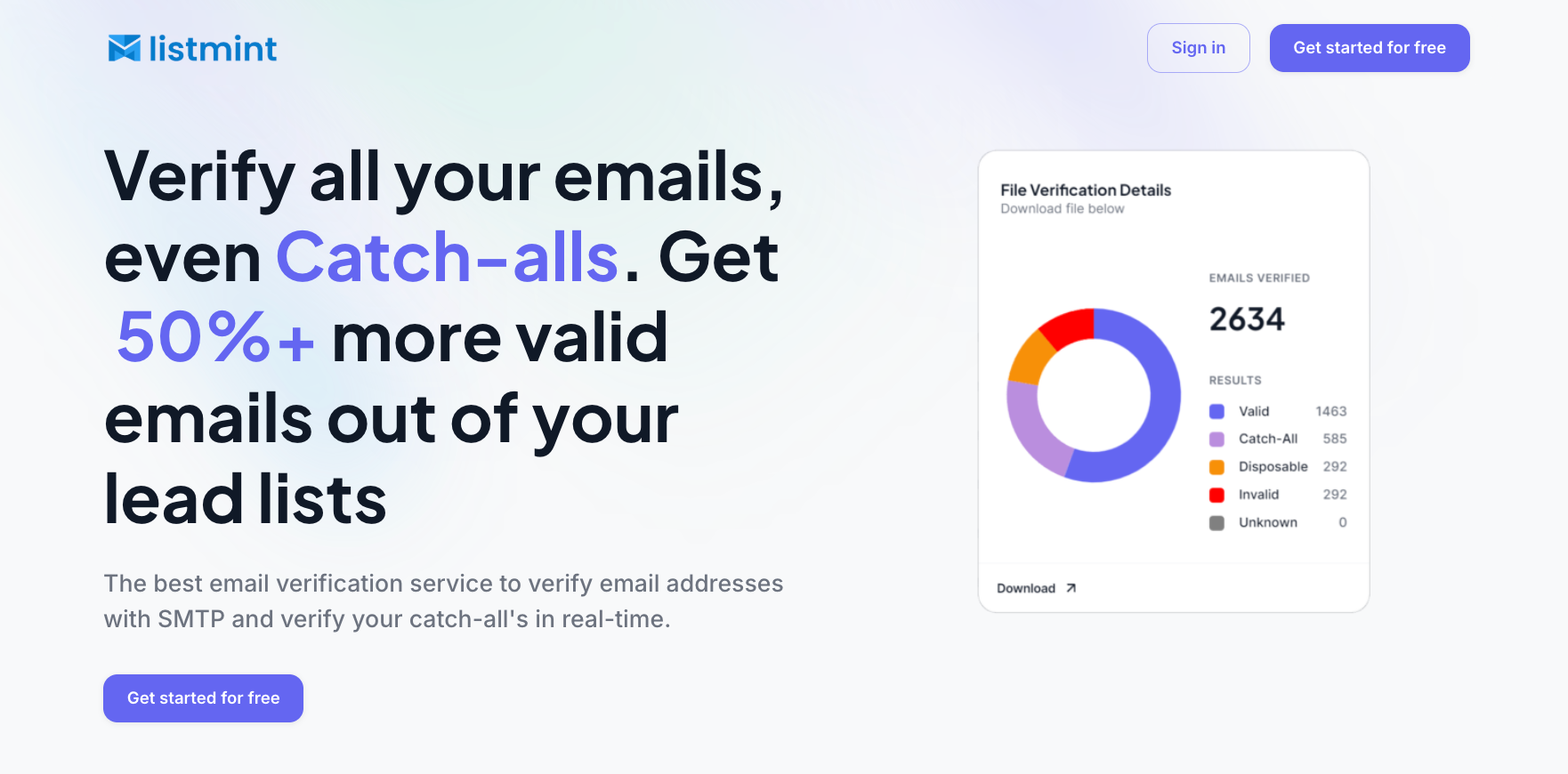
Listmint goes further by verifying catch-all emails instead of simply labeling them as uncertain.
The platform helps businesses understand which catch-all addresses are valid and which ones should be removed, allowing teams to identify usable contacts that standard verification may leave unresolved.
Listmint uses real-time catch-all verification to analyze addresses that standard verification methods cannot fully classify. Instead of treating all catch-all emails as risky, Listmint provides more specific results with catch_all_valid and catch_all_invalid statuses.
Listmint reports 99% accuracy for both standard SMTP and catch-all verification and says customers can identify over 50% more valid contacts from lists that other verification tools may leave partly unresolved.
Catch-all verification does not require sending an email to the address. Listmint verifies addresses through its own verification process, helping you check catch-all domains without waiting for manual confirmation.
With real-time results through the platform and email API, businesses can verify emails as part of their existing workflows without long delays.
Many lead lists contain catch-all addresses that are often ignored or removed during verification. Listmint helps you recover more value from those contacts by showing which catch-all emails are actually usable.
This gives sales teams, marketers, and agencies more opportunities to reach valuable prospects while maintaining better email quality.
Listmint supports businesses handling large email databases with bulk verification and API workflows.
Whether you are cleaning a contact list, running outreach campaigns, or building verification into your own product, Listmint provides real-time catch-all results without requiring other tools.
For teams managing high-volume email verification, Listmint provides a simpler way to review standard and catch-all emails in one workflow.
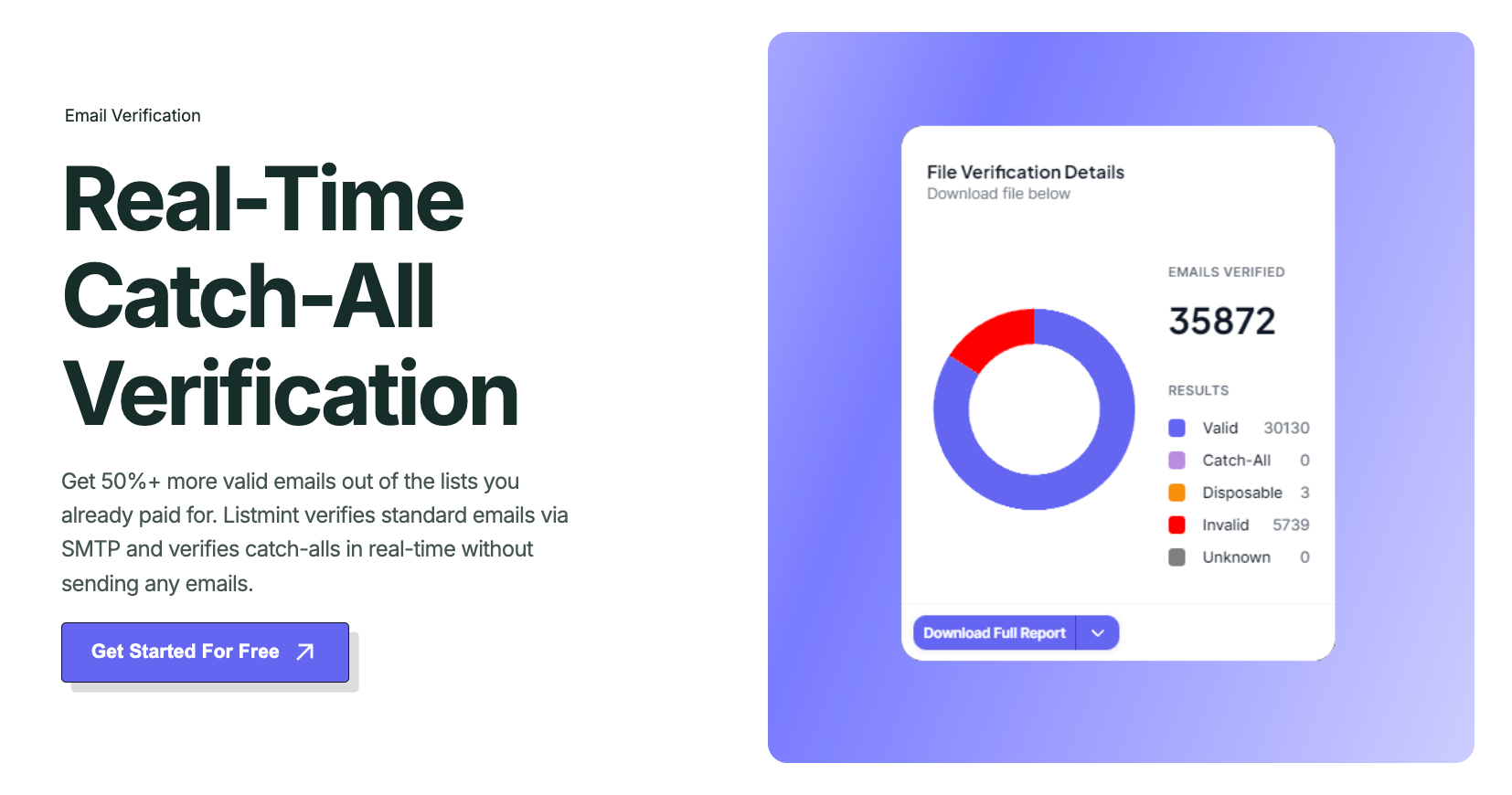
Catch-all emails do not always mean an address should be removed. The challenge is knowing which addresses are worth keeping and which ones require further review.
Standard verification can identify catch-all domains, but most tools stop there and leave businesses with uncertain results. A more complete verification process helps you understand which catch-all addresses are valid and which ones should be removed from your lists.
Listmint helps businesses verify catch-all emails in real time and provides specific catch_all_valid and catch_all_invalid results. With bulk verification and API options, teams can review email data with more confidence and avoid losing valuable contacts simply because they belong to a catch-all domain.
Get started with Listmint for free and verify your catch-all emails today.
Catch-all in email verification means the mail server accepts messages for addresses that may or may not have a real mailbox. Verification tools identify this behavior and use additional signals to assess the individual address more closely.
There is no single email provider that can accurately be called the most hacked. Account security depends on factors such as password strength, phishing exposure, multi-factor authentication, and how the account is managed.
A catch-all email account receives messages sent to unknown or mistyped addresses on the same domain. For example, a company may route mail sent to a nonexistent employee address to a catch-all inbox rather than reject it immediately.
Yes. A catch-all email can be checked without sending a message by analyzing the domain, MX records, SMTP responses, catch-all behavior, and other verification signals. However, server acceptance alone does not prove that a specific mailbox exists.
You can send to catch-all addresses that pass deeper verification, but they should not automatically be treated like standard valid addresses. Review the verification result and other risk signals first, especially before adding them to a large campaign.