Email still carries a lot of weight at work. A sloppy subject line, a vague request, or a rushed reply can slow decisions and strain professional relationships.
Since emails document requests, approvals, updates, and accountability, even a single poorly-written message can leave an impression that lasts longer than a quick chat. The upside is that better habits are easy to build.
A clearer subject line and a quick pre-send check can fix a lot of that. In this article, you’ll learn what email etiquette means, the rules that matter most, and the mistakes that make business emails harder to act on.
Email etiquette is a set of rules for correspondence that makes workplace email clear, respectful, and easy to act on.
In digital communication, that matters because email strips away body language, facial cues, and the ability to correct in real time. If your wording lands badly, there is no quick fix unless someone replies.
Good etiquette also affects speed. It helps your message land better in the recipient's inbox, makes the necessary information easier to find, and protects professional relationships that can sour over one careless note.
That is why email etiquette is important in everyday business communication, not just in high-stakes moments.
In practice, it means using a clear subject line, choosing the right tone, and knowing when a short call will communicate better than another thread. It is less about sounding polished and more about making business emails easy to understand and easy to answer.
The rules below help your emails communicate clearly, land well in recipients' inboxes, and protect professional relationships. Most take seconds, but they change how business emails are received.
A clear subject line tells the recipient how to sort your email before they open it. That matters in a crowded inbox.
“Quick Question” and “Important” do not help. For example, “Feedback needed on LinkedIn post by Friday” gives the reader a purpose and a deadline before they click.
It also helps later on. People search old business emails all the time. If the subject line is vague, the message is harder to find and easier to ignore.
Your greeting sets the tone before the real message begins.
A formal greeting is safer for first contact, external outreach, or a professional acquaintance you don’t know that well. A more formal greeting also makes sense when you are writing upward or addressing a sensitive issue.
A casual greeting works better once the relationship is established and the tone is clearly lighter.
Titles still matter in many settings. Using the right opening helps you communicate respect before the body even starts.
Don’t let people struggle to figure out why you emailed them.
Put the main point in the first line or two, then add only the necessary information. If you need approval, say that early. If you need a file, decision, or answer by Thursday, make that obvious.
A long setup often feels polite while you write it. To the reader, it feels like a delay.
Most people read email fast. Many read business emails on a phone.
That means short paragraphs, plain language, and formatting that stays mobile-friendly. Cut repeated background. Cut the warm-up sentence that adds nothing. Keep one paragraph for the update and another for the ask.
A short email doesn’t read as cold when it is clear. It reads as organized.
Tone changes with context. A client update shouldn’t sound like an internal check-in. Sensitive feedback shouldn’t read like a casual comment. Email strips away body language, so a professional tone matters more than it does in person.
All caps feel aggressive, while too many exclamation points feel forced. Humor can confuse people when the relationship is new. Emails sent while you are frustrated often come across harsher than intended.
When the topic carries risk or emotion, slow down and reread the draft from the other side.
The carbon-copy field and the blind carbon-copy field are not just technical features. They signal who needs visibility and who does not.
Use CC when someone should stay informed without owning the next step. Use BCC when privacy matters or when emails with multiple recipients need to keep addresses hidden.
Be careful with Reply All and with forwarding. Private context can be unintentionally passed to people who never needed it, and the original sender may not expect their note to travel further.
A tight recipient list keeps ownership clearer and protects trust.
A quick pre-send check prevents the kind of mistake that feels small to you and glaring to the reader.
Start with the recipient field. Then check spelling, job title, company name, link, attachment, and any date or time you promised. If you are emailing a new contact, confirm their name and title against the company website instead of trusting memory or autofill.
Email mistakes feel bigger because they stay on record. One wrong detail can distract from everything else in the message.
The ending should feel clean and appropriate.
“Best,” “Thanks,” “Regards,” and “Sincerely” still work because they read naturally and don’t take focus off more important sections.
Your email signature matters most when the recipient may not know who you are, what you do, or how to contact you outside the thread. That matters for job seekers, agency teams, client-facing roles, and during cold outreach.
For internal back-and-forth, a full signature is not always necessary. For external email, it helps the message feel complete.
Being responsive is part of good etiquette.
A detailed answer is not always possible right away, but an acknowledgment usually is. If someone is waiting on you, reply within about 24 hours when you can, even if the message is only, “Got it. I’ll send the full update tomorrow.”
That small reply shows respect, communicates common courtesy, and keeps work moving.
Some messages should not become a thread.
If the topic is emotional, politically sensitive, or likely to spin into back-and-forth clarification, a call is often faster. The same is true for urgent decisions. Five emails across six people usually take longer than ten minutes on a call.
Good etiquette includes knowing when conversation is the better course. The most professional move is not always another email.
Most email problems do not come from bad intent. They come from rushed habits that bury the point, weaken a professional tone, or make common courtesy look optional.
One unclear subject line can slow down a single email. In a longer thread, it can throw off the whole exchange.
A polite message still wastes time if the subject says nothing and the actual ask shows up in the last sentence. For example, “Checking in” tells the reader almost nothing. “Need approved deck by 3 p.m,” tells them what matters now.
Clear subjects and visible asks remove friction fast.
Tone gets distorted easily in digital communication, especially when messages are rushed.
Skipping the greeting, writing in clipped sentences, or sending an emotional reply can make you sound colder than intended. Casual language also has limits. What sounds relaxed with a teammate may feel careless with a client or senior contact.
This is where a quick reread helps. It catches tone before it turns into a relationship problem.
A crowded thread rarely improves communication.
Overusing CC or Reply All clutters inboxes, muddies accountability, and makes everyone less likely to act. The same applies to forwarding when it pulls in people who do not need the context. If one person owns the next step, name that person directly and keep the list tight.
Proofreading is not a grammar ritual. It is a credibility check.
Read for more than spelling. Check whether the tone fits the purpose, whether the ask is easy to find, and whether the recipient, link, attachment, and date are all correct. If the message mentions a file, make sure it is attached before you send.
A rushed error can pull attention away from an otherwise solid email.
After-hours email is not automatically rude, but context matters.
A late-night note to a teammate in another time zone is different from a weekend request that creates pressure to answer right away.
Silence also creates confusion. When someone expects a response, even a short acknowledgment is better than making them wonder whether the message got lost.
That timing decision affects how considerate the email feels.
A polished email still fails if it goes to the wrong inbox.
That is the part many teams overlook. You can write a clear subject line, keep the tone sharp, and make the request obvious, yet still get poor results because the address is invalid, outdated, or risky.
Bad data leads to wasted sends, messy follow-ups, weak reporting, and lower email deliverability. Over time, it also hurts sender reputation.
This shows up everywhere: outbound sequences built from old lists, customer relationship management (CRM) imports that have not been cleaned in months, signup forms full of typos, client list uploads, and re-engagement campaigns aimed at stale contacts.
Clear writing protects the message. Verification protects the path the message travels.
Once an address is dead, mistyped, or unsafe to contact, the quality of the copy stops mattering.
The recipient never sees the excellent subject line. They never read the careful wording. All the professionalism stays trapped on the sender’s side. That is why clean data matters long before performance metrics show a problem.
Waiting until campaigns bounce is expensive.
It is far better to verify before sending, before a CRM import goes live, and before a form submission enters your workflow. That matters even more with catch-all domains, where many tools stop at a vague label and leave teams guessing.
A cleaner decision before the send is better than a cleaner report after the damage is done.
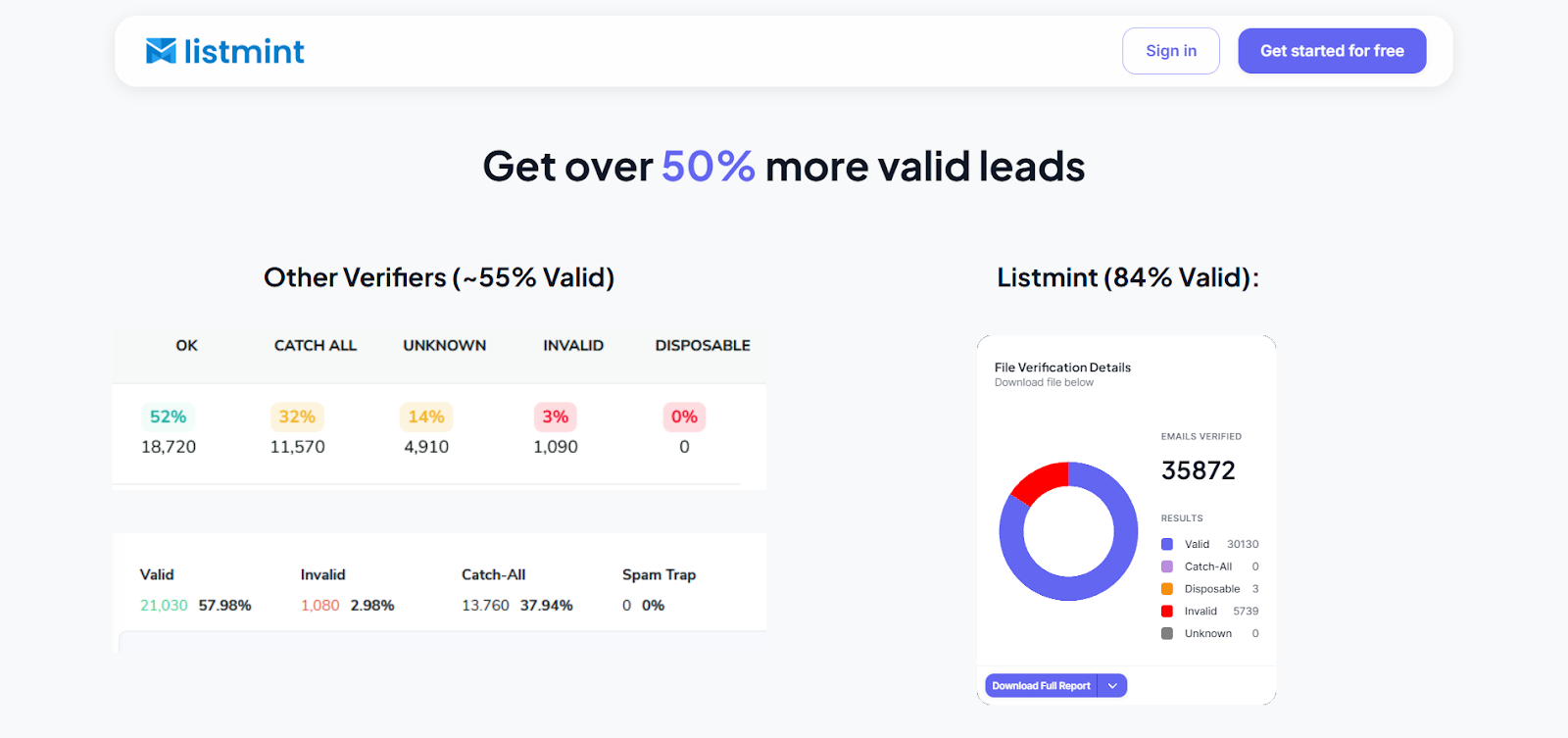
If your team wants cleaner data behind every professional email, Listmint is built for that step. It verifies standard email addresses and catch-all verification results in real time, without sending test emails.
That makes it a practical fit for pre-send checks, imported lists, and workflow-based validation through its email validation API.
Better email etiquette improves how your message reads. Listmint helps make sure the message reaches a real, safer inbox in the first place.
For teams that care about catch-all verification, email deliverability, and sender reputation, it is a useful operational layer behind good writing. Get started with Listmint for free today.
The 24-hour rule usually means acknowledgment, not a complete answer. If someone is waiting on you, send a short reply within about a day so they know the message was received and the full response is coming later.
Most professional emails need a clear subject line, an appropriate greeting, a main point near the top, enough context to act, and a clean sign-off. An email signature also helps when the recipient may not know you well.
Use CC when someone should stay informed but does not own the next step. Use BCC when recipients should not see one another’s email addresses, such as in privacy-sensitive group sends. If ownership is unclear, use neither until you know who actually needs to be included.
That depends on the relationship, the company culture, and the stakes of the message. Internal notes can be lighter. First outreach, client communication, and anything sensitive usually need a more formal tone.
A workplace email does not need the stiffness of a course memo or the casual sprawl of a social post. It needs to fit the moment.
Not always. Time zones, urgency, and company norms all matter. What becomes rude is the pressure to respond right away when the message could have waited. If the timing might create that pressure, schedule the email or make it clear that no immediate reply is needed.