NeverBounce and Kickbox can both handle email verification, but they both appeal to different types of users.
NeverBounce usually makes more sense for teams that run regular bulk cleaning and want a more operations-friendly workflow. Kickbox is easier to use and often feels lighter to adopt.
The bigger limitation with both shows up when a meaningful share of the list comes back as catch-all, risky, or otherwise hard to act on.
In this NeverBounce vs Kickbox comparison, we explore how the two differ in verification workflow, pricing, real-time verification, and result quality. We will also explain why some teams end up looking beyond both once standard list cleaning stops being enough.
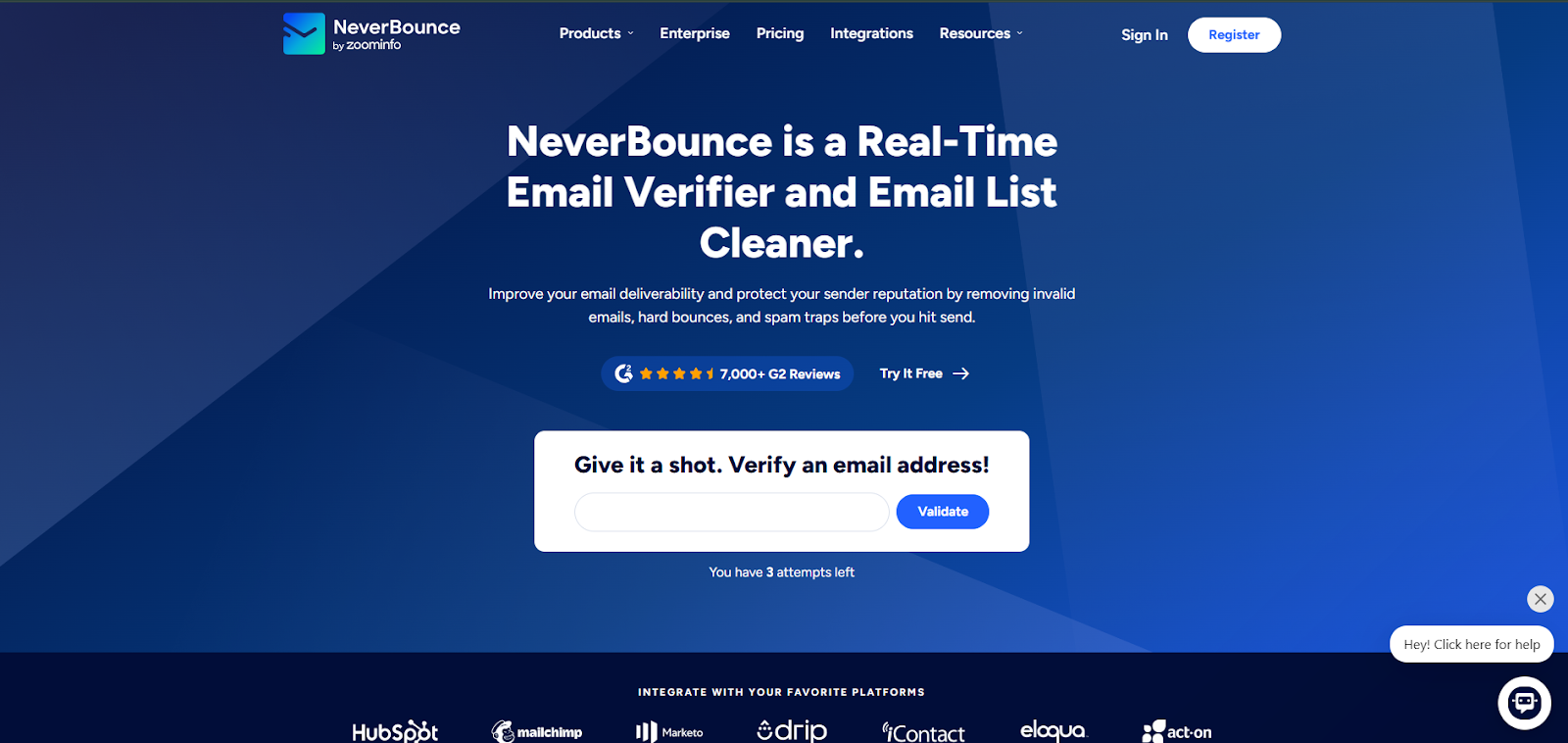
NeverBounce is an email verification platform built for bulk email list cleaning, recurring database maintenance, automated cleaning, and real-time verification at the point of entry.
It is usually a fit for teams that want to verify lists before a launch, clean older customer relationship management (CRM) data, and improve email hygiene without changing the rest of their process.
The platform offers the standard features users expect in this category. You can upload a list for bulk verification, check single records, and use an API to validate addresses during form fills or CRM intake.
NeverBounce also includes a free analysis step that estimates the expected bounce rate before full validation, which makes it easier to screen a list before paying for a full run.
That helps teams improve email validity before bad data spreads further into the business. This makes it useful for teams that need cleaner data before a campaign goes live and want email list verification built into a familiar process.
NeverBounce works best when you routinely handle list cleanups. If your team runs bulk verification on a regular schedule and wants an email verification tool that fits an established process, it is a straightforward option.
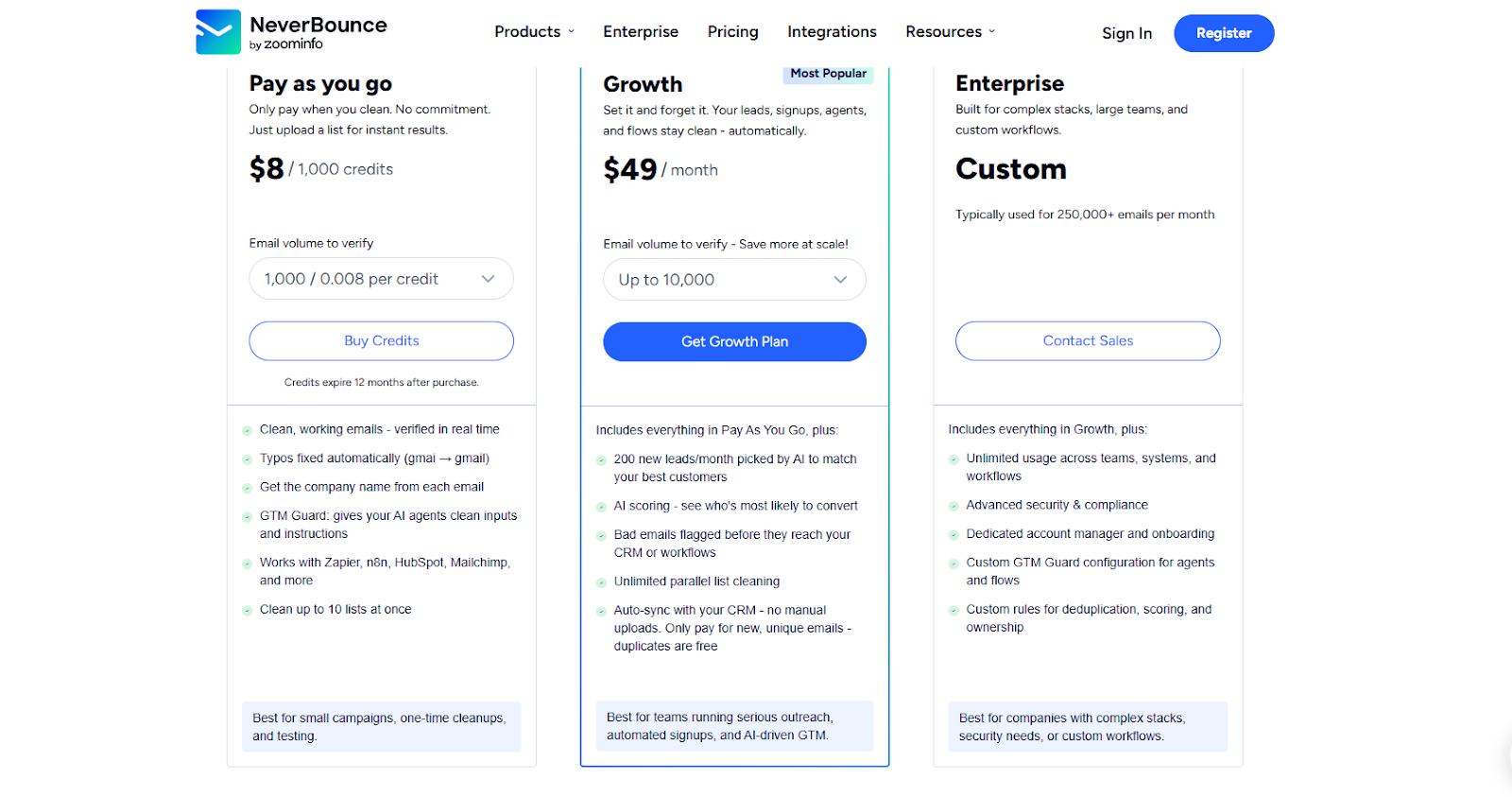
NeverBounce pricing makes more sense when verification is part of your normal operating rhythm, not an occasional cleanup task.
For teams handling recurring bulk email list cleaning at high volumes, the workflow and pricing structure usually line up better over time.
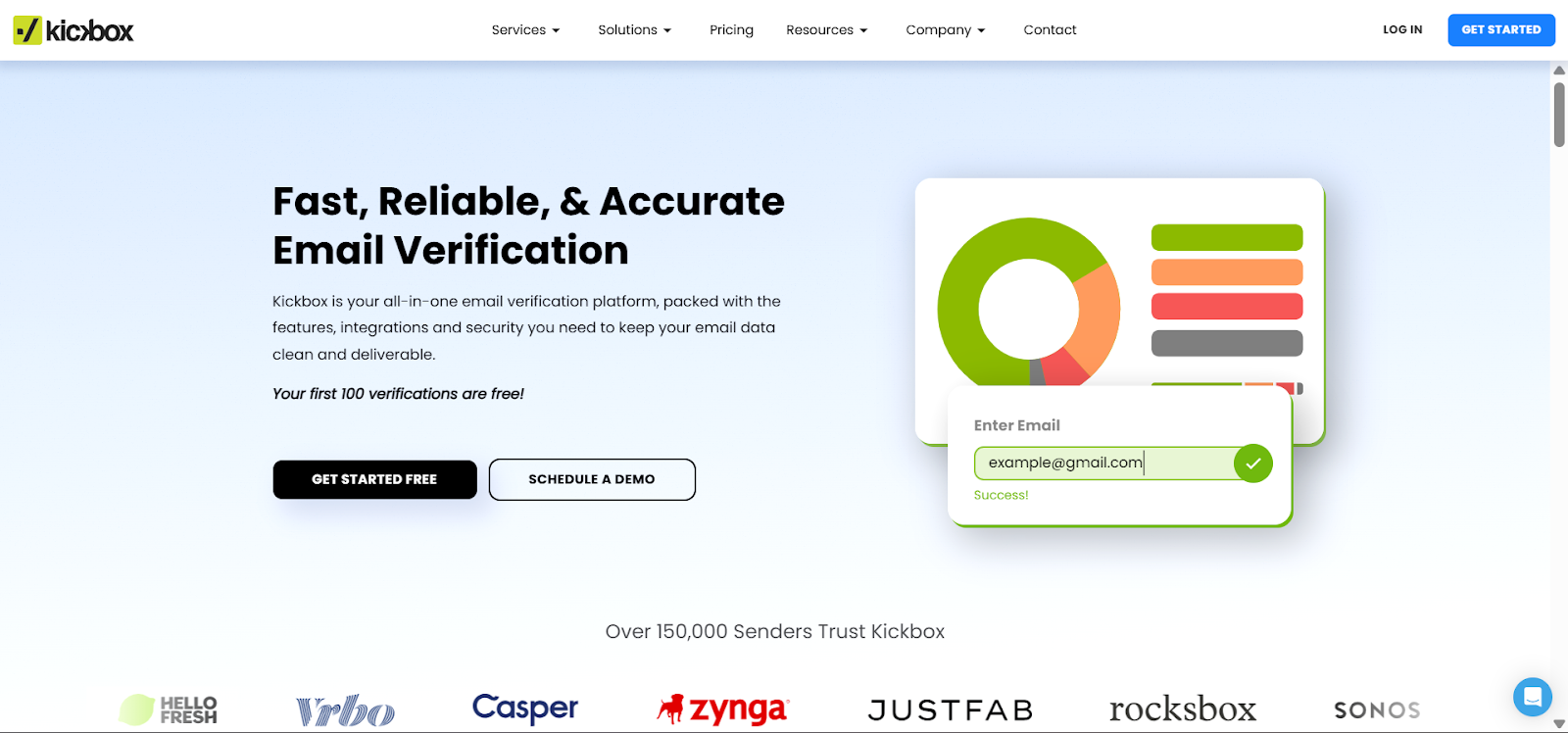
Kickbox is an email verification platform that appeals to teams seeking a cleaner, simpler, and more intuitive buying path. It handles bulk verification like NeverBounce and also offers real-time verification and API-based validation.
This makes it relevant for signup forms, CRM imports, SaaS onboarding, and outbound list prep.
The main difference is how the product feels in use. Kickbox is often evaluated by teams that want a cleaner dashboard, a simpler user interface, and enough deliverability context to make a call without digging through a complicated workflow.
That makes it a practical fit for smaller teams and lean operations groups that want quick decisions.
Kickbox still serves the same core function as other email verification services. Its email verification checks the list, surfaces risky email addresses, and helps you reduce email bounces before the next send.
The struggle for many users is the usefulness of those results once the list includes catch-all domains and records that are not obviously safe or obviously bad.
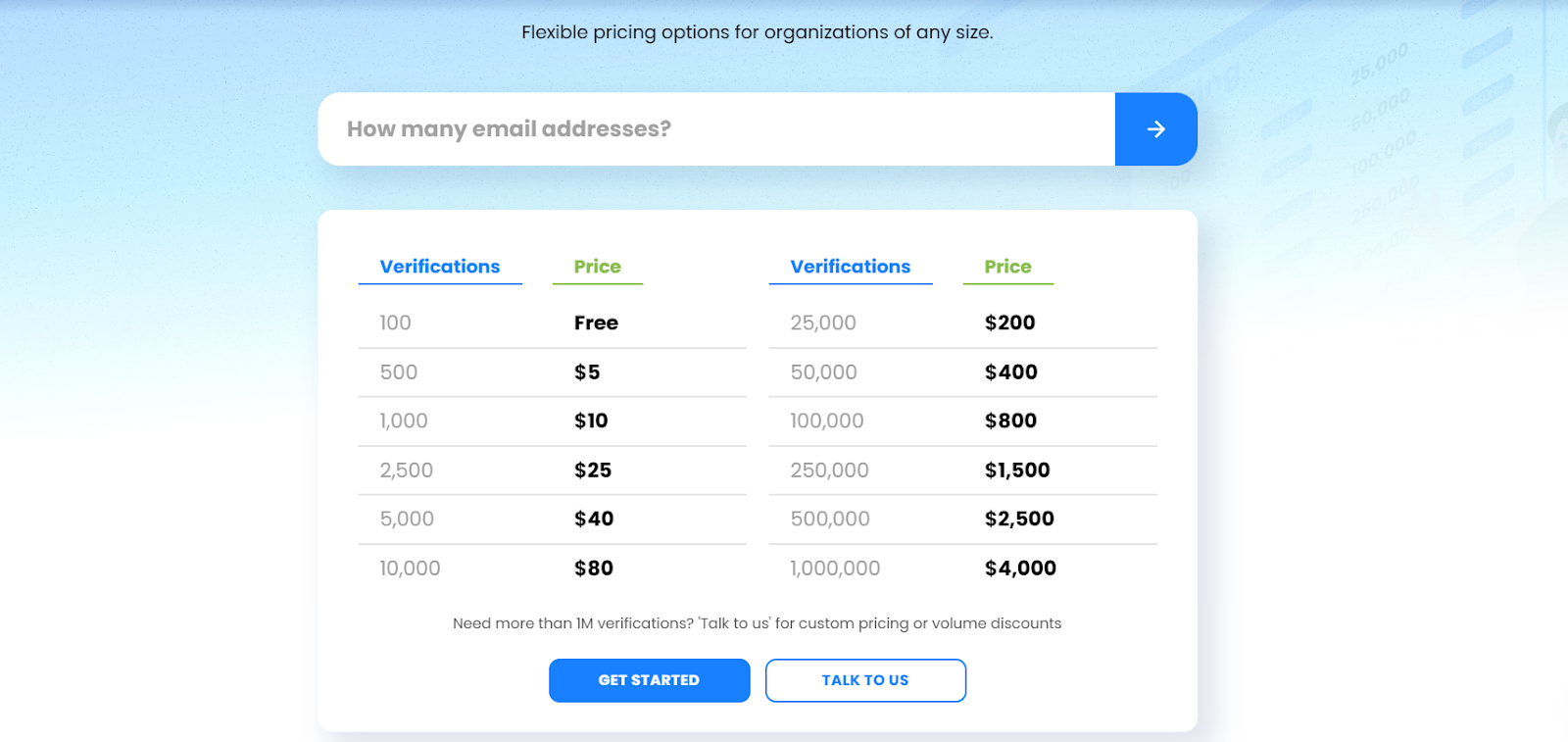
Kickbox’s pricing is usage-based and depends on the number of verifications your team wants per cycle. Verification for the first 100 email addresses is free, with paid plans starting at $5 for 500 emails.
If you need to verify more than 1 million emails, you will need to request custom pricing or volume discounts.
Kickbox is an easy option for trials. That matters for teams that want to test a workflow before they commit to heavier usage.
It can also make sense for medium-sized teams that want simple pricing before moving into custom pricing.
NeverBounce and Kickbox overlap on the basics. Both are credible deliverability tools for cleaning lists, validating data at intake, and cutting obvious bounce risk.
The real split shows up after the first step, when your team has to decide what to do with the records that are still hard to trust.
Both tools can catch the obvious problems. They help remove invalid addresses and other records that shouldn’t stay on a live email list. That matters because weak data can drag down campaign performance or make it harder to protect sender reputation and email deliverability.
The bigger issue is what happens with catch-all emails and other uncertain records. NeverBounce feels more direct and list-cleaning oriented. Kickbox gives a more risk-based read, which some teams prefer when they want more context before sending.
Neither one fully removes the judgment call. If a large part of the file comes back as risky, unknown, or catch-all, someone on your team still has to decide whether to suppress, segment, or send. That is also why catch-all verification matters so much in this category.
NeverBounce fits recurring bulk email list cleaning well. If your team handles old CRM exports, outbound list prep, or regular hygiene work before campaigns, its workflow feels built for that cadence.
Kickbox also supports bulk verification, but it feels more geared toward straightforward upload-and-check workflows than ongoing list operations.
It is easy to get started, supports fast processing, and suits smaller teams that want to clean lists without much setup or operational complexity.
If your workflow is mostly upload, clean, export, both tools can work. The gap opens when the file needs closer judgment after verification is done. It also opens when your team needs to keep a list healthy over time, not just clean it once before a send.
Both tools support real-time email verification, so either one can sit inside signup forms, CRM entry points, and onboarding flows through API and integration workflows. That helps keep bad data out of the system before it creates downstream problems.
NeverBounce is a strong fit for teams that want one platform for batch cleanup and API integration. Kickbox also handles that use case well and may feel easier for teams that want a lighter developer handoff.
Both tools support API and integration workflows, which matters for teams that want email verification built into forms, sign-up flows, or outbound systems. They also identify catch-all emails, though they do not break those results into more specific categories.
Kickbox has a more affordable entry point. Its usage-based structure is straightforward, which makes it attractive for small businesses or teams that only run occasional cleanup work.
NeverBounce tends to make more sense as verification volume grows. Users with recurring cleanup work or higher volumes usually get more value from structured tiers and clearer volume discounts.
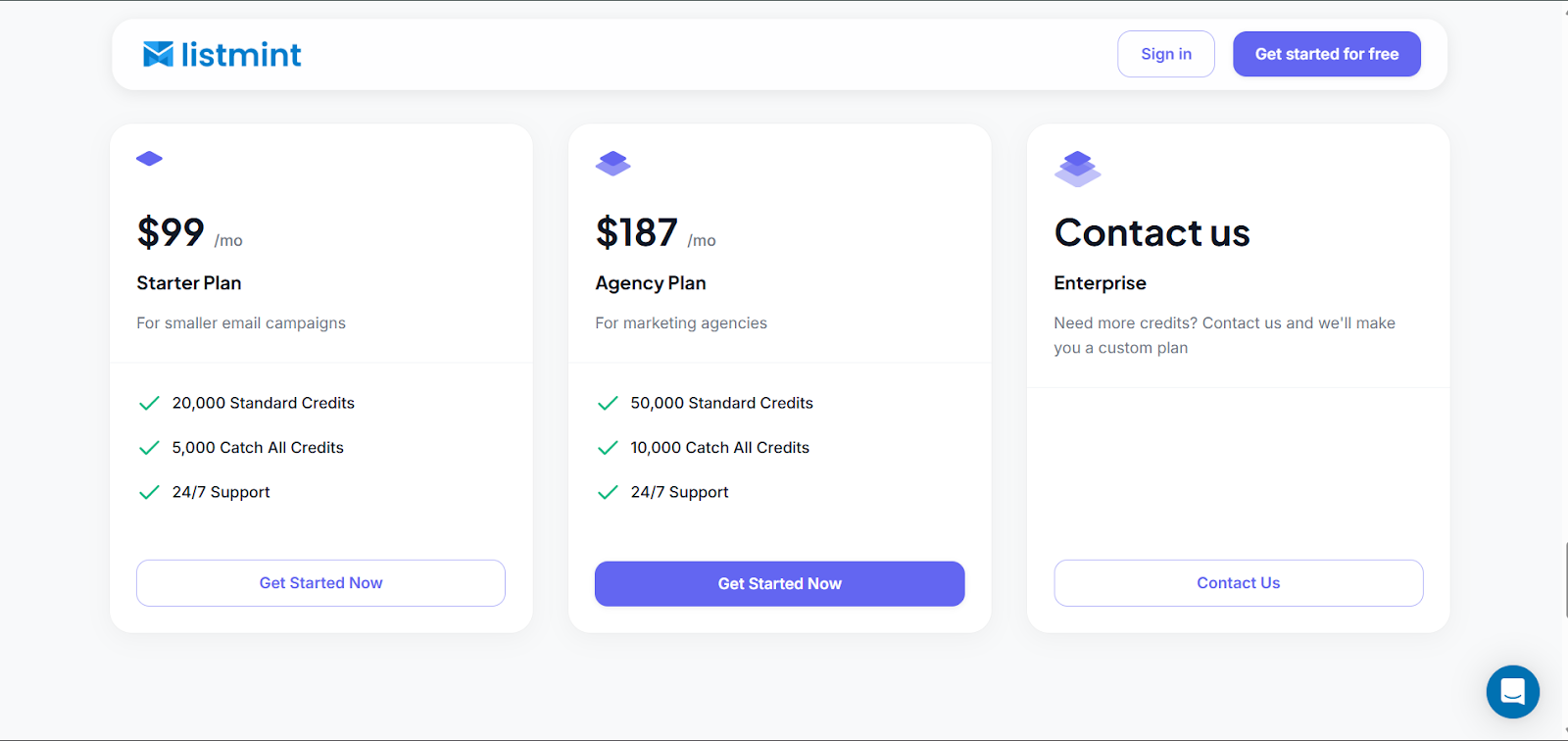
The price table only shows part of the picture. When choosing between the two, the better fit depends on the size of your lists and whether you need a simple credit-based model or pricing that better supports ongoing volume.
That is why NeverBounce and Kickbox can feel close early on, then separate once verification becomes a repeat process inside the business.
Kickbox has the easier entry point. NeverBounce often gives more pricing flexibility once a team is verifying on a schedule. For teams comparing Kickbox vs NeverBounce on cost alone, that difference matters more at high volumes.
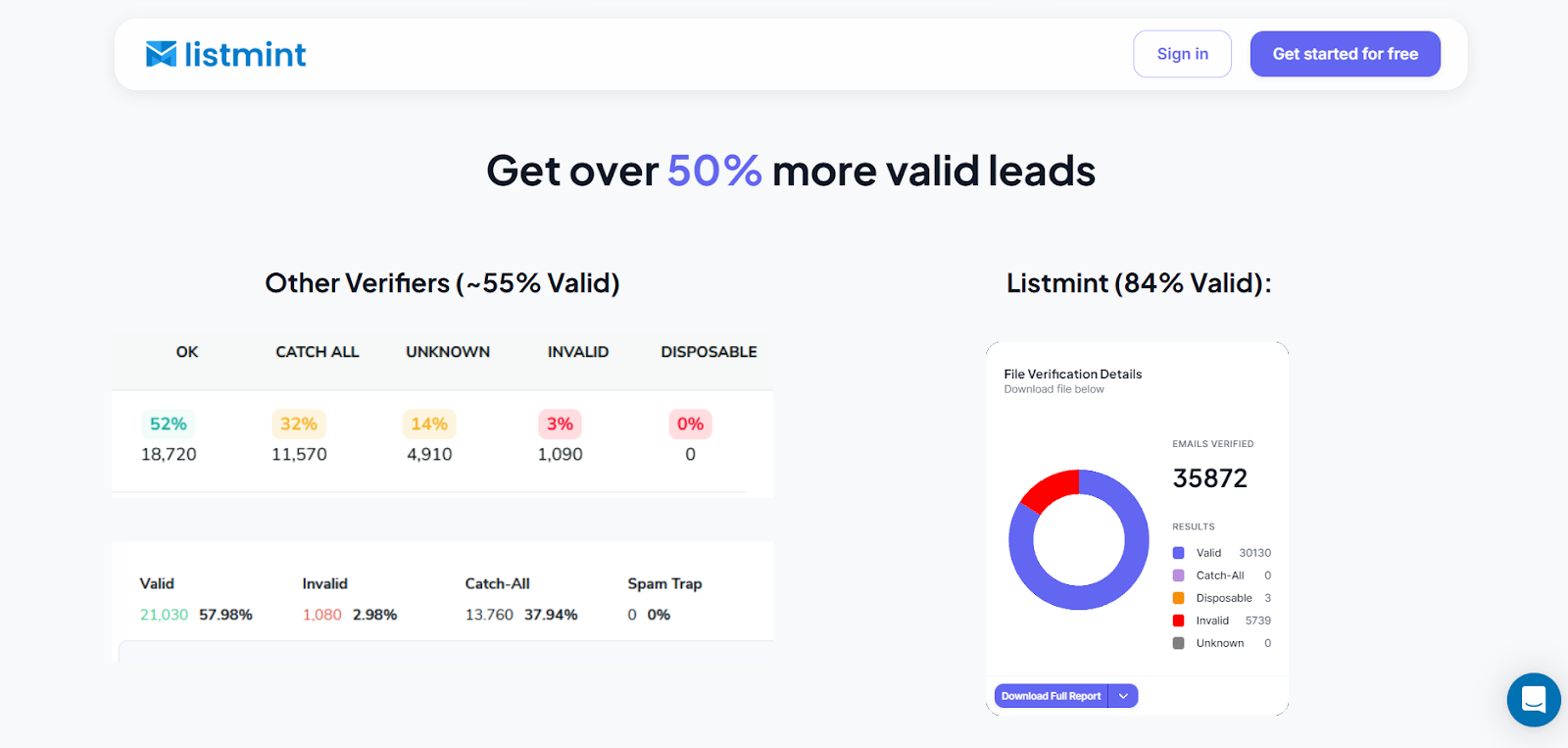
Most teams do not move on because either product fails at basic verification. The problem starts when the list is outdated or packed with catch-all email addresses that receive all emails sent to a specific domain, regardless of the actual address.
That is where general email verification services start returning a result set that looks tidy on paper, but still requires too much judgment on your side. This is especially true for high-volume senders, agencies, and marketers running cold email campaigns.
Both label some emails as clearly usable, others as invalid, but then there is a huge section marked risky, unknown, or catch-all.
Those are often contacts your team already paid to source or enrich. If you delete them all, you lose coverage. If you send anyway, you take on more risk than you wanted.
This is not a daily removal problem. It is a workflow problem. Sales teams lose leads they spent money to get. Agencies hand over fewer emails than clients expected. Operations teams spend extra time cleaning data after the verifier has already run.
The tool handled part of the process, but it did not finish the decision.
That gap affects more than list quality. It affects messaging, segmentation, and how confidently your business can go after more customers with the data it already has.

Listmint gives teams a clearer way to handle catch-all results. Instead of leaving them in a broad catch-all or risky bucket, it labels them as catch_all_valid or catch_all_invalid, so you can make a cleaner send decision without extra guesswork.
Listmint verifies standard email addresses via Simple Mail Transfer Protocol (SMTP) and catch-all email addresses in real time, without sending test messages. That gives teams more practical validation data when standard tools stop at a gray-area label.
That practically changes the process. Instead of getting a vague bucket that still needs manual review, your team gets clearer statuses it can use in outbound prep, signup flows, and customer data workflows.
Listmint is an ideal fit for a wide range of users. For example, a sales team can use it for lead verification before a campaign. A SaaS company can use the email validation API at the point of entry. Agencies can use it to clean client data without throwing away as many contacts up front.
For teams that care about sender reputation and more usable leads from the same data, that is the part that changes the decision. It is also the part that separates Listmint from both NeverBounce and Kickbox when catch-all results start driving the whole process.

⭐⭐⭐⭐⭐
"Verifies Standard and Catch-All Emails"
It verifies both standard and catch-all emails in one spot with a less than 1% bounce rate.
Jack M.
Founder at Centauri Marketing

⭐⭐⭐⭐⭐
"Perfect software for email verification"
The absolute best thing about Listmint is that you get soft and hard (catch-all) email verification in one tool and don't need separate tools for it anymore.
Rens M.
Founder at MERKX Agency
If you only need light list cleaning, NeverBounce and Kickbox can both cover the basics. Problems show up when too much of the file stays unresolved, and your team still has to guess what to do with it.
That is where Listmint gives you a clear advantage. It is an email verification platform that verifies standard and catch-all emails in real time and helps you hold on to more of the leads you already paid to acquire.
Instead of accepting a larger risky bucket or stopping at surface-level checks, you get a cleaner list that is easier to send, segment, and trust.
If that is the gap you are trying to close, start with Listmint. Create a free account now and run your first email list to get the best results.
For straightforward bulk email list cleaning, NeverBounce is usually the better fit for teams that run regular maintenance and work through larger files. Kickbox is easier to test, easier to buy, and often easier to adopt for lighter usage.
The better choice depends on how often your team verifies and how much structure you want around that process.
Kickbox gives more context around risky email addresses, while NeverBounce feels closer to a traditional email verification tool built around cleaning workflows. That still leaves the same problem if a meaningful share of the file comes back unresolved.
If catch-all domains are a recurring issue in your data, Listmint is the stronger option because it is built around that exact gap and ties directly into a more practical workflow for verifying catch-all emails.
Kickbox is easier to start with because the pricing model is simple. NeverBounce tends to look better for teams that verify often, work at high volumes, and care about more predictable costs at scale.
When teams compare Kickbox and NeverBounce at larger volumes, the real issue is less about headline price and more about how each pricing model fits the rest of the process.