A healthy email list doesn't stay healthy on its own.
As your business collects more subscribers, your list naturally changes. Email addresses become outdated, contacts stop engaging, duplicate records accumulate, and poor-quality data builds up over time.
When left unchecked, these issues can hurt deliverability, increase bounce rates, and weaken your sender reputation.
Effective email list management helps keep your subscriber data accurate and your email list ready for every campaign.
In this guide, you'll learn what email list management is, why it's important, and eight practical ways to maintain a healthier email list.
Email list management is the ongoing process of maintaining an accurate, organized, and up-to-date contact list throughout its lifecycle.
It involves managing subscriber data, organizing contacts, updating information when it changes, and recording subscriber permissions.
Email list management doesn't end once someone joins your list. Subscriber information changes as people switch jobs, update their email addresses, unsubscribe, or decide they no longer want to receive emails.
New contacts are also added regularly, so your database requires ongoing attention to stay organized.
Proper email list management focuses on maintaining accurate records, updating subscriber information, and preserving data quality as your database changes.
It also includes organizing contacts in a way that makes your database easier to maintain while preserving permission records for every subscriber.
Your email list is one of your business's most valuable assets. Its quality directly impacts your email marketing campaigns, from who receives your messages to how accurately you measure results.
Good email list management improves email performance because cleaner, more accurate lists often result in fewer bounces and more reliable campaign data.
It also improves email campaign performance because reports reflect real subscriber activity instead of outdated or inactive contacts. That leads to more reliable click-through rates and detailed analytics, making it easier to understand what is working.
There is also a financial benefit. Many email service providers base their pricing on the size of your contact list or the number of emails you send. Keeping outdated or inactive contacts on your list can increase email marketing costs without adding value to your business.
Subscriber data changes naturally, creating issues that gradually affect the quality of your mailing list. Some of the most common challenges include:
Most email list problems develop gradually, which means they also need ongoing attention. These practical best practices help you maintain a healthier email list and reduce common data quality issues before they affect your campaigns.
The quality of your email list starts with how you collect subscribers.
Focus on attracting new subscribers who choose to hear from your business instead of adding contacts without their knowledge.
Use sign-up forms on your website or landing page to collect email subscribers who are genuinely interested in your products, services, or content.
If it fits your business, a double opt-in process adds another confirmation step before someone joins your list. This helps reduce fake or mistyped email addresses and confirms that subscribers intended to sign up.
Starting with permission-based opt-ins builds a more reliable database and creates a stronger foundation for long-term email list management.
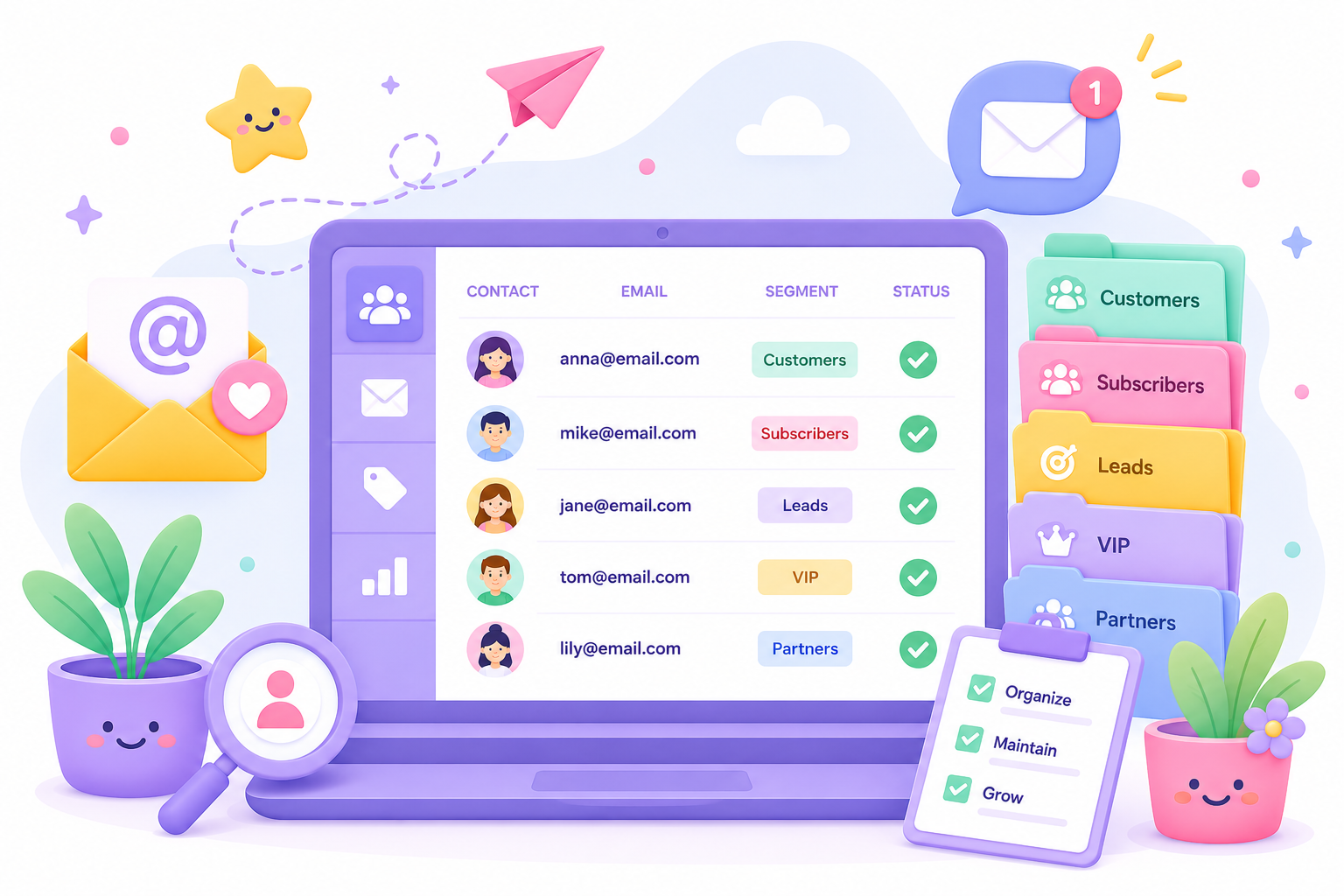
As more subscribers join your list, keeping everyone in one group makes your database harder to manage. Segmentation organizes subscribers into different audience segments using information that already exists in your records.
You can group contacts by the type of information your business collects, including:
These audience groups make it easier to identify the right audience without manually reviewing your entire database.
Many businesses begin with basic segmentation, then adopt advanced segmentation as their subscriber list becomes larger and more diverse. Organizing contacts makes it easier to send personalized content to the right audience without manually sorting your list every time.
It also supports personalized campaigns and more targeted campaigns because subscribers are already grouped by shared characteristics.
Your contact database changes regularly, so routine cleanup is part of good list hygiene.
Duplicate records, obsolete contacts, and outdated subscriber information make your database harder to maintain and can affect reporting.
Review your contact list regularly to merge duplicate records, remove obsolete contacts, and update outdated subscriber information. This also helps organize new contacts without creating unnecessary duplicate entries.
Removing obsolete and long-inactive contacts can also reduce the risk of sending emails to recycled spam traps. Keeping your database current makes it easier to work with accurate subscriber information before every campaign.
Not every subscriber who stops interacting with your emails should be treated the same. The first step is identifying contacts whose activity has changed before deciding what to do next.
Review your engagement data regularly to spot declining opens, clicks, and other signs of reduced recipient engagement. Comparing active subscribers with unengaged subscribers makes it easier to recognize patterns before they become larger problems.
Looking at engagement trends over weeks or months also helps identify subscribers who may need attention.
This also helps you understand which parts of your target audience remain active and which subscribers are gradually losing interest.
After identifying inactive subscribers, decide if they're worth keeping on your list.
A re-engagement campaign gives contacts one last opportunity to interact before you stop sending regular emails.
Send relevant content, special offers, product updates, or welcome emails when appropriate to encourage subscribers to return. These campaigns can improve customer engagement and help keep your audience active before you decide to suppress inactive contacts.
If subscribers remain inactive after several attempts, it may be time to stop emailing them.
Suppressing or removing inactive contacts helps maintain a healthier list of engaged subscribers who continue to interact with your emails.
Subscriber information doesn't stay the same.
People change jobs, move to different companies, update email addresses, or start using a different email address for business communication.
Review your subscriber data regularly so your records reflect the most current information available. Updating contact details helps reduce outdated records and makes your subscriber data more reliable for future campaigns.
Accurate subscriber information also reduces the risk of sending emails to abandoned accounts, which may otherwise contribute to delivery problems or spam folders.
Small updates made regularly are easier to manage than correcting large amounts of outdated data later.
Subscribers should stay in control of the emails they receive. Maintain up-to-date consent records so your business knows who has agreed to receive communications and when that permission was given.
Every marketing email should include simple unsubscribe options, and a preference center gives subscribers a way to update the types of emails they want instead of leaving your list completely.
Maintaining current subscriber permissions also supports legal compliance and helps businesses follow applicable data protection regulations.
Permission management keeps your subscriber list accurate and reduces the chance of sending emails to people who no longer want to hear from your business.
Proper list management depends on consistent routines, not occasional cleanups.
Assign ownership so someone is responsible for maintaining your email list, and document the steps your business follows to keep subscriber data organized.
Larger subscriber databases benefit from repeatable workflows because routine tasks become easier to manage.
Many businesses also use automation tools and automation capabilities to handle repetitive work, such as updating records or organizing subscribers collected through different marketing channels.
A documented process helps everyone follow the same approach, reduces manual work, and keeps email list management consistent, even as more subscribers join your database.
High-quality email list management involves more than organizing contacts and removing duplicates. Your database can still contain email addresses that are no longer deliverable, making email verification an important part of maintaining a healthy list.
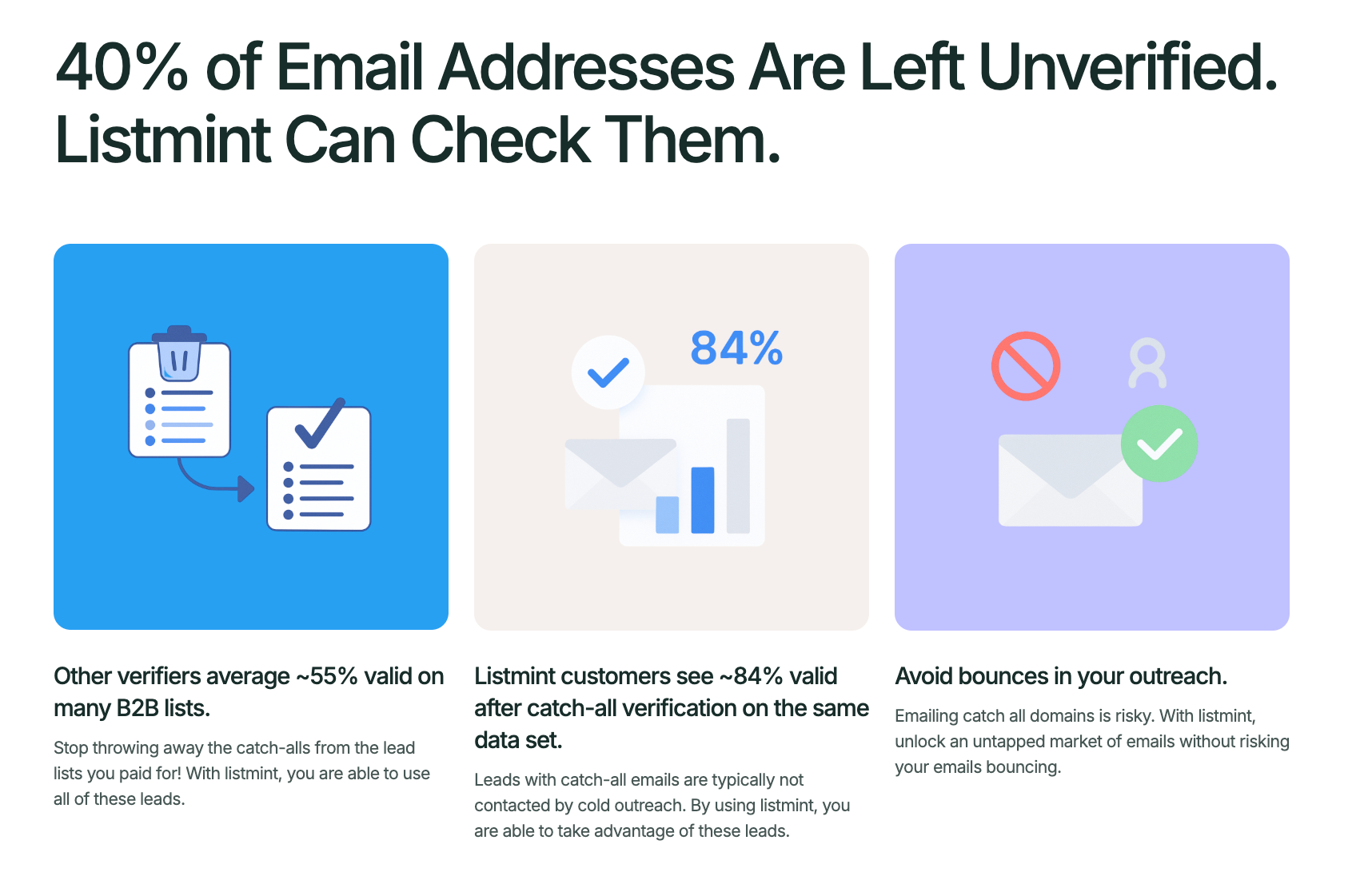
Listmint complements email list management software by verifying email addresses before you send campaigns. Instead of replacing your existing workflow, it helps improve list quality by identifying which contacts are safe to keep and which ones should be removed.
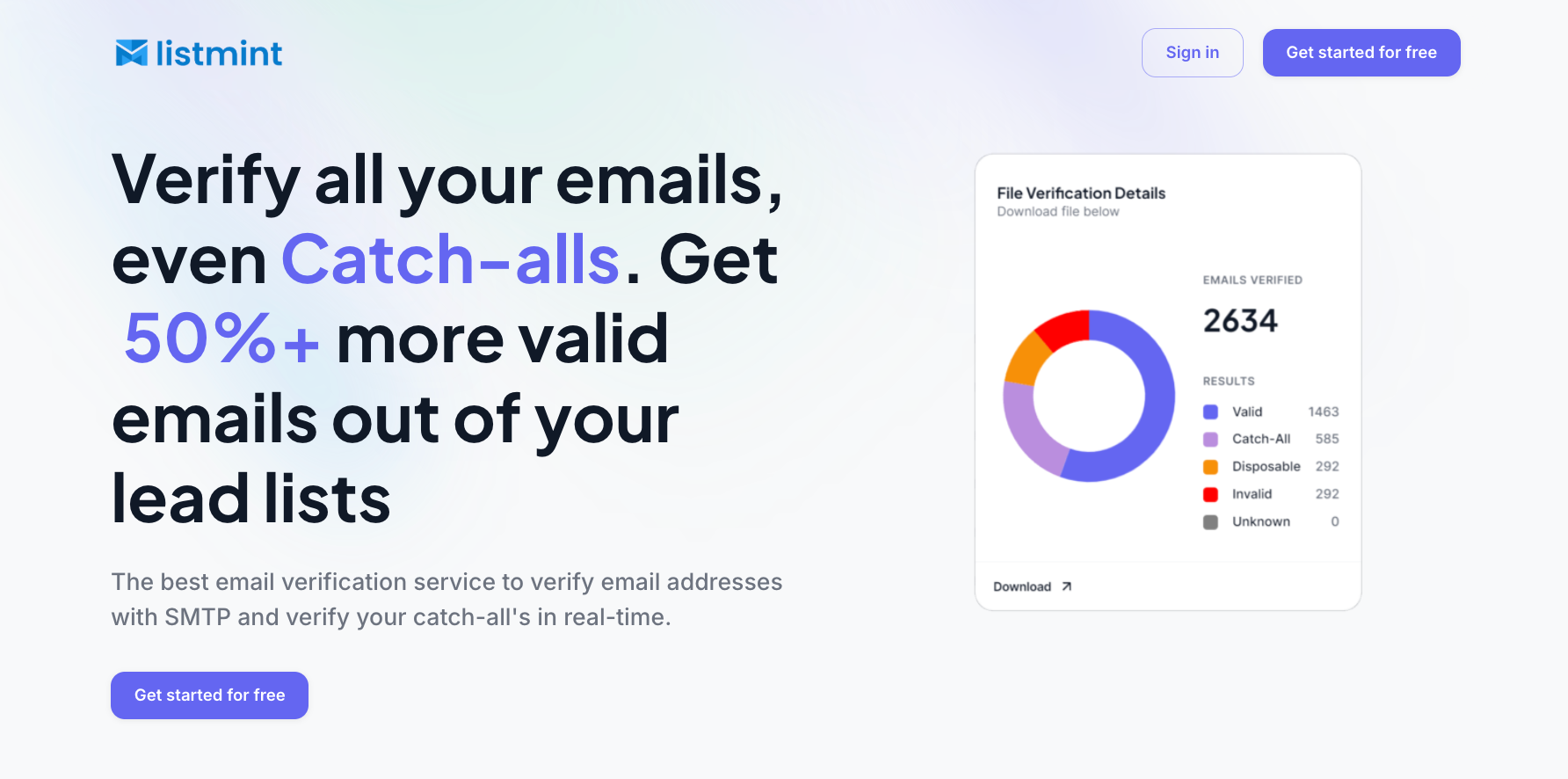
Listmint detects invalid email addresses before they become hard bounces and identifies disposable email addresses that often provide little long-term value.
The biggest difference is its real-time catch-all verification.
Many email verification tools stop after labeling an address as catch-all, unknown, or risky. They don't actually verify whether the mailbox can receive email.
Listmint takes the process further by performing additional real-time verification without sending verification emails or waiting up to 48 hours. It classifies these addresses as catch_all_valid or catch_all_invalid, giving your business a much clearer answer.
This helps businesses recover legitimate contacts, reduce unnecessary list loss, make more confident sending decisions, and improve email deliverability while minimizing bounce risk.
Email verification is most valuable before sending emails, not after problems appear.
Common times to verify an email list include:
Verifying lists before these activities helps protect your sender reputation and improves delivery, regardless of the email service provider you use.
Listmint combines high-accuracy SMTP verification, disposable email detection, and real-time catch-all verification on a single platform. Businesses can verify standard email addresses and catch-all email addresses together without using separate tools.
The platform has verified more than 1 billion email addresses and reports 99%+ accuracy for SMTP and catch-all verification.
It also supports bulk email verification, a real-time verification API, fast processing for large lists, and a user-friendly interface designed for everyday workflows.
Email list management is an ongoing process, not a one-time task. Maintenance activities occur at different times, so following a simple routine helps keep your subscriber data accurate and your email list ready for future campaigns.
You don't need to complete every task on the same schedule. Verifying new contacts before they enter your database and reviewing your existing list regularly helps prevent small data issues from becoming larger problems.
Email list management isn't a one-time cleanup. It's an ongoing process that helps your business maintain accurate subscriber data, improve deliverability, protect your sender reputation, and support better campaign performance as your email list changes.
Building your list through permission-based signups, organizing subscribers, removing outdated records, monitoring engagement, maintaining accurate contact information, and verifying email addresses all contribute to a healthier email list.
Listmint helps businesses verify email addresses, including catch-all email addresses that many verification tools leave as unknown or risky. That gives you more confidence in the quality of your email list before you send your next campaign.
Get started for free with Listmint and verify your email list before your next campaign.
Email verification checks whether an email address is likely to receive messages by validating factors such as the domain, mail server, and mailbox status. Email validation typically refers to checking whether an email address follows the correct format and syntax, although providers often use the two terms interchangeably.
Choose email list management software that helps organize contacts, manage subscriber data, and maintain a healthy email list. Businesses also pair it with an email marketing platform that combines email marketing and subscriber management. Useful key features include contact organization, segmentation, reporting, and integrations with email verification tools.
No. An email marketing platform helps manage subscribers and send campaigns, but it may only offer basic validation features. Using a dedicated email verification tool helps identify invalid, disposable, and catch-all email addresses before you send campaigns, improving overall list quality.
Yes. Many email list management tools integrate with popular e-commerce platforms to help businesses organize customer data, maintain healthier subscriber lists, and prepare contacts for email campaigns. This is especially useful for businesses that collect subscribers through online stores.
It depends on your workflow. Campaign automation tools and automation capabilities help automate emails and routine tasks, but they do not always maintain list quality. Businesses use email verification alongside their existing platform to help keep subscriber data accurate and maintain a healthier email list.