An email address can look correct and still lead to a dead inbox. A typo in the domain, an old employee account, or a catch-all mail server can make it harder to tell if the intended recipient can receive mail.
Checking the format alone won’t answer that question. You also need to review the domain, mail records, and response from the recipient’s server.
For larger mailing lists, an email verifier can run these checks before you start sending emails.
In this article, you’ll learn how to check if an email is valid and what it looks like.
These are ways to check if an email is valid:
To confirm an email address is valid, you need to do the following:
Start by checking whether the address follows a proper structure.
A normal entry has a local part, one “@” symbol, and a domain, such as “john.doe@example.com.” Entries with a missing separator, unwanted spaces, or repeated periods may become invalid addresses that fail before delivery.
Typing errors often enter your database through sign-up forms. Running email validation when someone submits sign-up forms can catch basic mistakes before you store the contact. Similar checks on landing pages can flag bad punctuation at the point of entry.
Passing a format check doesn’t prove the mailbox exists. It only confirms that the address follows an acceptable structure, so you still need to test its domain.
After the format passes, take everything after “@” and check whether that domain exists in DNS. For “alex@example.com,” you would look up example.com. A failed DNS lookup can expose bad data before the contact reaches your campaign.
Domain checks can catch misspelled company names and hosts that no longer exist. A verification service may also compare the email domain against a database of temporary providers to identify a disposable email address.
A real domain alone doesn’t prove the contact belongs to a real person or represents real customers. Avoid using a working website as proof either, since a domain can handle mail without hosting a normal public site.
Your customer data needs another check to confirm whether the host has a route for incoming email.
Once the domain exists, inspect its mail exchange records.
An MX record points senders toward the mail server responsible for handling incoming messages for that domain. One company may list several hosts, with lower preference numbers telling an email server which route to try first.
You can look up MX records with Google Admin Toolbox Dig or MXToolbox. Windows users can run “nslookup -type=MX example.com,” and macOS or Linux users can enter “dig example.com MX.”
Working mail routes show that the domain has infrastructure for receiving messages and may accept mail. Large email providers publish the same type of DNS information.
However, an MX result doesn’t prove your exact recipient has a mailbox, so the next check needs to test that specific address.
After domain checks, test the individual mailbox through an SMTP check. A verifier contacts the receiving server, identifies a sender, provides the recipient address, and reads the reply before any message content goes out.
In simple terms, it simulates sending far enough to learn how the server responds without completing delivery.
A 250 response can mean the server accepts the intended recipient, though catch-all rules can make that answer uncertain. Meanwhile, a 550 response often means the mailbox is unavailable or rejected.
Temporary 4xx errors require more care because the server may be busy or unavailable. A full mailbox can cause a delivery problem even when the account exists. For this reason, one SMTP response shouldn’t serve as an absolute guarantee.
An SMTP test becomes less clear when a company uses a catch-all domain. Such a setup may accept a known employee address and a random name such as “random987654@company.com.”
When both receive an accepting response, a basic server test can’t confirm whether the first mailbox belongs to a real user.
Verification tools often label these contacts as risky addresses rather than valid or invalid. Sending to unresolved risky emails can raise bounce rates when some accounts don’t exist.
Dead recipients can produce hard bounces, whereas a temporary problem such as a soft bounce may clear after the receiving system becomes available.
Catch-all status doesn’t prove an address is bad. Deeper checks can help decide which contacts deserve further review instead of deleting every uncertain result.
Manual tests work for a few contacts, but an email verification service makes larger checks easier to manage.
An email checker can review syntax, domain records, mail routing, SMTP responses, and catch-all behavior through one process. A dedicated email verifier handles those server requests without requiring you to test each contact by hand.
For occasional checks, a free email checker or free email verifier may provide a small daily allowance. An email validator can return a clear status after reviewing the signals it supports.
Teams with larger files can use an email validation service for uploaded lists. Certain platforms accept CSV files or connect with Google Sheets, yet available features depend on the provider and plan.
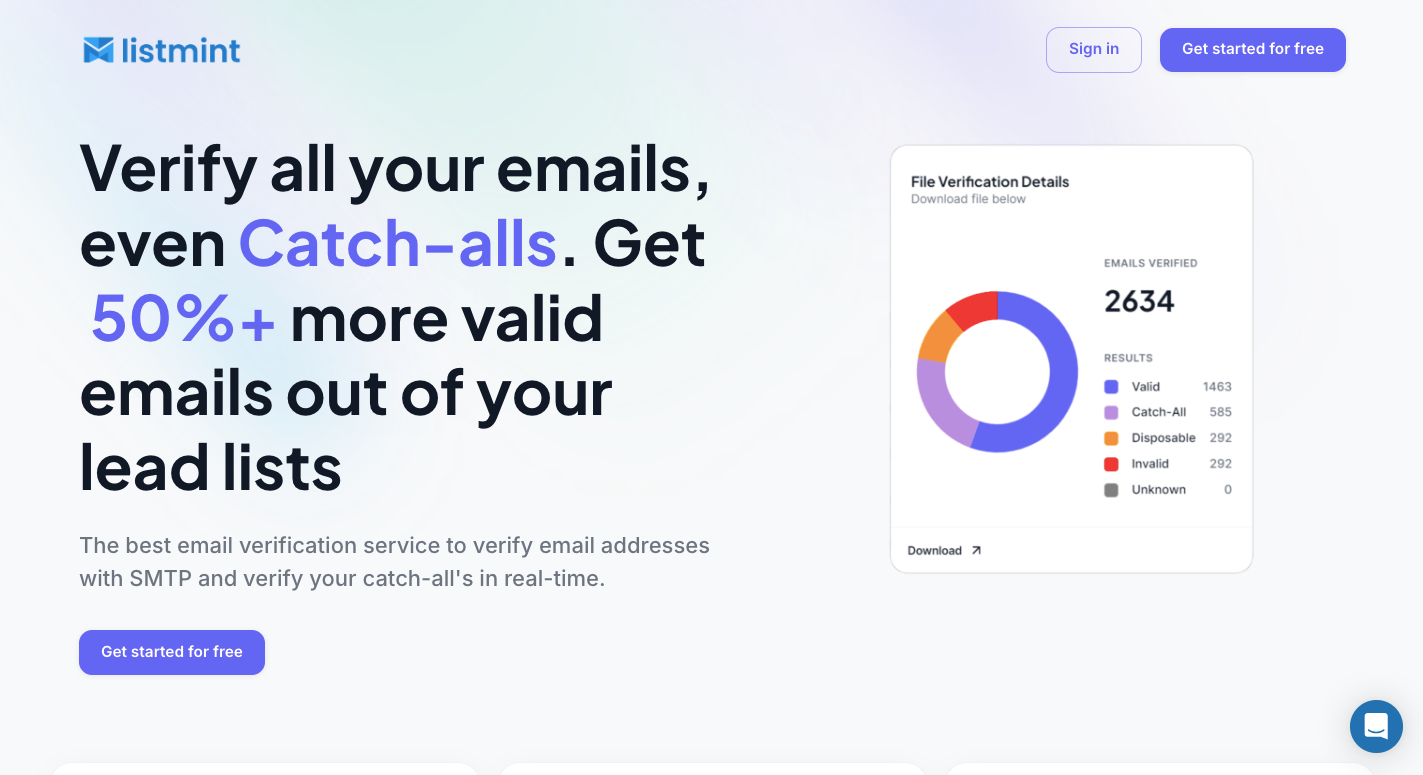
Listmint gives B2B teams one place to check standard and catch-all contacts. You can create a free account to test the platform before selecting a paid plan. Upload an existing email list for bulk checks or connect the API to test new records in real time.
Each address goes through several checks before Listmint returns a status you can use for outreach.
Standard email address verification verifies the format, domain, MX records, and SMTP response. Listmint uses these signals to determine whether an email address exists and appears able to accept mail.
Results separate usable contacts from entries that fail the checks. You can verify email addresses before adding them to an outreach list instead of waiting for failed sends to expose dead accounts.
Catch-all servers can accept an SMTP request without confirming the exact mailbox. Around 30% to 40% of B2B contacts can fall into this uncertain group, which leaves a large part of a lead list unresolved after a standard check.
Listmint runs an extra verification process for these contacts in real time. It returns catch_all_valid or catch_all_invalid rather than leaving every result marked risky. No test email needs to reach the recipient as part of the current real-time method.
For large files, upload a CSV and start the check from the Listmint platform. Standard addresses go through the normal process first, and catch-all contacts receive the extra analysis needed for their domain type.
Before uploading an email list, remove columns that you do not need and keep the address field clearly labeled.
After Listmint finishes, you can review the results and export the records you want to keep. Businesses can validate email addresses in one platform rather than moving uncertain contacts between separate tools.
Listmint provides an API for checking contacts as soon as they enter your product. You can connect it to lead forms, SaaS products, checkout pages, or other systems that collect addresses.
Regular and catch-all results are returned in real time. Available statuses include valid, invalid, catch_all_valid, and catch_all_invalid, so your application has a clear result it can use for the next step.
Listmint isn’t limited to businesses cleaning their own contact lists. SaaS companies, agencies, lead generation platforms, and other B2B2C products can connect to the API and offer standard plus catch-all verification to their customers.
Such a setup removes the need to build your own SMTP and catch-all checking system. Your product sends the address to Listmint, receives the result, then shows or uses that status within its own workflow.
Standard checks and catch-all analysis use different credits because each type requires a separate process. Standard credits cover normal verification, whereas catch-all credits apply when an address needs deeper testing.
Listmint keeps the two balances separate. A team that has few catch-all contacts doesn’t need to spend the higher-cost credits on every record in its file.
A valid email address follows a clear structure: a local part, one @ symbol, and a domain.
For the local part, everything before “@” identifies the mailbox. Common valid addresses use letters, numbers, underscores, hyphens, or periods.
Then everything after “@” tells the system where to route an email message. In “john@example.com,” the domain is “example.com.”
Clean contacts help sales teams avoid dead prospects during cold email and give PR teams better data for PR outreach. Marketers can remove obvious errors from an email database before sending emails through larger mailing lists or email campaigns.
Regular checks can support email deliverability, too. Fewer dead contacts may lead to better deliverability and stronger inbox placement over time. Still, no verifier can promise every email gets delivered successfully.
Aside from that, internet service providers watch bounce patterns and spam complaints when judging sender reputation. Email service providers may limit accounts with poor list practices.
Scraped contacts can contain a spam trap, and repeated poor signals may push later email marketing messages toward the spam folder.
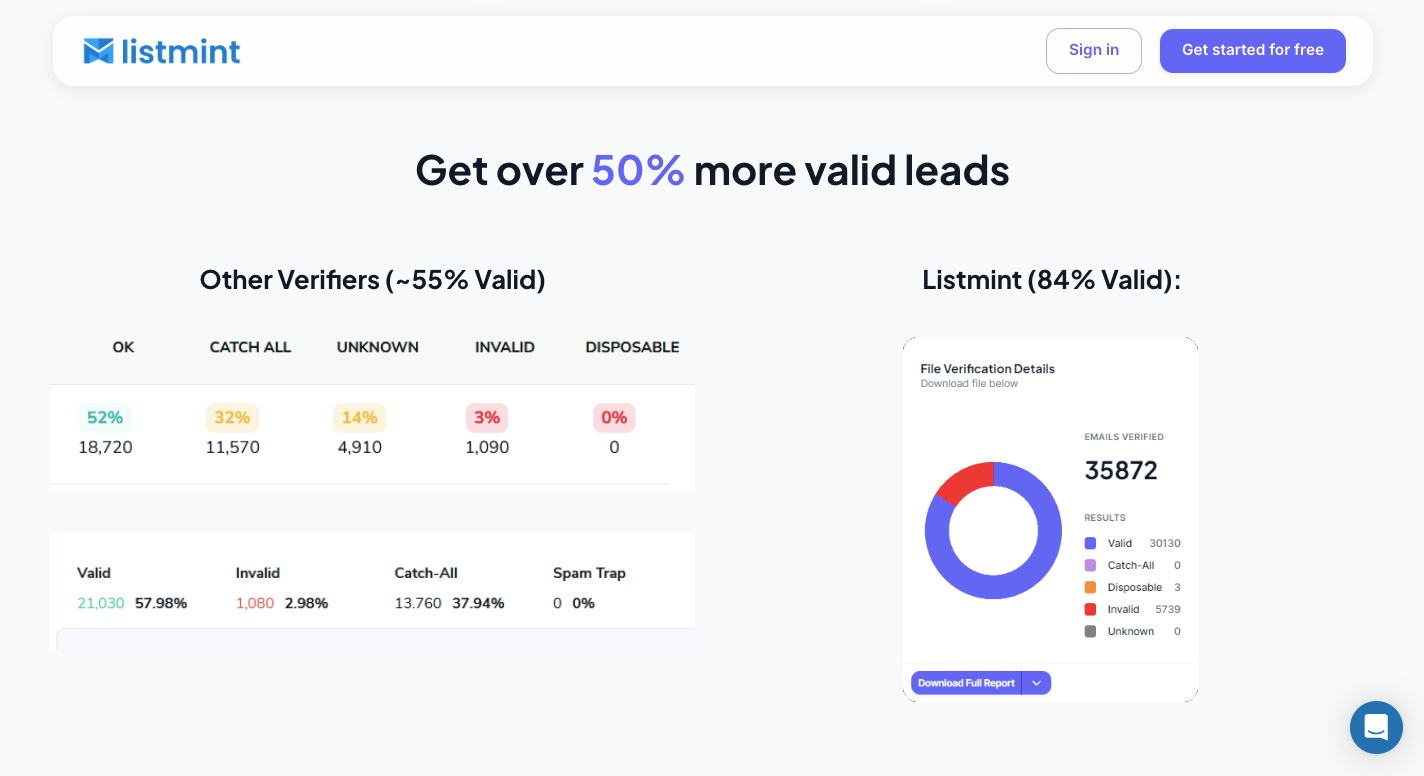
Checking contacts before outreach helps you separate usable mailboxes from dead or uncertain records. Listmint handles standard verification and real-time catch-all checks in the same platform, so you don’t have to discard every address that a normal SMTP test marks as risky.
For large contact files, bulk email verification lets you upload a CSV, run the list through standard checks, and send catch-all records through a separate process. Results identify valid, invalid, catch_all_valid, and catch_all_invalid contacts, which gives you clearer data for deciding who stays on your outreach list.
You can also verify an email address as soon as someone enters it through Listmint’s API. B2B2C companies can add the API to their own products and provide regular plus catch-all checks to customers in real time.
Yes. Some services offer free email lookups with limited searches or daily credits, but larger lists usually require a paid plan.
Check its format, domain, MX records, and mailbox response. A correct-looking address can still be fake or inactive, especially when the server uses catch-all settings.
An email address alone can’t prove someone is a scammer. Check the sender’s domain, look for impersonation or spelling changes, review the message for suspicious requests, and avoid opening unknown links or files.
Use an email verification tool to test the Gmail address before sending a message. Gmail may limit mailbox checks, so a verifier can sometimes return an unknown result rather than confirm whether the exact account exists.