A list of 10,000 contacts can contain addresses that look valid even though the mailbox no longer exists. Other entries may have a typo, use a dead domain, or come from catch-all domains that accept any address during a basic check.
Bulk email validation helps you find these problems before you send. An email verification tool checks the list in one job and sorts contacts by their results. You can then remove invalid addresses and take a closer look at uncertain ones.
In this article, you will learn how to verify bulk email addresses and when you should do it.
You should verify email addresses in bulk because a large list can contain dead accounts, old contacts, and other records that put your domain at risk when you send to them.
A bounce happens when your message can’t reach the person you sent it to. Closed accounts and invalid email addresses can cause hard bounces, and sending to too many risky addresses can raise your bounce rate fast.
Checking your list before large email campaigns helps you remove contacts that have no working mailbox.
Gmail, Yahoo, and other providers watch how their systems and users respond to your messages. Failed deliveries can hurt your sender reputation and email deliverability, and spam complaints add another bad signal.
Poor sending history can also reduce inbox placement or push future mail into the spam folder.
Older lists can contain a spam trap, such as an address used to spot poor list practices. Through verification, you can flag some risky records before they receive your mail.
Fewer bad contacts can then reduce the chance that providers treat your messages as spam.
To verify bulk email addresses, first clean and format your list, upload the file to a verifier, then let the platform test each contact for problems that could stop delivery.
Start with a clean spreadsheet because poor formatting can cause the verifier to read your data incorrectly.
Put every address in one column instead of splitting contacts between fields such as “Email 1” and “Email 2.” You can keep columns for names, companies, and phone numbers since many platforms preserve that data with each row.
Next, remove blank rows and spaces before or after each address. Check for obvious invalid syntax, such as a missing “@” sign. Remove duplicate email addresses before you pay for verification if your provider charges per check.
Once the sheet is ready, export it using one of the file formats your chosen service accepts, such as CSV or TXT.
Log in to your dashboard or create a free account when the provider offers one. Find its bulk upload area, then drag your CSV or TXT file into the upload box. You can usually click Browse and choose the file from your computer too.
Check the pricing page beforehand if the service uses paid credits.
Once your list loads, tell the platform which column contains the addresses. Select “Email” from the menu if it doesn’t detect the right field on its own. Mark the first row as a header when your sheet starts with a label such as “Email Address.”
Before starting bulk email validation, review the total count and remove duplicate emails if the platform offers that option.
Once you start the job, the verification process checks each contact in several stages. Format checks look for an “@” sign, a valid domain structure, and other basic errors. Next, the verifier searches for MX records to find the mail exchange servers that receive mail for that domain.
A deeper check can use SMTP validation to contact the recipient’s mail server and ask how it responds to a specific mailbox. Depending on the server, the response may show that the account exists, doesn’t exist, or can’t be confirmed.
No real email messages need to reach the recipient during this check. A thorough email validation process goes beyond spotting simple typos because it checks whether the domain has a working mail route.
After the check ends, your bulk email checker sorts each contact into groups such as valid, invalid, catch-all, or unknown. Open your email address verification report and read why each result received its label.
Review invalid addresses because the account may be closed or its domain may no longer receive mail. A free email checker can show similar labels for smaller lists. Your verification tool should explain how it sorted your email data.
Accurate email verification gives you useful status details, but no service can promise perfectly accurate results for every address.
Keep valid email addresses and export contacts marked valid to your sending platform. Your verifier found no clear delivery problem during its check, yet the result can’t promise that every message will reach the intended recipient.
Move failed contacts to a suppression list instead of sending to them again. Removing invalid accounts prevents known dead addresses from causing more bounces.
Use your email validator to hold unknown contacts for another check and separate catch-all results for deeper verification. If your verifier supports deduplication, you can remove duplicate email addresses before exporting the final file.
Catch-all addresses are hard to confirm because some companies set up catch-all domains to accept mail for any username. You could check “amy@company.com” and get an accepted response even when Amy no longer works there.
Move these contacts into a separate file rather than treating them as confirmed addresses. Listmint can take catch-all results from a standard SMTP check and run another verification to determine whether each contact is usable.
Some other tools use scoring or extra data to judge uncertain addresses. Check how each provider tests catch-all contacts before you decide what its result means.
Open the completed job and choose the results you want to download. Keep useful fields such as names and companies, then include verification status when your provider gives you that choice.
Other platforms offer free email verification credits that let you test the service with a small list first. A free email verification run can show you how the provider labels contacts and formats its export.
Choose CSV when your sending platform supports it, then import the cleaned list. You don’t need to go to tool after tool once you have clear results ready for your email platform.
Bulk email verification cannot guarantee 100% delivery because a working address can still reject your message after the check.
A verifier can confirm an email address exists when it runs the test, yet your sender history or a company firewall can still block delivery. Even valid contacts may return soft bounces when a user has a full mailbox or the receiving server has a temporary problem.
Clean data improves the chance that a message gets delivered successfully, though it can’t force Gmail, Yahoo, or another provider to put it in the recipient’s inbox. Poor sender history and unwanted content can affect future emails even after every contact passes verification.
Verify a bulk list before a large campaign, after importing new contacts, when old records haven’t received mail for months, or when failed deliveries start rising.
Your contacts should pass through an email verification tool before you add them to a campaign because manual entry can create typos. Older records may contain an abandoned email address or another email account that stopped working.
For active lists, running an email checker every three months gives you a regular cleanup point. Higher email volume may require more frequent checks, especially when your bounce rate starts climbing.
Regular cleaning can reduce bounces, and an email tester can help you check your setup before a major send.
You can also add verification to sign-up forms or connect an email verifier API to test new entries as people submit them. An email verification API can run the same check when your CRM receives a new contact.
Keep scheduled bulk cleaning even with real-time checks because a single email address can work today and become invalid months later.
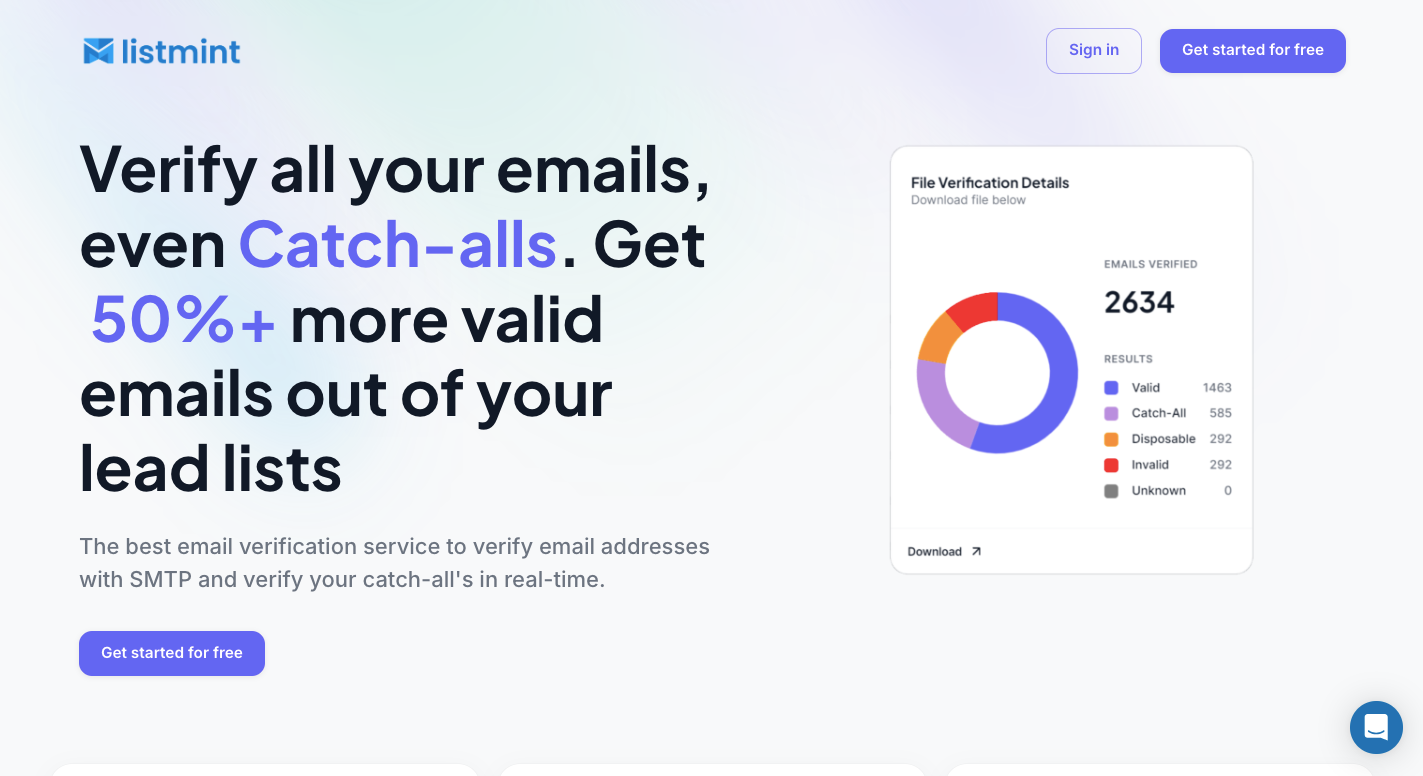
Listmint checks standard email addresses and gives catch-all contacts a separate verification step, so you can make a clearer decision about which records belong in your sending list.
Upload your email lead list to Listmint and start the standard SMTP check. Regular addresses receive results such as valid or invalid, and contacts from catch-all domains move to an additional verification process.
Listmint checks those catch-all addresses in real time without sending an email to the person. You can find usable contacts that a basic SMTP check would leave as uncertain.
Businesses can use Listmint’s direct platform to verify their own contact lists. Upload your file, run the check, review each status, and separate failed addresses before adding the cleaned records to an email campaign.
Standard and catch-all verification use separate credits because Listmint handles them through different processes. You only use catch-all credits for addresses that need the additional check rather than paying the higher verification cost for every contact in the file.
Listmint provides an API for companies that need verification within their own product or system. It returns standard and catch-all results in real time.
B2B2C companies can use the API to provide regular and catch-all verification to their own customers. Your users can submit addresses through your product, and Listmint handles the verification process without requiring you to build the underlying email checks yourself.
Upload your list to an email verifier, run the verification, then remove invalid contacts and review catch-all or unknown results before sending.
Some email verification providers offer free API credits or trial usage, though limits and features vary by service. Paid access usually applies once you exceed the free allowance.
The best email verifier depends on your needs. Look for accurate standard verification, catch-all checking, bulk uploads, clear results, and an API if you need automated checks.
Legitimate providers generally don’t offer a free list of 10,000 verified contacts for unrestricted outreach. Build or obtain contacts through lawful sources and verify them before sending.