Software

Top 7 Email Scrubbing API Solutions in 2026

email scrubbing api

An email scrubbing API is worth considering when it does two things well. One, it should block invalid or risky addresses at the point of entry, and two, it should help your team clean older data before a major campaign.

That matters if you need to protect your sender reputation, reduce bounce rates, avoid spam complaints, and keep inbox placement stable across signup forms and customer relationship management (CRM) imports.

The market often groups email scrubbing APIs with email validation APIs and email cleaning APIs. That overlap is real, but most buyers care about whether the API can scrub bad data inside the systems they already use and fit cleanly into an existing tech stack.

In this article, we compare some of these tools to help you understand their strengths and where they fall short, to help you discover the best options.

TL;DR

These are the seven best email scrubbing API solutions in 2026:

  1. Listmint
  2. Kickbox
  3. Clearout
  4. Scrubby
  5. Snov.io
  6. MillionVerifier
  7. Verifalia

What Is an Email Scrubbing API?

An email scrubbing API is a real-time API that validates emails inside your product, signup forms, CRM, or form-submission flow.

It checks syntax errors, domain validity, mailbox existence, whether the email provider can receive mail for that address, disposable domains, role-based addresses, catch-all domains, and other signals that affect email deliverability and sender reputation.

Unlike one-off email list cleaning services, these tools work where low-quality data first appears. That makes it useful for signup forms, automated cleaning, cold email outreach, and bulk cleanup before weak records reach email marketing systems or distort email campaigns.

Top 7 Email Scrubbing API Solutions in 2026

The tools below were chosen for API usefulness, bulk support, and workflow fit. This is a shortlist for teams that need scrubbing inside products, forms, CRMs, or outbound systems.
1. Listmint

Listmint

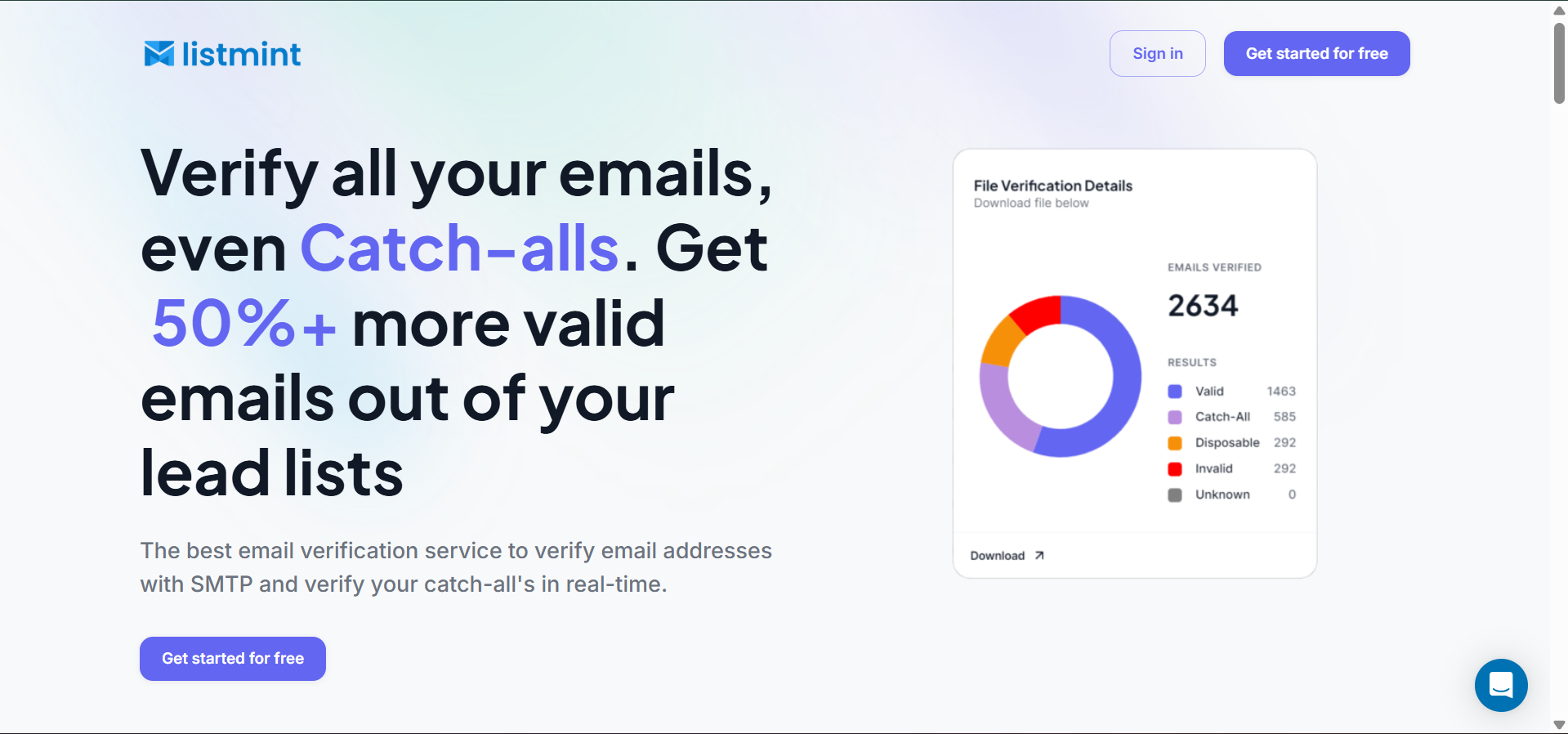
Listmint is an email verification tool for teams that need both standard email verification and clearer catch-all resolution.

It is positioned as an email verification platform with real-time catch-all verification, which makes it ideal for buyers comparing tools for signup forms, CRM workflows, sales operations, and bulk list cleaning.

The appeal is not just that it validates emails. It gives teams more valid leads by clearly labeling addresses that others leave as “risky.”

That makes Listmint especially relevant for B2B sales teams, agencies, SaaS products, and data platforms that need a real-time API inside signup forms or internal workflows.

The platform also supports bulk verification, workspace usage tracking, and API-based verification for reseller or embedded use cases.

Key Features

  • Real-time catch-all scrubbing: Verifies standard emails and catch-all addresses before bad data moves deeper into your workflow.
  • No-test-email verification: Scrubs difficult records without sending emails to the address being checked.
  • Decision-ready status labels: Returns valid, invalid, catch_all_valid, and catch_all_invalid so teams can clean lists without guesswork.
  • Single and bulk scrubbing in one workflow: Supports point-of-entry cleaning and bulk cleanup for older lists.
  • Clear catch-all resolution: Helps teams act on records that many scrubbing tools still leave in a vague, risky bucket.

Pricing

Listmint keeps pricing simple and splits usage into two credit pools: Standard credits and Catch-All credits. That helps because catch-all scrubbing is the part most tools either avoid or price indirectly.

  • Starter: $99/month for 20,000 Standard credits and 5,000 Catch-All credits
  • Agency: $187/month for 50,000 Standard credits and 10,000 Catch-All credits
  • Enterprise: Custom pricing for higher volumes

Pros

  • Clear catch-all results for scrubbing high-risk B2B data.
  • Strong fit for real-time and bulk verification workflows.
  • Useful for reseller, product, and internal API use.
  • Free account messaging lowers testing friction.

Listmint gives you clearer answers where many tools still leave uncertainty. That makes it easier to scrub data before it reaches outreach, CRM workflows, or signup systems and helps you protect your sender reputation without adding guesswork.

Get started with Listmint and verify more usable contacts with less guesswork.

2. Kickbox

Kickbox
Image source: Kickbox.com

Kickbox is an email scrubbing API for teams that want to block invalid addresses, disposable email patterns, and simple form-entry mistakes before they reach signup flows or marketing platforms.

It is a practical choice for lead capture and basic real-time API checks, but less compelling for catch-all-heavy B2B data.

Key Features

  • Point-of-capture scrubbing: Checks emails before bad addresses enter signup flows or customer databases.
  • Bulk list cleaning: Verifies existing contact lists and helps teams separate keepable records from problem addresses.
  • Risk-based filtering: Flags disposable, role-based, accept-all, and free-provider addresses during cleanup.
  • Detailed verification outputs: Returns deliverable, undeliverable, risky, and unknown results with reasons behind each status.
  • Typo correction and quality scoring: Suggests likely fixes to catch typos and adds a score to help review questionable records before they reach forms or email marketing workflows.

Pricing

Kickbox uses a pay-as-you-go model instead of monthly plan tiers. That works well for teams that scrub lists in batches or run verification only when new data comes in, rather than paying for a recurring subscription they may not fully use.

The first 100 verifications are free. After that, the price goes from $5 for 500 verifications to $4,000 for a million.

Pros

  • Fast API checks for signup and lead-capture flows
  • Pay-as-you-go pricing suits irregular verification volume
  • Typo correction catches bad form entries early
  • Bulk cleanup works for older lists and imports

Cons

  • Catch-all handling stays less decisive than specialized providers
  • Reporting depth may feel limited for complex teams
  • Costs can rise once verification becomes a daily infrastructure

3. Clearout

Clearout
Image source: Clearout.io

Clearout is a broader scrubbing option for teams that want real-time checks at the point of entry and batch cleanup for older records. Webhooks, spam trap identification, and form protection make it useful when scrubbing starts inside apps, signup flows, or other intake points.

Key Features

  • Point-of-entry validation: Cleans email data before it enters forms, CRMs, or internal systems.
  • Bulk list scrubbing: Processes older records, imported databases, and campaign lists for cleanup.
  • Safe-to-send decisioning: Adds a safe-to-send status so teams can suppress or keep records more confidently.
  • Catch-all verification support: Includes catch-all checks for records that standard validation cannot confirm cleanly.
  • Detailed cleanup metadata: Returns reason codes, suggested fixes, bounce type, MX details, and SMTP provider data.

Pricing

Clearout offers monthly subscriptions, annual subscriptions, and one-time purchases. That gives teams more flexibility depending on how often they scrub lists.

  • Freemium: $0 per month for 100 free credits
  • Starter: $23 per month for 3,000 credits
  • Pro: $58 per month for 10,000 credits
  • Enterprise: Custom pricing

Pros

  • Covers real-time scrubbing and older database cleanup
  • Spam-trap detection helps with riskier outbound data
  • Rich metadata supports routing and suppression logic
  • Flexible billing fits one-off and recurring cleanup

Cons

  • Advanced features can feel heavy for simple needs
  • Costs take longer to model at higher volume
  • Catch-all outputs still need review on harder lists

4. Scrubby

Scrubby
Image source: Scrubby.io

Scrubby focuses on risky addresses and catch-all domains that standard SMTP verification tools often leave unresolved. It works better as a second-layer verifier.

Key Features

  • Second-layer risky email scrubbing: Focuses on risky and catch-all emails that first-pass validators leave unresolved.
  • Risky-list cleanup workflow: Lets teams submit catch-all or risky lists and get back a more usable validated list.
  • Confidence-based outputs: Separates results into high- and low-confidence groups instead of one flat risky label.
  • Catch-all-focused cleanup: Fits teams that already scrub obvious invalid emails and want a second pass on harder records.

Pricing

Scrubby uses monthly subscriptions and a pay-as-you-go option for less predictable volume. Paid tiers include credit rollover.

  • Free: 100 credits for 7 days
  • Starter: $27/month for 1,000 validation credits
  • Basic: $127/month for 5,000 validation credits
  • Growth: $247/month for 10,000 validation credits
  • Enterprise: Custom pricing, starting from $0.01 per credit

Pros

  • Strong second-pass cleanup for risky, catch-all records
  • Confidence-based outputs help prioritize harder records
  • Useful for agencies and cold email teams

Cons

  • Not designed for basic real-time form validation
  • Usually needs another tool for basic verification
  • Narrower fit if you want one full-stack API

5. Snov.io

Snov.io
Image source: Snov.io

Snov.io is a broader sales platform, but its Email Verifier API is still relevant for buyers who want scrubbing tied to prospecting and outreach. It makes the most sense when email cleaning sits close to list building and campaign prep, especially if your team already uses Snov.io.

Key Features

  • Bulk list cleanup at scale: Verifies prospect lists in bulk or one by one for cleaner sending data.
  • Seven-step cleaning process: Uses multiple validation layers to clean prospect data more thoroughly.
  • Catch-all and risky record detection: Checks catch-all, server status, typos, and gibberish before bad records move forward.
  • Database cleanup support: Fits teams that want cleaner prospect data inside ongoing outreach workflows.
  • Greylisting and mailbox checks: Adds deeper checks that help reduce uncertainty in messy lists.

Pricing

Snov.io bundles email verification into a broader outbound platform, so the pricing is based on plan credits rather than standalone scrubbing tiers. 
  • Starter: $39/month for 1,000 credits and 5,000 recipients
  • Pro S: $99/month for 5,000 credits and 25,000 recipients
  • Pro M: $189/month for 20,000 credits and 50,000 recipients
  • Pro L: $369/month for 50,000 credits and 100,000 recipients
  • Ultra: $738/month for 100,000 credits and 200,000 recipients
  • Custom Ultra: Custom pricing from 200,000 credits upward

Pros

  • Fits outbound teams already using Snov.io workflows
  • Shared environment reduces handoffs before campaign launch
  • Supports bulk cleanup and one-by-one API checks
  • Useful for sales teams verifying prospect lists fast

Cons

  • Credits are shared across verification and other tools
  • Overkill for buyers needing only list cleaning
  • Catch-all handling is not its main advantage

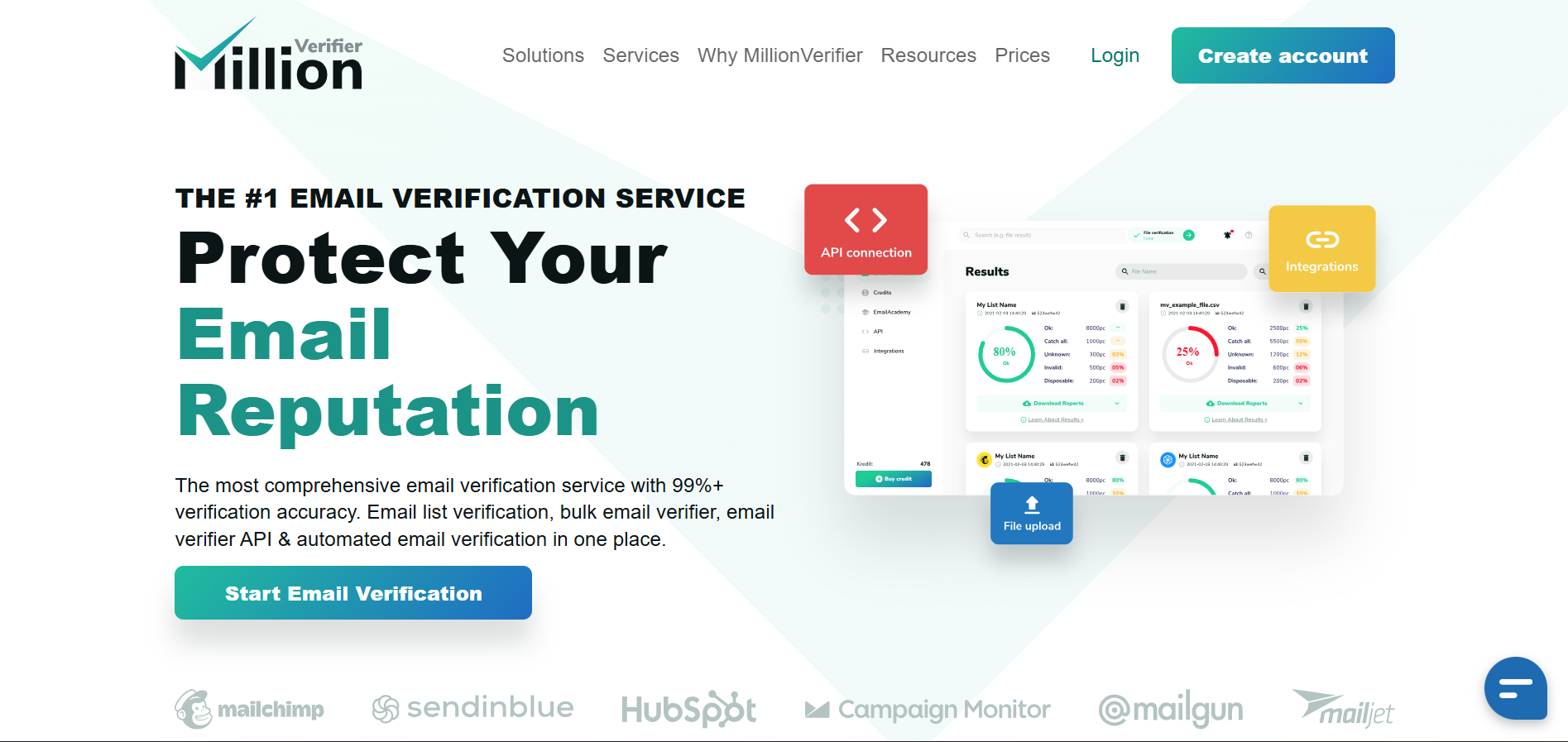
6. MillionVerifier

MillionVerifier
Image source: Millionverifier.com

MillionVerifier is aimed at buyers who want low-cost bulk verification and a usable real-time API. It is especially relevant for high-volume senders cleaning large mailing lists, older CRM segments, or campaign databases before a send.

Key Features

  • Duplicate removal before verification: Removes repeated addresses before the rest of the scrubbing process starts.
  • Core cleanup checks: Runs syntax, domain, and SMTP validation on each record.
  • Smart verify and greylisting retests: Adds deeper checks and automated retests to reduce false positives and false negatives.
  • Catch-all reduction on harder lists: Helps reduce catch-all and business unknown results on difficult datasets, especially when a business domain makes mailbox status harder to read.
  • Typo correction in real time: Returns likely corrections when it detects a misspelled provider or address.

Pricing

MillionVerifier splits pricing between one-time credits and an automated cleaning plan. That makes it easier to match cost to workflow.

  • Email verification credits: $39 for 10,000 lifetime credits
  • Automated email verification: $15/mo for 10,000 email verifications per day

Pros

  • Low-cost credits work well for high-volume senders
  • Duplicate removal cuts waste before deeper checks start
  • Strong fit for bulk lists and mailing lists
  • Automated plans help with recurring database hygiene

Cons

  • Catch-all results still require more manual judgment
  • Credit-pack budgeting varies across campaign cycles
  • Less focused on detailed reporting or spam traps

7. Verifalia

Verifalia
Image source: Verifalia.com

Verifalia is an email validation provider with a flexible API and both real-time and batch validation.

It’s suitable for developer-led teams that want more control over settings, callbacks, and how scrubbing behaves inside a product or data pipeline than for buyers who just want a lightweight form validator.

Key Features

  • Point-of-entry blocking for bad submissions: Helps stop invalid emails, fake sign-ups, and weak records before they enter your system.
  • Batch cleaning for existing lists: Scrubs database exports and older contact lists on a recurring basis.
  • Detailed cleanup classifications: Categorizes each address as Deliverable, Undeliverable, Risky, or Unknown, then adds deeper status detail.
  • Fine-tuned scrubbing controls: Lets teams adjust quality level, timeout, deduplication, retention, and callback settings.
  • Deep validation checks for list cleaning: Covers formatting, domain, DNS, MX, mailbox confirmation, spam traps, catch-all servers, and disposable addresses.

Pricing

This comparison presents Verifalia with both one-time verification credits and an automated cleaning plan.

  • Free account: Available with 25 daily credits
  • Starter: $9.90 per month, with 250 daily credits
  • Professional: $53.90 per month, with 1,250 daily credits
  • Enterprise: $218.90 per month, with 6,250 daily credits
  • Ultimate: $548.90 per month, with 25,000 daily credits

Verifalia also offers pay-as-you-go credit pacs, ranging from $7.90 for 1,000 credits to $4,890 for 10 million.

Pros

  • Strong fit for developer-led teams needing more control.
  • Useful mix of real-time API and batch validation.
  • Flexible settings support custom scrubbing workflows.
  • Free tier makes testing easier before commitment.

Cons

  • Daily-credit pricing is less direct than flat plans.
  • Simpler buyers may not need the extra controls.
  • Pricing review takes more work than pay-as-you-go tools.

How to Choose the Right Email Scrubbing API

If you are narrowing the shortlist, focus on the factors that affect day-to-day scrubbing most.

  • Real-time verification: Choose this first if you need to catch bad emails at signup, form submission, or intake.
  • Bulk verification: Prioritize this if you clean older CRM records or dormant contacts before a campaign.
  • Catch-all handling: Look closely here if your data includes many B2B domains and you need better catch all detection, not just a generic risky label.
  • Result clarity: The API should return results your team can actually use.
  • Pricing model: Match the pricing to your workflow, whether that means daily API usage or occasional list cleaning.
  • API integration: The service should fit your forms, CRM, product, or outbound stack without extra friction.

Some teams will also compare adjacent capabilities such as inbox placement testing, blocklist monitoring, or deliverability insights. Those features can matter when you need a fuller view of campaign performance across inbox providers, but they do not replace clean verification data.

If the API runs on every signup or lead-capture event, speed matters too. Even half a millisecond starts to matter at scale. That is why seamless integration, advanced features, and comprehensive documentation deserve a closer look before you commit.

Why Many Businesses Are Choosing Listmint

The reason businesses choose Listmint is that it gives them a better data set on catch-all domains, which are common in B2B data and often left as risky or unknown by other providers.

Listmint API verifies catch-alls in real time, returns clear outputs, and does it without sending test emails.

That matters in real workflows. A sales team can use the verification results before cold email outreach. A SaaS company can validate emails at signup. A data provider can add email verification to its product and pass cleaner results into customer reports.

That makes data-driven decisions easier. Your team can suppress, route, or keep a record based on a clearer status instead of guessing what a vague, risky label really means.

Poor data also makes campaign performance harder to read. When bad records stay in the list, even click-through rates tell a less useful story because the audience quality is off.

It also helps you protect your sender reputation, support a healthier sending reputation, and tie cleaner verification outcomes back to marketing ROI.

That is much closer to what buyers want from an email scrubbing API than another generic promise about list cleaning.

Listmint is also easier to justify when catch-all domains are a meaningful share of your data. Standard verification can still catch syntax errors, domain validity issues, disposable addresses, and obviously invalid emails.

The real gain comes when you recover more usable contacts from records that would otherwise stay unresolved, which can reduce deliverability issues before they affect campaigns and reporting.

Resolve More Catch-All Emails With Listmint’s Email Verification API

Listmint’s Email Verification API

If catch-all domains keep slowing down your list-cleaning workflow, Listmint gives you a clearer way to move forward.

Instead of leaving those records in a vague, risky bucket, it helps your team get more usable contacts from the same data, make faster send-or-suppress decisions, and protect your sender reputation before those records reach signup forms, CRM workflows, or outbound campaigns.

Listmint’s email scrubbing API is built for real-time catch-all verification and does not rely on test emails, which makes it easier to use inside live workflows where speed, clean verification results, and seamless integration matter.

Sign up for free, test the API on a live segment, and see how many more valid contacts you can keep without adding guesswork to your process.

FAQs About Email Scrubbing API

What is an email scrubbing API?

An email scrubbing API is a service that validates emails automatically inside your app, CRM, or form workflow. It checks for invalid emails, disposable addresses, risky addresses, syntax errors, mailbox existence, and other signals that affect email deliverability.

How do email scrubbing APIs work?

Most email scrubbing APIs run syntax checks, domain verification, MX lookups, mailbox existence checks, and extra tests for catch-all domains, disposable domains, role-based addresses, and spam traps. The API then returns results your team can use in real-time or in bulk list-cleaning jobs.

Those checks do not guarantee that every inbox belongs to a real person, but they do show where the highest-risk records sit before they cause a spam-trap hit.

Can an email scrubbing API detect catch-all emails?

Yes. Many tools can detect catch-all domains. The bigger difference is whether they stop at a generic risky label or return a clearer decision you can use in marketing campaigns and CRM workflows.

Should you use real-time verification, bulk verification, or both?

Most businesses should use both. Real-time validation keeps low-quality data out during form submission and signup, while bulk email validation cleans older records already sitting in CRM lists, marketing platforms, or inactive accounts from past campaigns.

Verify all your emails, even Catch-alls in real-time with our Email Verification Software.

Create an account for free.