Lead verification sounds like a simple task until a team tries to clean a list of leads.
Email records need deliverability checks, phone records need line and carrier checks, and LinkedIn data usually needs freshness and enrichment more than strict verification. Those are different problems, and they call for different tools.
If your team relies on cold email, evaluate email verification first. A weak phone record wastes rep time. A weak email file can drag down inbox placement, soften response data, and create risk before the team catches it.
In this article, we’ll review the 12 best verification tools that help your team verify emails, phone contacts, and LinkedIn leads at scale.
The 12 best lead verification services for email, phone, and LinkedIn are:
Lead verification checks whether a contact record is accurate enough to use.
For most teams, the lead verification process starts with data validation. They review details like lead data, email addresses, cell phone numbers, and physical addresses to determine whether the contact information is sufficient to use.
That verification process changes by channel. For email, the checks usually cover syntax, domain, and MX records, disposable addresses, role accounts, and other deliverability signals.
For phone numbers, the focus turns to validity, line type, carrier data, region, and whether the number supports calls or SMS. In some workflows, teams also need basic address verification so account records stay clean.
LinkedIn-related tools usually do something different. They help confirm whether the person still works at the company you think they do, whether the displayed title is still current, and whether the record can move cleanly into outbound or enrichment.
Timing matters too. Real-time checks work best when records are screened as they enter the system. Bulk checks work better for old customer relationship management (CRM) segments, purchased lists, reactivation sends, and campaign prep.
Email verification has the heaviest operational weight because one weak file can affect more than a single campaign.
Bad, outdated, and incomplete data do more than create invalid leads. They also leave teams with unverified leads, weaker email deliverability, and a harder time separating bad leads from high-quality leads that still deserve attention.
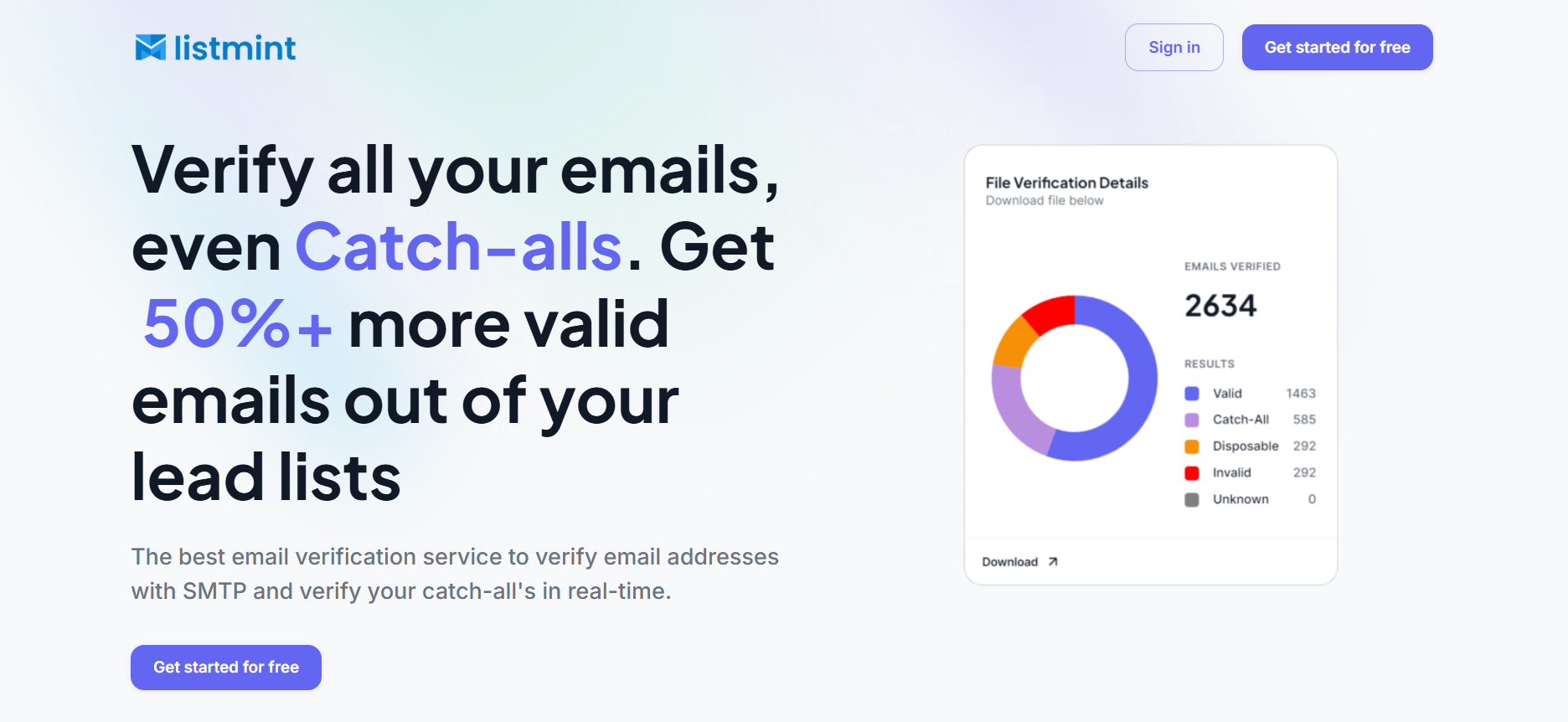
Listmint is built for teams that are already past routine list cleaning. The usual problem is not a typo or an obviously dead address. It is the unresolved part of the file that comes back as risky, unknown, or accept-all when launch is close and nobody wants to guess.
That is the part Listmint focuses on. It handles standard verification and catch-all verification in real time so you get something more useful than a vague warning label.
Clearer outputs turn a grey area into a clear decision, which matters when a sales team is trying to get the best results from its email marketing campaign and still keep high-quality prospects in play.
That difference shows up most when the business has already paid for the data. Throwing away reachable contacts hurts. Sending blindly hurts, too. Listmint gives you a better way to protect sender reputation and brand reputation without writing off a large chunk of the file.
You can use Listmint to validate emails in a bulk file before launch, use the API inside a form or product flow, or bring verification into forms and CRMs so weaker records get filtered earlier, and the sales process starts with cleaner data.
Best for: Outbound teams, agencies, RevOps leaders, and product teams that need clearer decisions on catch-all email records.
Listmint keeps pricing simple for teams that want clearer verification results before launch.
Sign up for free today and get over 50% more valid leads.

Kickbox is a standard email verification tool for teams that want familiar deliverability checks and a straightforward workflow.
It covers the basics of expected verification, supports bulk cleanup, and offers an API for teams that want to validate records before they move deeper into an outbound rhythm.
The product is easiest to understand when the goal is routine list hygiene rather than a sharper catch-all decision during cold outreach.
Best for: Teams that want standard email verification with bulk cleanup and API support.
Limitation: Ambiguous records may still require internal review, especially when the file contains many catch-all domains.
Kickbox pricing is based on the number of verifications you want to do. The first 100 are free. Then, the pricing ranges from $5 for 500 verifications to $2,999 for a million verifications.

Emailable is made for steady list maintenance. It is usually chosen by teams that want recurring cleanup without much friction.
The platform supports bulk verification, API use, and form-level checks. It also covers standard risk flags such as disposable and role accounts, which makes it a workable piece of lead verification software for teams that want dependable hygiene more than a specialized answer on harder records.
Best for: Teams that want recurring email cleanup and accessible bulk verification.
Limitation: Catch-all records do not always resolve into a clean yes-or-no result, so some files still come back with a meaningful Risky segment.
Emailable offers both free credits and a low monthly entry point, which helps teams that validate leads on a recurring schedule.
That structure suits teams whose verification volume changes month to month. For example, if you need 500,000 credits, you need to pay $1,350 (pay-as-you-go) or $1,147.50 (monthly subscription).

Clearout sits closer to a broader prospect-data workflow. Verification is one part of the product, not the whole product offering.
That makes it relevant for teams that combine lead generation, enrichment, and lead management in the same motion. The product also supports real-time use and catch-all handling, though the final send rule on ambiguous records may still sit with the team.
Best for: Prospecting teams and data operations teams that want bulk and API-based verification in the same workflow.
Limitation: Standard statuses can still leave catch-all records in a risk bucket, which means the team may need its own send rules for that segment.
Clearout gives teams several ways to pay, which helps when usage moves up and down.
Phone validation has a narrower purpose. The goal is to cut dead dials, improve routing, check SMS eligibility, and make sure the number is usable before a rep or system acts on it.
That is why line type, carrier data, and API fit matter more here than a long feature list. When a team depends on phone calls or cold calling, small errors can still create wasted resources.

Twilio Lookup is more than a basic phone validation API. It is built for teams that need to check whether a number is valid, identify its line type, and decide whether it is worth messaging before that traffic hits SMS, voice, or account-verification workflows.
The product is designed for background checks and results that feed straight into another decision. Manual list review is not the main use case.
Best for: Developer-led teams that need phone validation and carrier intelligence inside apps or automated workflows.
Limitation: It is built for API use, so teams looking for heavier manual review or list-cleanup workflows may want something else.
Twilio uses per-request pricing, which makes the most sense when validation runs inside live workflows.

Melissa is designed for international phone data and broader data-quality work.
Its value comes from normalization, parsing, and validation across many countries rather than from a lightweight self-serve motion.
Large databases and global intake flows are closer to their natural use than small call lists, especially when data accuracy across regions matters as much as simple contactability.
Best for: Companies with international contact data and broader data-quality workflows.
Limitation: The buying process is heavier than lighter self-serve tools, especially for smaller teams.
Melissa is priced for companies that treat validation as part of a wider cleanup program.
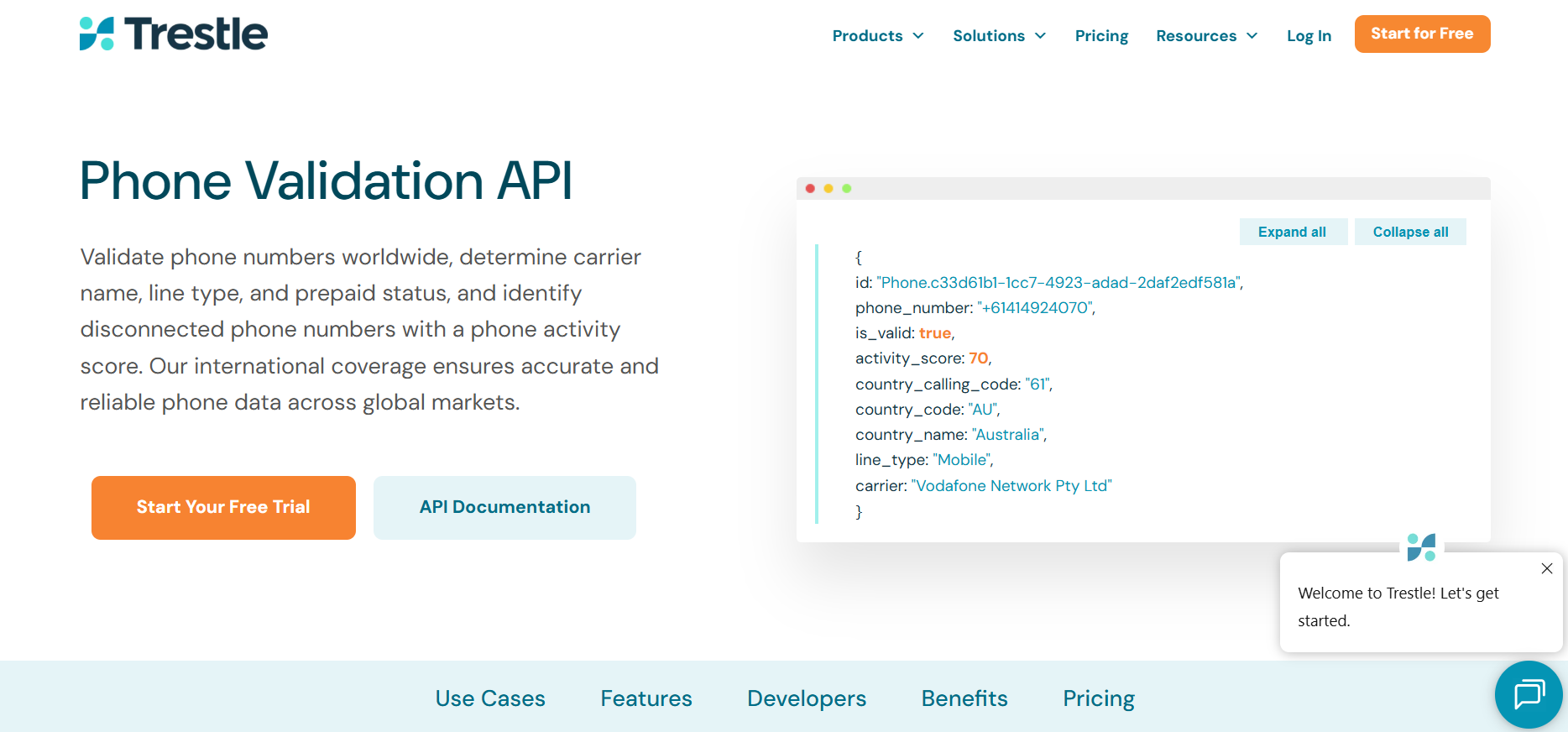
Trestle adds more context than a simple valid-or-invalid result.
Its phone validation product includes disconnected-number checks and activity scoring, which makes it more useful when the business needs to know whether a number is still reachable, not just correctly formatted.
Best for: Teams that need real-time phone validation with extra contactability signals.
Limitation: It is suited to API-driven workflows, so non-technical teams may need operations or engineering support to use it well.
Trestle keeps pricing compact, with one clear self-service rate and a custom enterprise path.
Loqate is centered on capture quality and standardization.
A company that wants cleaner phone data at the point of entry, especially across countries, is more likely to get value from it than a team looking for deeper calling intelligence.
Best for: Teams that want cleaner global phone formatting and stronger frontend capture quality.
Limitation: It is less specialized for sales-facing contact intelligence than tools built around phone reachability.
Loqate uses credit packs, and the price varies depending on the number of credits you purchase. You can perform 2,127 phone-validation lookups for $100, 8,333 for $300, and 34,482 for $1,000.

NumVerify is a lightweight phone validation API.
It is usually chosen for simple implementation, basic carrier and line-type checks, and a lower-cost entry point. The product stays narrow, which is part of the appeal.
Best for: Lean technical teams that want basic phone validation through an uncomplicated API.
Limitation: It does not offer the same depth as broader identity or compliance-oriented platforms.
The pricing plans are following:
LinkedIn-related tools usually help answer a simpler question: Does this profile still point to the right person at the right company?
That makes freshness, company match, and enrichment quality more important than strict pass-or-fail verification. The aim is to spot potential leads with genuine interest faster and keep low-fit records from entering the rest of the workflow.
Apollo.io combines prospecting, enrichment, and engagement in one platform.
A team using it is usually looking for a broader sales workflow rather than a narrow LinkedIn cleanup tool. The database and sequencing features are part of the buying decision, not just the profile data.
Best for: Outbound teams that want prospecting, enrichment, and engagement in one system.
Limitation: It is broader than necessary if the team only needs a narrow LinkedIn export cleanup or pre-send email verification.
Apollo.io bundles pricing into tiers, which makes the product easier to evaluate when it may replace more than one tool.

Hunter.io is more about company-domain and email support than LinkedIn verification itself.
Once the company and person are known, Hunter.io helps the team find and verify a likely work email so the record can move into an outbound message framework with fewer manual steps.
Best for: Teams that start from company or domain data and want fast email finding plus verification.
Limitation: It does not solve LinkedIn cleanup directly and is not built as a profile-freshness tool.
Hunter.io uses a straightforward monthly ladder, which works well for teams that start with domain or company data.

Evaboot is closely tied to Sales Navigator workflows.
Its main use is export cleanup before enrichment or email verification starts. That is a narrower use case, but it is a real one for teams that spend a lot of time prospecting inside LinkedIn.
Best for: Teams that prospect from Sales Navigator and want cleaner exports with email-finding support.
Limitation: It depends on a Sales Navigator-led workflow, so it is an add-on rather than a standalone verification platform.
Evaboot offers a monthly subscription plan that ranges between $9 per month for 100 credits and $1,699 per month for 200,000 credits. One lead verification costs one credit.
Start with the issue you need to fix first.
A team sending cold emails at scale should compare vendors differently than one using a phone-first workflow or a Sales Navigator-heavy process. If weak email data is already affecting multistep outreach performance, email should drive the decision.
Use these questions to narrow the list:
The right tool should help verify leads against specific criteria, support better verification results, and make it easier to validate leads before those records enter the sales process.
It is also worth checking whether weak data is already clouding response metrics or wasting marketing efforts on unqualified leads, invalid prospects, and other invalid prospects.
Once the reporting gets harder to trust, verification stops being a cleanup task and becomes a workflow decision.
Email problems spread faster than most data problems.
A disconnected number wastes a call attempt. Weak email data can lift bounce rates, muddy reporting, and soften performance across an entire campaign. That is why teams keep tying verification back to cold email results instead of treating it as a one-time cleanup task.
The risk also compounds quietly. Disposable addresses, role accounts, spam traps, and catch-all ambiguity can all sit in the same file, and the team often notices the cost only after the send is already live.
That is why email needs the strictest lens of comparison here. A useful tool does more than flag obvious invalid records. It also makes the unclear part of the file easier to act on before sender reputation takes the hit.
Teams usually switch verifiers because too much of the file still comes back unresolved.
Listmint is built for that problem. Instead of leaving a large catch-all segment in a vague risk bucket, it gives teams clearer outputs they can use before a launch window closes.
For B2B teams working through older lists, bought data, or enriched records, that difference can decide whether the send moves forward at all. Lead verification makes sure the sales team sees fewer invalid leads and more usable records before cold outreach starts.
It also matches how verification should work in practice. Bulk cleanup matters before campaigns. API-based checks matter when records are collected live. Listmint covers both without pushing the team back toward guesswork on the hardest part of the file.

If your team is still making send decisions around vague labels like risky, unknown, or accept-all, you are not getting enough from your verifier.
Listmint helps you move past that bottleneck. It verifies standard emails, gives you much clearer insight into catch-all records, and helps you keep more usable leads from the data you already paid for.
Every email campaign launch depends on list quality. A weak file can cost replies, damage brand reputation, and force your team to suppress contacts that may have been safe to keep.
That slows improving efficiency, weakens stronger customer relationships, and gets in the way of sustainable growth.
If email is a serious acquisition channel for your business, you need Listmint in your arsenal.
Run your next list through Listmint and see how many high-value leads you can recover before launch.
The terms overlap, but validation usually refers to format and integrity checks, while verification often extends into contactability and deliverability. The practical difference depends less on the label and more on what the vendor actually checks.
Real-time verification checks the record as it enters your system. Bulk verification checks a stored file before reuse. Most teams need both at different points in the same workflow, especially when one team handles live forms, and another still relies on batch processes for older lists.
They can reduce risk and support cleaner data practices, but they do not replace policy, consent rules, or legal review. Verification improves record quality. It does not remove the need for proper sourcing and workflow controls.
Lead verification makes sure your contact data is accurate and usable before outreach begins. It helps prevent issues like email bounces, wasted sales effort, and poor campaign performance caused by invalid or outdated records. Ultimately, it improves efficiency and protects your sender reputation and data quality.