Not every email address gets a clear "valid" or "invalid" result.
Many standard email verification tools flag catch-all addresses as "catch-all," "unknown," or "risky," leaving you without enough information to decide if those contacts belong in your outreach list.
For businesses that rely on accurate contact data, that uncertainty can lead to missed opportunities or unnecessary risk.
If you're researching a catch-all email verification tool, this guide explains how these tools work, why they're different from traditional verification, and what to consider before choosing one.
A catch-all email verifier is a type of email verification software designed to validate emails hosted on catch-all domains.
Unlike a general email verifier, which often stops after identifying a catch-all domain, it performs additional verification to provide more useful information about catch-all email addresses.
That makes it easier to review lead lists, CRM data, and outbound contacts before sending emails.
Most email verification tools check an email address by communicating with the receiving server. During the verification process, the system checks if a specific mailbox can receive incoming mail.
A catch-all domain behaves differently during verification.
It's configured to accept all incoming emails, even if an individual mailbox doesn't exist. Because of that behavior, the server response doesn't always provide enough information to determine if the address belongs to a real recipient.
That’s why many other tools return “catch-all,” “unknown,” or “risky” results. The response is too limited to verify the address with confidence.
These results don’t automatically mean the address can't receive email. They simply mean the server response didn't provide enough information to confirm that individual mailbox.
Many businesses remove catch-all email addresses without verifying them further. That can also mean removing valuable leads that could have become customers.
It's common with purchased lead lists, prospecting databases, or older CRM records where catch-all domains appear more frequently.
The result is a smaller outreach list before you send a single email. Fewer contacts mean fewer opportunities to start conversations, book meetings, or generate new business. Over time, that can reduce the return on the data you've already invested in.
The opposite approach isn't ideal either.
Sending emails to every catch-all address without verifying them first can increase bounce rates, make it harder for future emails to reach the inbox, and gradually affect email deliverability.
There's another consideration. If your list also contains outdated or recycled addresses, you may run into spam traps, adding more risk to future campaigns.
Skipping catch-all verification doesn't just affect one campaign. It can reduce your outreach, increase avoidable risk, and leave valuable contacts unused.
A catch-all email verification tool should do more than identify catch-all domains. It should provide information you can actually use before adding email addresses to your sending list.
Catch-all solutions go beyond standard SMTP checks. They use additional advanced techniques to detect verification signals that help classify catch-all addresses.
Speed is another factor to consider. Waiting hours or days for verification can slow down outreach, especially when you're working with new lead lists or preparing a campaign. Real-time verification lets you review results while your data is still current.
A quality solution should also avoid sending verification emails during the process. That reduces unnecessary exposure while helping protect your sender reputation.
Finally, look for practical features that support everyday workflows, such as bulk processing, API access, and useful result classifications.
A reliable catch-all verification tool should give you information you can act on before launching a campaign, not another list of unanswered questions.
After understanding why catch-all addresses receive uncertain verification results, the next step is using a tool that can verify those addresses more completely.
Listmint handles both standard SMTP and real-time catch-all verification on a single platform.
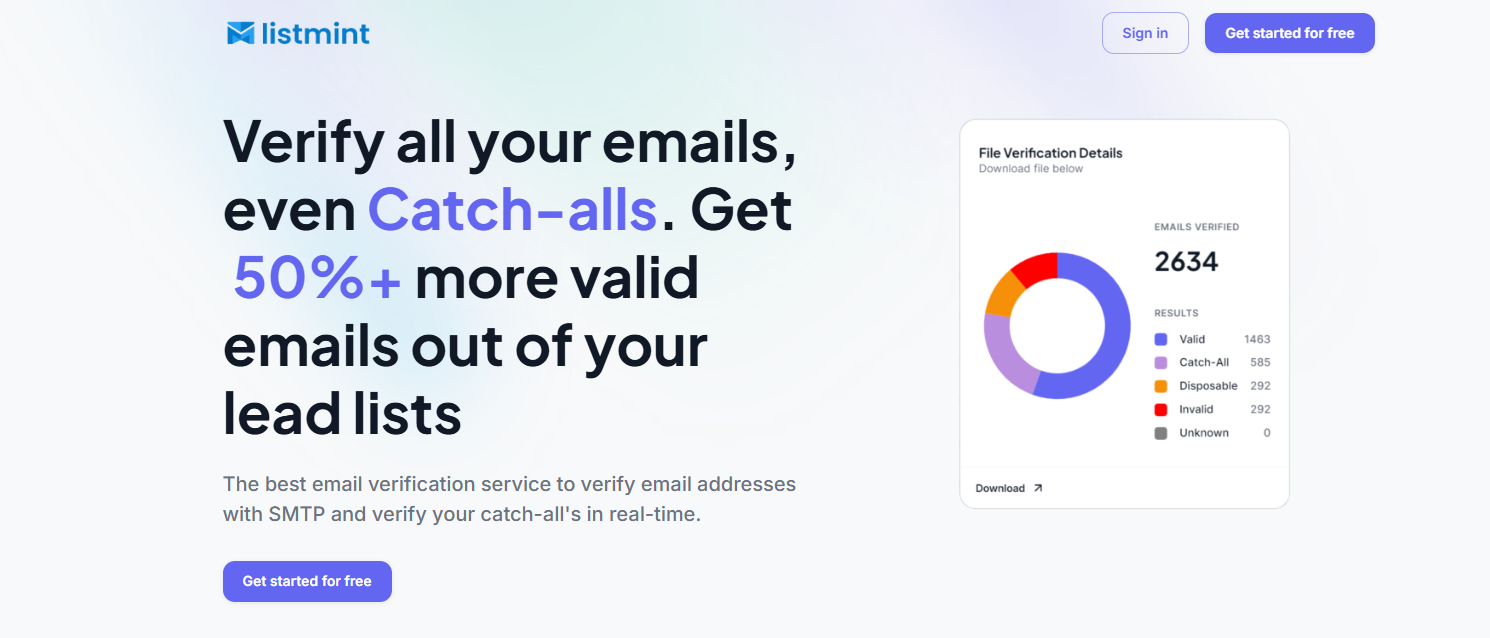
It verifies catch-all email addresses and classifies them as catch_all_valid or catch_all_invalid, giving you results you can act on before launching your next campaign.
Many verification services stop after identifying a catch-all domain. Others rely on methods that can take up to 24 to 48 hours to complete.
Listmint verifies catch-all email addresses in real time without sending verification emails to the recipient. That means you can review your lead list immediately instead of waiting for manual verification to finish.
Listmint combines standard SMTP verification with its seven-step process, using multiple layers to evaluate catch-all email addresses beyond standard SMTP checks.
This approach helps verify addresses that traditional verification alone can't confidently classify, without adding extra manual work to your workflow.
Instead of leaving catch-all addresses marked as "unknown" or "risky," Listmint returns two actionable classifications:
That removes much of the guesswork that often comes with catch-all verification.
Whether you're cleaning a single lead list or processing high-volume email data, Listmint supports bulk uploads and real-time API integration.
Businesses can verify email lists before outreach, while software platforms and resellers can integrate catch-all verification directly into their own products and workflows through the API.
Listmint has verified more than 1 billion email addresses and reports 99% accuracy for SMTP verification and 99% for catch-all verification.
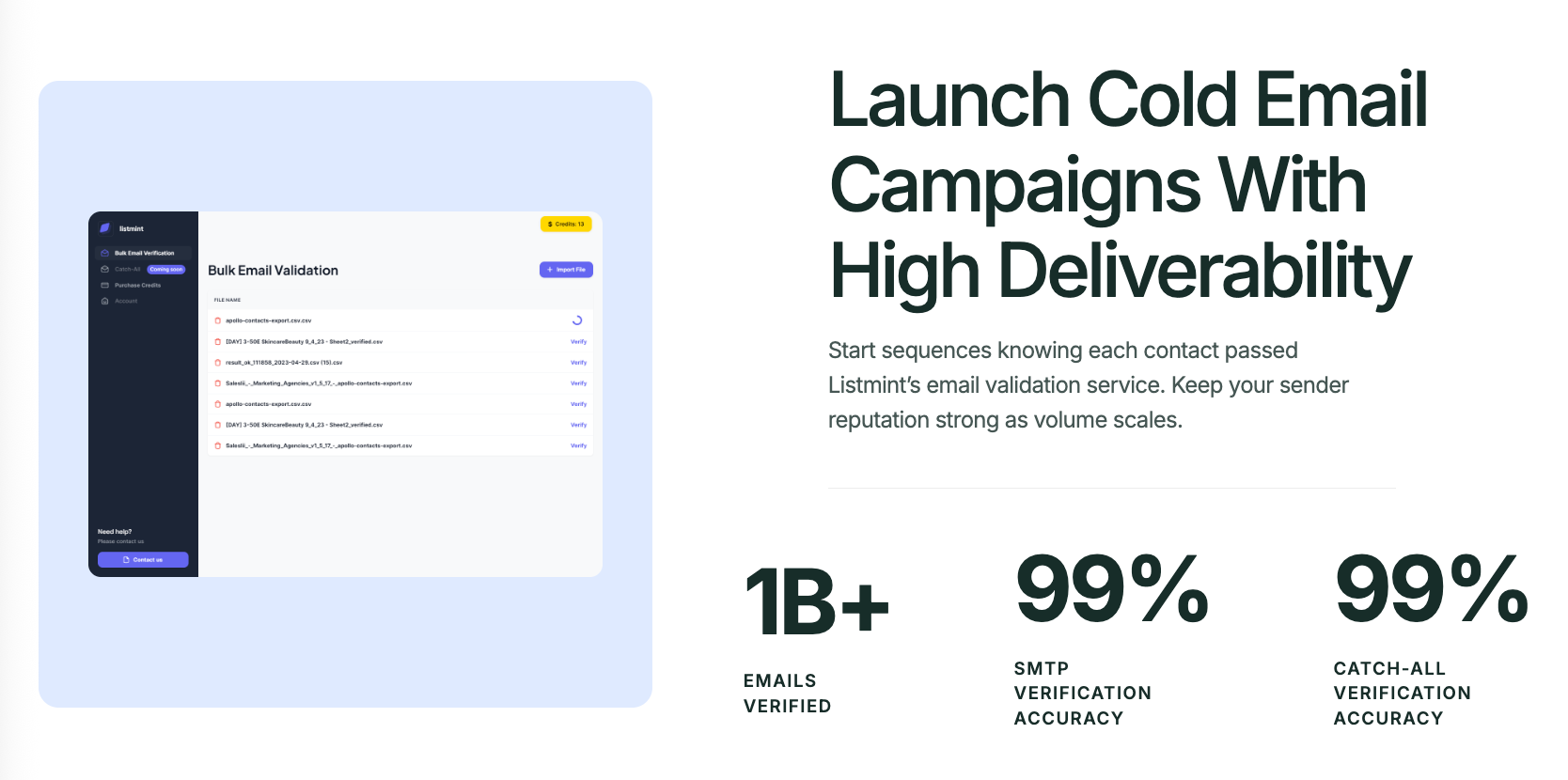
Businesses using catch-all verification also recover 50%+ more valid emails from the same lead lists, giving them more verified contacts for outreach.
A catch-all email verification tool helps you recover valid contacts that might otherwise be removed from your outreach list. Instead of treating every catch-all address as unusable, you can verify more contacts before launching a campaign.
That gives your team the information needed to make informed decisions. Rather than relying on unknown emails or removing them by default, you can decide which contacts are suitable for outreach based on more actionable verification results.
It also helps improve email deliverability over time. Sending campaigns to cleaner lists reduces unnecessary list loss, protects your sender reputation, and gives valid contacts a better chance of reaching the inbox.
For businesses that purchase lead lists, recovering more usable contacts can improve the return on that investment. More verified contacts create more opportunities to connect with prospects using data you've already paid for.
Finally, catch-all verification provides an extra safety net before sending campaigns. It helps reduce low engagement caused by invalid or uncertain contacts while giving your business a better opportunity to improve engagement rates over time.
Any business that relies on accurate email data can benefit from catch-all verification. It's especially useful for teams that regularly build, manage, or verify large contact lists before outreach.
Not every catch-all verification solution works the same way. Before choosing a tool, look at how it verifies addresses, how quickly it returns results, and how well it fits into your existing workflow.
One of the biggest differences between email verification tools is how long they take to verify catch-all email addresses. Some verification tools return results immediately, while others rely on processes that can take much longer.
If you regularly prepare lead lists before outreach, shorter turnaround times help you review contacts and launch campaigns without unnecessary delays.
A catch-all verification service should do more than place an address into an uncertain category. Look for a solution that provides clear classifications, so you know if a valid address is ready for outreach or should be removed from your list.
It's also worth checking how the provider measures verification accuracy and whether those numbers include catch-all verification rather than standard email verification alone.
If your business verifies thousands of email addresses at a time, bulk verification should be a standard feature. Uploading large lists in one step saves time and reduces repetitive manual work.
An API is equally important if your team wants to connect email verification with CRMs, lead generation platforms, or other business systems.
The right integration depends on your workflow, so consider the trade-off between a simple upload-only process and a solution that supports automation through an API.
Even the most accurate verification platform loses value if it's difficult to use. Look for a solution with straightforward uploads, easy-to-understand verification results, and a workflow that doesn't require extra training.
A good interface helps your team spend less time interpreting results and more time preparing verified contacts for outreach.
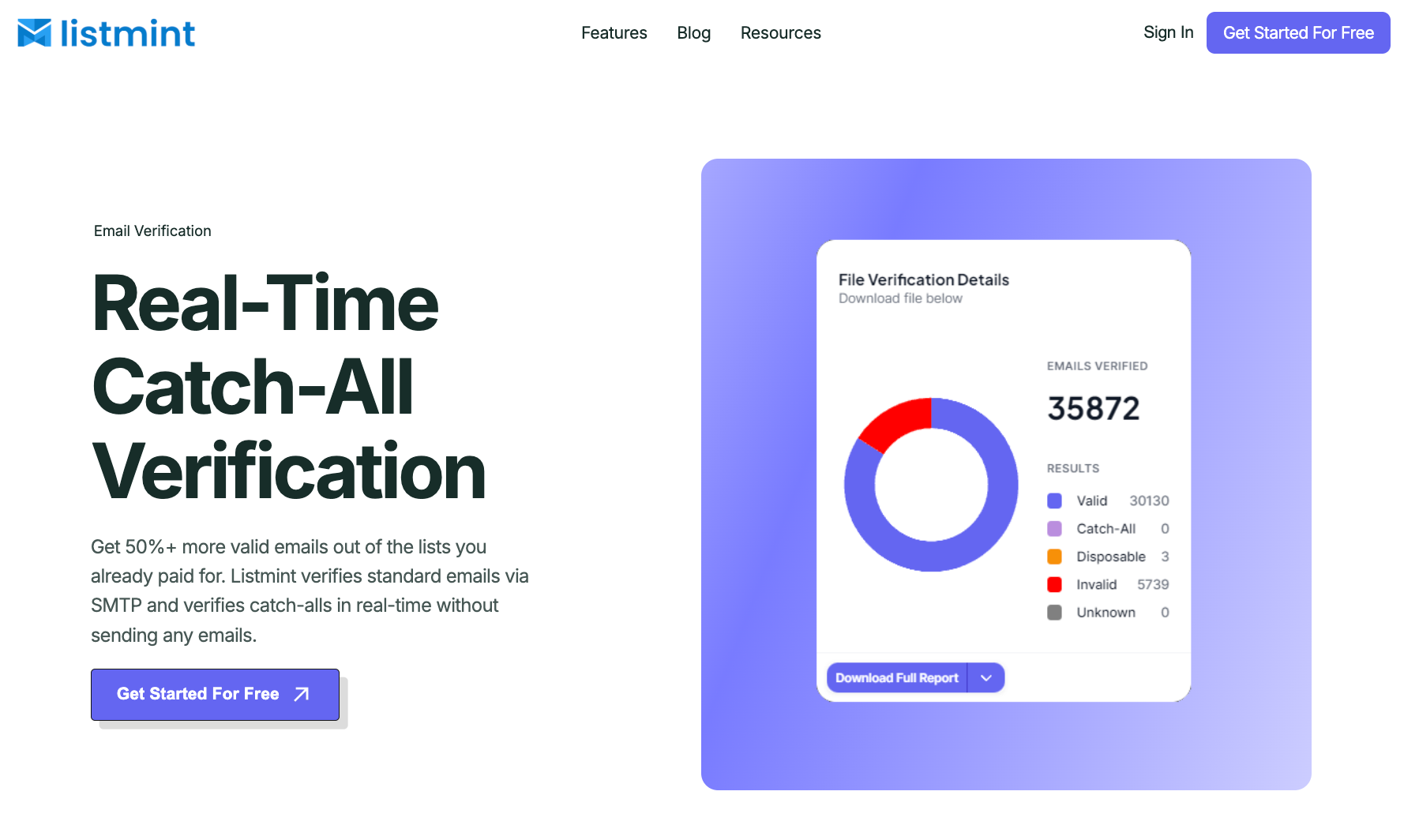
Traditional email verification works well for many email addresses, but catch-all domains require a different approach.
Listmint goes beyond standard verification by verifying catch-all email addresses in real time and classifying them as catch_all_valid or catch_all_invalid. That gives you verified results you can use with confidence before launching your next outreach campaign.
A catch-all domain is configured to receive emails sent to almost any address within the domain, even when a specific mailbox isn't actually set up. A catch-all email address is an individual email under that domain. For example, if a company uses a catch-all domain, addresses like sales@company.com and random@company.com may both appear to accept email, even though only one mailbox may actually be monitored.
Companies use catch-all domains to avoid missing legitimate emails sent to incorrect or outdated addresses. Instead of rejecting those messages immediately, the domain accepts them so the business has a chance to review or route them internally. This can be useful for customer inquiries, sales requests, or support emails that would otherwise be rejected.
Yes. A catch-all domain can contain a mix of valid and invalid email addresses. That's why a catch-all result alone doesn't tell you if an individual address is safe to use. One address may belong to an active mailbox, while another may not exist even though the domain accepts both verification requests.
Yes. Standard email verification confirms many email addresses successfully but often returns a risky catch-all result when it can't verify an address on a catch-all domain. Catch-all verification goes a step further by evaluating those addresses to determine whether they are valid or invalid.
Verify catch-all email addresses before importing contacts into your CRM, launching cold email campaigns, or using purchased lead lists. Verifying your data before sending emails gives you more confidence in the contacts you're using and helps reduce avoidable problems during outreach.