Businesses rely on email marketing campaigns to onboard new users, recover abandoned carts, announce launches, and reconnect with inactive subscribers.
The right campaign at the right time can drive sales, improve retention, and keep customers engaged throughout the customer journey.
Even well-written campaigns can underperform when timing is off, targeting feels too broad, or outdated email lists create deliverability problems.
Successful email campaigns usually start with clear goals, relevant messaging, and reliable email data.
This guide breaks down the main campaign types, how businesses use them, common mistakes that hurt performance, and practical ways to improve results over time.
An email marketing campaign is a series of emails sent to a specific audience with a clear goal in mind.
Businesses use email campaigns as part of a broader digital marketing strategy because email gives marketers direct access to customers at different stages of the customer journey.
Campaigns can take different forms depending on the situation. One-off emails are usually tied to a promotion, launch, announcement, or upcoming event.
Automated campaigns are built into ongoing workflows and trigger when customers take specific actions, such as signing up, making a purchase, or leaving items in a cart.
Most digital marketing strategies use email campaigns to support goals like sales, onboarding, retention, engagement, and reactivation.
Email also gives businesses a direct way to communicate with customers through a channel they fully control, whether the focus is a product launch, a limited-time offer, or long-term customer engagement.
Different email campaigns support different goals throughout the customer journey, from onboarding new users to recovering lost sales and re-engaging inactive subscribers. The right campaign usually depends on the audience, timing, and action the business wants customers to take next.
Welcome emails introduce new subscribers or customers shortly after signup, purchase, or account creation. These campaigns usually explain what customers can expect next, introduce products or services, and guide users toward an early action.
Many businesses spread onboarding throughout a welcome series instead of placing everything in a single email. A SaaS company, for example, may send onboarding emails during the first week after signup to help trial users activate key features step by step.
Strong welcome campaigns help businesses engage customers early, before attention drops or trial users lose momentum.
Promotional email campaigns help businesses drive short-term revenue during launches, flash sale promotions, seasonal sales events, and limited-time offers.
Timing often affects performance. A discount sent too late may miss peak buying intent, while an early launch email can help drive more sales before inventory runs low or demand slows down.
Most promotional campaigns perform better when the offer is clear, the message stays focused, and the next step feels obvious to the customer.
Newsletter campaigns help businesses stay connected with email subscribers between promotions and launches. These emails often include blog content, educational resources, product updates, company news, or targeted content tied to customer interests.
Unlike promotional campaigns, newsletters usually focus more on customer loyalty and long-term engagement than immediate conversions.
Many brands use newsletter campaigns to stay visible consistently without relying only on discounts or sales messaging to encourage engagement.
Lead-nurturing campaigns guide potential customers through the sales funnel using a series of timed follow-ups and educational emails.
Many marketers build these workflows as a drip campaign that responds to user behavior or engagement signals over time. A prospect who downloads a guide today may receive a case study later in the week, followed by a product demo invitation a few days later.
These campaigns help businesses generate leads, educate prospects, and move potential customers closer to a buying decision. Strong campaigns for nurturing leads usually rely on personalized content tied to customer activity, interests, or stage in the buying process.
Abandoned cart campaigns help e-commerce brands recover sales when customers leave products behind before checkout.
Most businesses send reminders shortly after abandonment while purchase intent is still active. Messages may include product images, personalized recommendations, limited-time incentives, or reminders tied to purchase history.
Cart recovery emails tend to perform better when businesses send them while purchase intent is still fresh. Many brands trigger follow-ups automatically after a customer completes part of the checkout process but leaves before placing the order.
Transactional emails send information that customers expect after taking a specific action. Common examples include order confirmations, receipts, shipping notifications, password resets, and account activity alerts.
Most businesses automate these emails because they respond directly to customer behavior or account updates. Customers also tend to open transactional emails more frequently since they contain expected or time-sensitive information.
Clear transactional emails help reduce confusion and keep customers informed after purchases or account changes.
Not every subscriber stays engaged forever. Re-engagement campaigns help businesses reconnect with inactive subscribers before engagement drops too far.
Brands often use these campaigns to win customers back before cleaning inactive contacts from the list. Common approaches include special offers, product announcements, reminders, or loyalty campaigns that encourage subscribers to return.
Inactive contacts can slowly reduce engagement rates and hurt deliverability over time, especially when businesses continue sending emails to people who rarely respond.
Businesses use product launch campaigns to share feature releases, upgrades, and upcoming events with customers who are already familiar with the product or brand.
These campaigns often focus on customer adoption and product awareness. Businesses may use early access invitations, feature highlights, or short walkthroughs to introduce the release.
Subscribers usually want quick answers here. What changed? Why should they care? What should they do next? Clear product announcement emails tend to perform better when the message answers those questions quickly.
A successful email marketing campaign starts with a clear objective and a workflow built around customer behavior. Strong campaigns usually come from understanding who the email is for, what action the business wants next, and when the message should reach the inbox.
Every campaign should support a specific outcome before the first email goes live. Common goals include:
The campaign structure usually changes based on the objective. A webinar registration campaign may focus on reminders and urgency, while an onboarding campaign may spread information gradually over several emails.
Clear goals help teams measure whether the campaign actually produced results.
Audience segmentation helps businesses send more relevant emails to the right people instead of treating every contact the same way.
Many marketers segment campaigns using customer behavior, lifecycle stage, engagement history, or customer status. Existing customers may receive upgrade offers or onboarding emails, while prospects may receive educational content designed to move them closer to a purchase decision.
Strong segmentation usually improves engagement because the message feels more relevant to the target audience.
Different campaign types support different business objectives. Newsletter campaigns often help with retention and ongoing engagement, while nurture sequences focus on conversions and lead follow-up.
Transactional emails support operational communication tied to customer actions, and re-engagement campaigns target inactive subscribers before businesses remove them from future campaigns completely.
Choosing the right format early usually makes campaign planning and automation easier later.
Email copy tends to perform better when the message stays focused on one goal. Subscribers should immediately understand what the email is about and what action the business wants them to take next.
A compelling subject line can help improve open rates, while preview text supports the message before the email is opened. Inside the campaign, compelling content usually performs better when the layout stays simple, the call to action (CTA) stays visible, and the message focuses on one action.
Long explanations, cluttered layouts, or multiple offers often make emails harder to act on.
Campaign timing often affects performance as much as the message itself. A reminder sent while interest is still active usually performs better than one sent days later, after attention drops.
Email automation helps businesses schedule automated emails when customers sign up, make a purchase, abandon a cart, or interact with previous campaigns. Subject line testing, layout adjustments, and send-time testing can help improve campaign performance before rollout.
Campaign reporting helps businesses see how subscribers respond after delivery. Open rates often reflect subject line performance, while click-through rates can show whether the content and CTA encouraged action.
Conversions help track outcomes like purchases or registrations, and bounce rates can point to list quality or deliverability issues. A marketing manager may use these insights to adjust future campaigns, improve segmentation, and refine send timing.
Strong email campaigns usually come from consistent execution over time. Clear messaging, clean data, thoughtful timing, and reliable testing often improve performance more than businesses expect.
A subject line should explain the value of the email quickly without sounding misleading or overly aggressive. Clear subject lines often outperform vague clickbait because subscribers immediately understand why the email is relevant.
Many marketers also test subject lines regularly to improve open rates over time.
Emails tend to perform better when they focus on one clear action.
A product launch email, for example, should not push blog content, webinar registrations, and multiple offers at the same time. Too many call-to-action buttons can divide attention and reduce clicks on the main action.
Most subscribers open emails on mobile devices first, which makes formatting and readability important.
Short paragraphs, visible buttons, clean spacing, and mobile-friendly layouts often improve engagement. Emails that feel difficult to read on a phone often lose attention quickly, even when the offer itself is strong.
Personalization tends to work better when email marketing efforts reflect customer behavior, purchase activity, or lifecycle stage instead of surface-level details.
Dynamic content can also help marketers tailor recommendations or offers without making the email feel unnatural.
Testing helps teams catch problems before a campaign reaches the full audience.
Common checks include:
Small adjustments often improve engagement without changing the entire campaign workflow.
Email list quality directly affects deliverability and campaign performance. Spam traps, inactive contacts, invalid emails, and unverified catch-all addresses can reduce inbox placement before teams notice engagement dropping.
A campaign sent to an outdated list may generate spam complaints, reduce inbox placement, and weaken sender reputation even when the offer itself is strong.
Many businesses use email verification and ongoing list hygiene before launching campaigns.
Campaign performance often declines due to minor execution issues that compound over time. Most issues stem from poor targeting, poor timing, inconsistent sending habits, or outdated contact data.
Common problems include:
Campaign decline usually happens gradually. Open rates slow down, clicks become less consistent, and customer relationships weaken when subscribers continue receiving emails that no longer feel relevant.
List quality problems can also stay hidden for weeks. Invalid emails, spam traps, and unverified catch-all addresses may reduce inbox placement before teams realize engagement is slipping.
Tracking performance helps marketers understand what is helping or hurting a campaign’s success. Small changes in engagement or deliverability metrics often reveal problems before revenue drops.
Teams often use Google Analytics and email platform reporting together to track campaign performance more accurately.
Different campaigns support different stages of the customer journey, from onboarding and conversion to retention and re-engagement. The most successful email campaigns usually send the right message at the moment customers are most likely to respond.
A SaaS company may send a short onboarding sequence during the first week after signup:
These campaigns help new users reach value quickly before engagement drops.
An e-commerce brand running a flash sale may use a sequence like:
Performance usually depends on timing, urgency, and how clearly the offer is explained.
A weekly newsletter may include:
Newsletter campaigns help brands stay visible between promotions without relying only on discounts.
A B2B nurture sequence may look like:
These workflows help move prospects through the sales funnel gradually over time.
An e-commerce recovery flow may include:
Cart recovery emails tend to perform better while purchase intent is still fresh.
Transactional emails often trigger automatically after customer actions like:
Customers often open these emails quickly because they expect the information right away.
A typical win-back flow often includes:
These campaigns help businesses reconnect with inactive subscribers while improving list quality over time.
Product launch campaigns often follow a sequence like:
Clear launch campaigns help businesses improve product adoption after release.
Even well-written campaigns lose value when emails fail to reach the inbox. Deliverability problems can reduce opens, clicks, conversions, and campaign reach long before marketers notice performance drops.
Email list decay is one of the biggest causes. According to HubSpot, email databases degrade by about 22.5% every year as contacts change jobs, abandon inboxes, or stop using old addresses.
Poor-quality data can lead to:
Catch-all emails create another challenge. Many verification tools only label them as risky without confirming whether they are valid.
Email verification, list hygiene, and pre-send validation help reduce these risks before campaigns go live. A lead generation agency, for example, may verify catch-all emails before launching cold outreach campaigns to improve email deliverability and protect sender reputation.
Email is still one of the most cost-effective marketing channels for customer communication, but campaign reach and deliverability rely on a coordinated effort to keep lists accurate over time.
Even well-planned campaigns can lose reach when email data is inaccurate. Invalid contacts and unverified catch-all emails can quietly reduce deliverability and create bounce-related issues over time.
Pre-send verification helps marketers clean lists early, reduce delivery problems, protect sender reputation, and improve campaign reach before launch.
Hard bounces usually happen when emails are sent to invalid or inactive addresses. High bounce rates can damage sender reputation and increase the chances of future campaigns landing in spam folders.
Regular verification helps businesses remove bad contacts before launch instead of discovering problems after campaign performance drops.
For outbound teams, ecommerce brands, and lifecycle marketers, cleaner data usually leads to more stable deliverability and more reliable engagement reporting.
Catch-all emails create one of the biggest verification gaps in email marketing.
Most tools identify catch-all emails but stop short of fully verifying them. Marketers then have to decide whether to risk sending to those contacts or remove potentially valid leads from campaigns.
Listmint handles this differently.
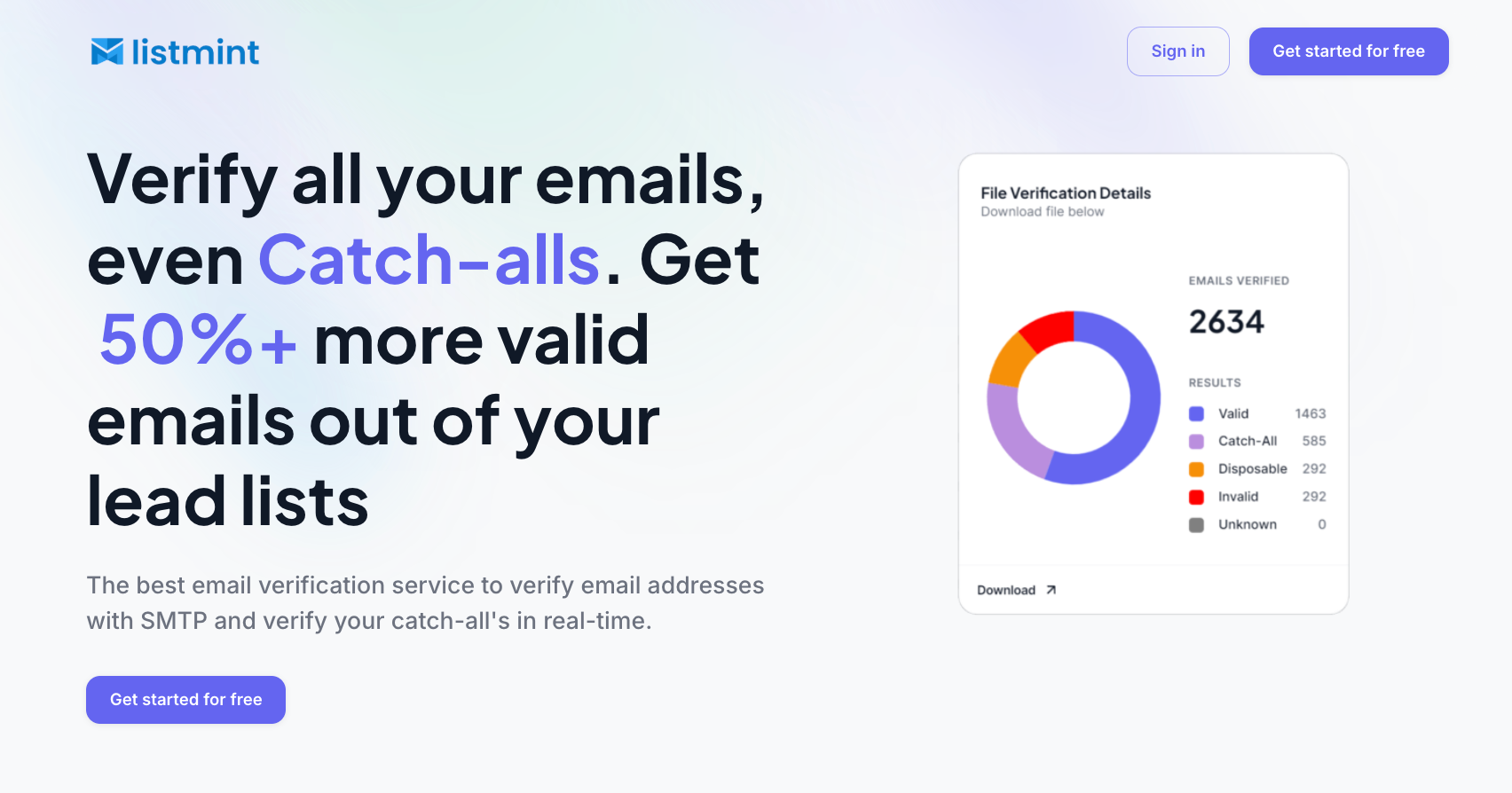
The platform verifies catch-all emails in real time and classifies them as catch_all_valid or catch_all_invalid instead of stopping at a generic “risky” label. That gives marketers clearer sending decisions without manually testing addresses or delaying campaigns.
Roughly 30–40% of lead lists may contain catch-all emails. Recovering valid contacts from that segment can significantly expand usable lead volume for cold outreach, lifecycle campaigns, and sales workflows.
List quality directly affects email deliverability.
Campaigns sent to outdated or low-quality lists often generate more spam complaints, higher bounce rates, and weaker engagement signals. Over time, inbox providers may start filtering future campaigns more aggressively.
Verification helps reduce those risks before launch.
Listmint combines SMTP verification and catch-all verification in one workflow, which helps marketers clean lists faster without relying on multiple tools or manual review processes.
The platform reports:
Several agencies also report lower bounce rates after verifying both standard and catch-all emails before launch.
List decay happens constantly. Job changes, abandoned inboxes, expired domains, and inactive accounts slowly reduce data quality over time.
Pre-send validation helps marketers identify invalid contacts before campaigns affect sender reputation or engagement performance.
Listmint verifies standard and catch-all emails in real time without sending emails to the address being checked. That makes verification faster for teams managing high-volume outreach, onboarding workflows, lead generation campaigns, or client email lists.
Agencies and outbound sales teams can also use Listmint’s API to verify email addresses and catch-all domains directly inside their existing workflows.
For businesses running campaigns regularly, email verification usually becomes part of the normal campaign workflow instead of a one-time cleanup project.
Email marketing campaigns perform best when the message, audience, timing, and campaign goal work together. Clear targeting, consistent testing, and reliable reporting help marketers improve results over time instead of relying on guesswork.
Deliverability also plays a major role in campaign performance. Invalid contacts, outdated lists, and unverified catch-all emails can reduce engagement before the campaign even reaches the inbox.
Keeping email data clean helps businesses protect sender reputation, reduce bounce-related issues, and maintain more consistent campaign reach.
For teams managing outbound campaigns, lifecycle workflows, ecommerce promotions, or high-volume outreach, Listmint helps verify both standard and catch-all email addresses in real time before campaigns go live.
Get started for free with Listmint and improve email verification, deliverability, and campaign performance before your next send.
The right campaign depends on the business goal and where the customer sits in the buying process. Welcome emails help onboard new subscribers, while promotional campaigns focus on sales, and re-engagement campaigns target inactive contacts.
Businesses usually improve email engagement by sending more relevant content, segmenting audiences properly, testing subject lines, and maintaining clean email lists. Timing, personalization, and clear CTAs also help recipients interact with emails more consistently.
Low click-through rates often come from emails that fail to connect the offer with the subscriber’s interest. Confusing messaging, weak calls to action, or poor formatting can reduce interaction even when open rates look healthy.
Spam folder placement is usually tied to deliverability problems like high bounce rates, spam complaints, or poor sender reputation. Old email lists and unverified contacts can also hurt campaign performance compared to other marketing channels.