
Email campaigns do not fail only because of weak offers or poor copy. Sometimes the real issue starts before a message is even sent.
Mailbox providers decide how much trust to place in a sender well ahead of delivery. That decision influences inbox placement, filtering decisions, and whether messages end up in the spam folder.
Email reputation acts as a trust signal. A poor reputation can limit reach, reduce engagement, and create deliverability problems even when the content is relevant.
In this guide, you'll learn what email reputation is, what influences it, how mailbox providers evaluate senders, and the practical steps you can take to improve it.
Email reputation is the level of trust inbox providers assign to a sender based on past sending activity. It reflects how providers view a sender over time and can change as new sending data becomes available.
Unlike a credit score, reputation is not displayed as a single public number. Mailbox providers use internal systems to assess senders and update those assessments as sending behavior changes.
Positive sending habits can improve reputation, while ongoing issues can cause it to decline.
These terms are closely related, but they are not the same.
A healthy reputation does not guarantee every email will reach subscribers, but it generally improves the likelihood of successful delivery.
Mailbox providers continuously review sender activity. Every campaign, newsletter, or outbound sequence contributes to that ongoing evaluation.
Different inbox providers use their own systems to evaluate senders. What performs well with one provider may receive different treatment from another.
While the exact calculations are not public, email service providers (ESPs) generally review four core factors when assessing reputation:
Together, these areas help inbox providers assess sender trust.
Mailbox providers look for patterns that indicate whether a sender can be trusted. Certain signals suggest healthy sending practices, while others raise concerns and reduce confidence over time.
Repeated delivery failures often signal poor list maintenance. When mailbox providers see consistently high bounce rates, they may question the quality of the data behind a sender's campaigns.
There are two types of email bounces:
A single bounce is rarely a problem. A growing number of bounced emails from the same contact database can gradually weaken sender trust.
Spam complaints occur when users mark a message as unwanted. Mailbox providers treat complaint rates as one of the most important reputation signals because they come directly from recipients.
Google recommends keeping spam complaint rates below 0.1% and preventing them from reaching 0.3%, as higher rates can negatively affect inbox delivery. A complaint tells providers that a message was unwanted, unexpected, or irrelevant.
Even legitimate emails can generate complaints if subscribers no longer recognize the sender or did not expect the message.
Inbox providers pay close attention to subscriber activity after delivery.
Low open rates, limited clicks, few replies, and long periods of inactivity can signal that recipients are losing interest.
Over time, low engagement may suggest that your sending behavior is no longer delivering value to subscribers.
Spam traps are email addresses used to identify senders with poor data collection or list management practices.
These addresses do not belong to real people. Organizations place them online to identify senders who continue mailing outdated or poorly maintained databases.
When messages reach spam traps, mailbox providers may view the activity as suspicious. Repeated spam trap hits can lead to placement on a blacklist and cause spam filters to treat future campaigns more aggressively.
Authentication is one of the signals inbox providers use to confirm sender identity.
Properly configured authentication protocols such as SPF, DKIM, and DMARC help receiving mail servers verify that a message was sent by an authorized source. These checks rely on information stored in DNS records.
Authentication has become increasingly important for email delivery. According to Google's email sender guidelines, bulk senders must use SPF, DKIM, and DMARC authentication when sending large volumes of email to Gmail users.
Authentication also contributes to email security. When these records are missing or misconfigured, internet service providers may view future campaigns with more caution.
Mailbox providers expect reasonable consistency over time.
Sudden increases in email volume can look unusual, especially when a sender has little history at that scale. A company that typically sends 5,000 emails per week and suddenly sends 100,000 creates a very different risk profile.
Unexpected changes in sending patterns often trigger additional scrutiny because they can resemble compromised accounts, purchased lists, or other abnormal sending activity.
Sender reputation and domain reputation are closely related, but they measure different parts of your sending activity.
Sender reputation reflects how mailbox providers evaluate the source of your emails. It is often associated with the sending IP address and the history connected to that sender.
For example, if a sender regularly generates high engagement and low complaint rates, inbox providers are more likely to view that sender as trustworthy. This is where IP reputation becomes important, since past sending activity can influence future delivery decisions.
Domain reputation focuses on the reputation of the domain used to send emails.
Mailbox providers assess a domain's overall credibility based on its sending history, engagement patterns, complaint rates, and list quality. Even if different senders use the same domain, the domain itself builds a reputation over time.
The difference is simple. Sender reputation focuses on the sender of the email, while domain reputation focuses on the domain associated with the message.
Inbox providers often evaluate both signals together. A sender with a positive IP history can still face challenges if the domain has a poor reputation, and vice versa.
Different inbox providers may place more weight on one signal than another, which is why inbox placement and deliverability can vary between providers. For marketers and sales teams, both reputations play a role in long-term deliverability.
Email reputation is not displayed as a single universal number. Instead, you need to review several data sources that mailbox providers use to evaluate senders.
Google Postmaster Tools is one of the best places to monitor reputation with Gmail. After verifying your sending domain, review the following details:
A high reputation rating is generally a positive sign. A drop to Medium or Low can indicate reputation issues that deserve attention.
Microsoft Smart Network Data Services (SNDS) can provide insight into how Microsoft views traffic from certain sending IPs, although availability depends on your sending setup.
Review complaint activity, traffic patterns, and reputation-related metrics regularly. Sudden changes often indicate developing problems.
Search major blocklists to see if your domain or sending IP has been flagged or blocked by providers.
A listing does not automatically mean your emails will fail, but it can be a warning sign that mailbox providers may view your traffic more cautiously.
Campaign reporting metrics often provide the earliest warning signs of reputation problems.
Review:
Sudden increases in bounces or complaints can indicate list quality problems that may eventually affect inbox placement.
Improving email reputation comes down to a series of consistent actions. Mailbox providers look at sending activity over time, so small improvements can compound just as quickly as small mistakes.
Start with data quality.
Validate new contacts as they enter your customer relationship management (CRM) system. Re-verify older databases prior to major campaigns, especially if the list has not been used recently. Remove invalid addresses and review undeliverable records regularly.
Catch-all domains require extra attention because traditional validation methods often return uncertain results. When possible, verify catch-all emails during list preparation.
Listmint helps marketers and sales teams verify both standard and catch-all email addresses in real time. Better verification reduces unnecessary bounces, improves data accuracy, creates more reliable contact records, and gives teams greater confidence when sending campaigns.
Review engagement data regularly and identify inactive recipients who have not opened, clicked, or replied within the last 90 to 180 days.
Run a re-engagement campaign first. If subscribers remain inactive, suppress them from future sends.
Keeping disengaged contacts on your list can gradually weaken engagement signals over time.
Review SPF, DKIM, and DMARC records regularly.
Check authentication settings after domain changes, platform migrations, or updates to your sending server. Even small configuration errors can create delivery problems if they go unnoticed.
Mailbox providers prefer predictable sending activity.
Avoid sudden spikes in volume. Warm up new domains gradually and increase sending activity in stages.
A stable sending infrastructure helps establish a consistent reputation history. Large volume increases can create concerns about the health of your overall infrastructure.
Review campaign metrics after every send.
Track bounce rates, complaint rates, and changes in email performance. Investigate problems as soon as they appear.
Regular monitoring helps teams detect potential issues early, reduce sending risk, and prevent problems that could eventually impact deliverability.
Do not purchase email lists.
Build your database through website signups, content downloads, event registrations, referrals, password-protected user portals, and other permission-based sources.
Purchased lists often contain outdated or unverified contacts and can generate higher complaint rates. They are inherently risky and can damage a reputation much faster than organically acquired subscribers.
If reputation starts to decline, focus on identifying the source of the problem before making major changes.
Review recent campaign activity, bounce trends, and engagement metrics to identify what changed. Look for patterns such as a new data source, a sudden increase in sending volume, or a drop in subscriber engagement.
Make adjustments gradually and monitor results over time. Reputation recovery rarely happens overnight, but consistent sending practices and cleaner data can help rebuild trust with mailbox providers.
Many reputation problems start long before a campaign launches.
Invalid contacts, outdated records, and unverified catch-all emails can quietly increase bounce rates and make it harder to maintain a healthy sender reputation. Fixing those issues after campaigns start is often much harder than preventing them in the first place.
Listmint is an email verification platform built for marketers, sales teams, agencies, and businesses that depend on accurate contact data.
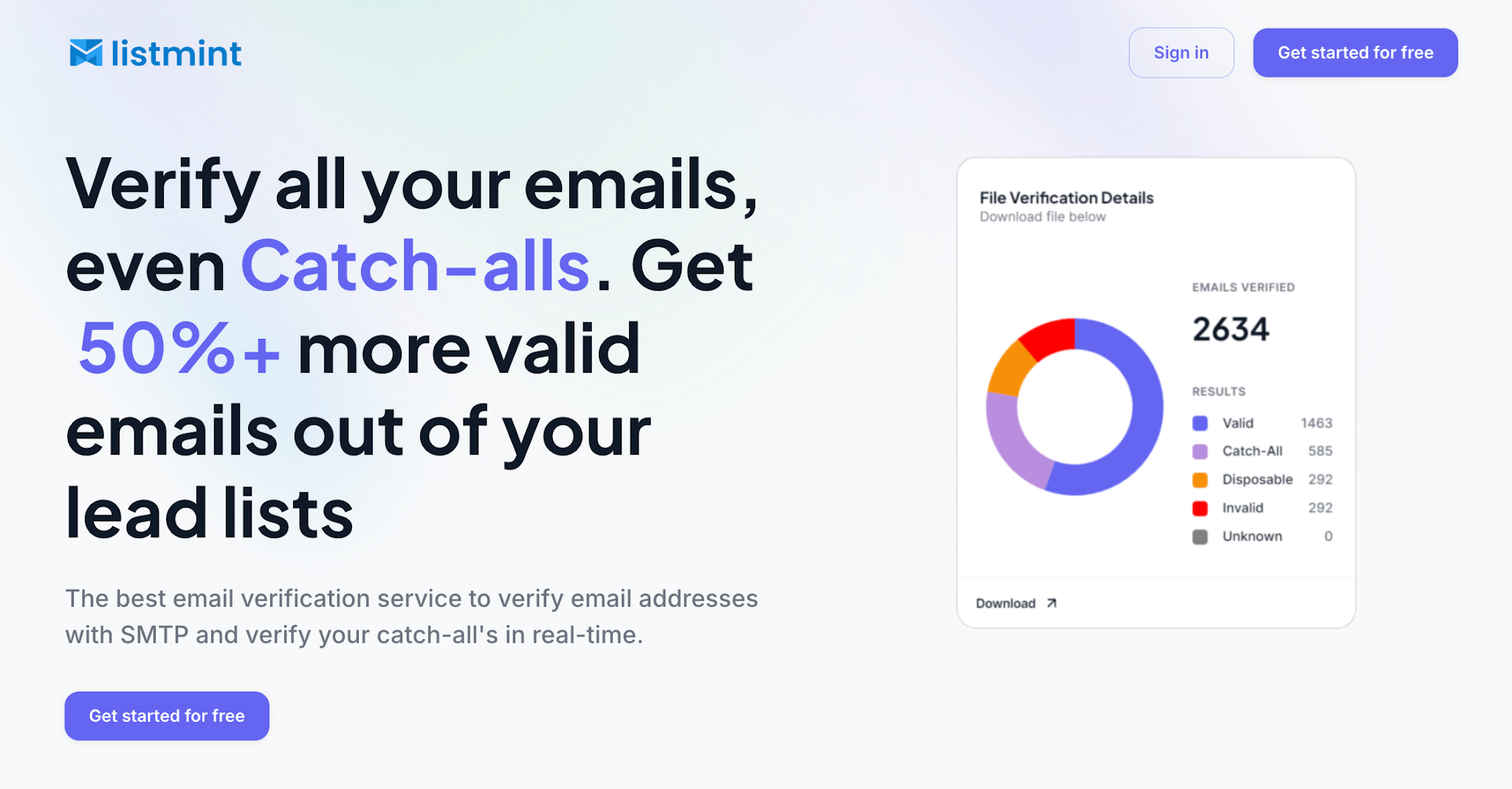
The platform verifies both standard email addresses and catch-all emails in real time. Unlike traditional verification tools that stop at labeling catch-all addresses as risky or unknown, Listmint verifies them and classifies them as valid or invalid.
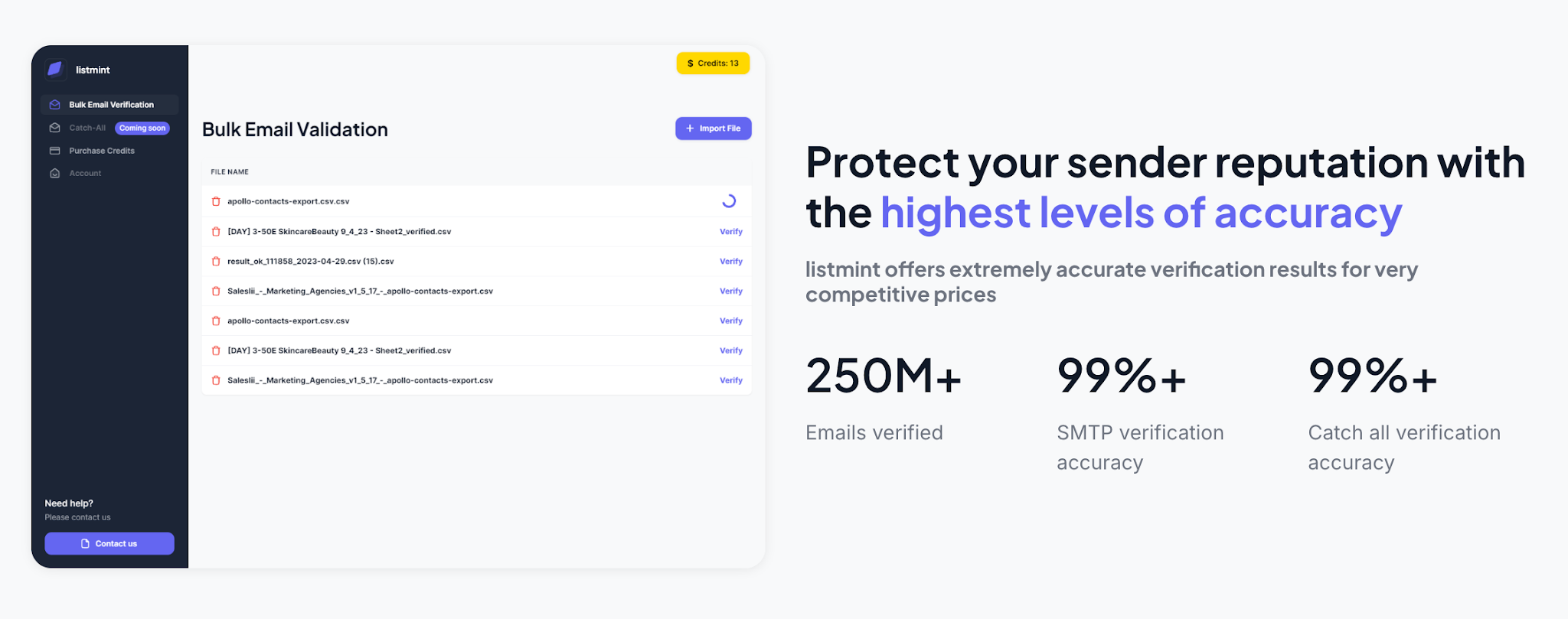
Listmint has verified more than 1 billion emails and combines SMTP verification with real-time catch-all verification in a single platform. That allows teams to recover 50%+ more valid leads from databases that contain catch-all addresses while reducing unnecessary bounces.
The result is better list quality, fewer wasted records, and more confidence in your data.
Cleaner data gives every campaign a better starting point. With Listmint, teams can verify more email addresses, recover valid catch-all contacts, reduce avoidable bounces, and protect sender reputation throughout the campaign lifecycle.
Email reputation affects how mailbox providers handle your messages and how reliably they reach subscribers. It is shaped by your sending habits, engagement levels, authentication setup, and the quality of the data behind every campaign.
Poor data often sits at the root of reputation problems. Invalid contacts, outdated records, and unverified catch-all emails can lead to unnecessary bounces and deliverability problems.
Protecting reputation is much easier than repairing it after problems appear. Start by verifying your data before you send.
Listmint helps marketers, sales teams, and agencies verify both standard and catch-all email addresses in real time, giving you more confidence in every campaign.
Get started for free with Listmint and verify your email lists before your next send.
A good email reputation means inbox providers view your sending activity positively. While there is no universal reputation score, low bounce rates, low spam complaints, healthy engagement, and proper authentication are all indicators of a positive sender reputation.
There is no single answer because the timeline depends on the severity of the problem and the steps taken to fix it. Minor reputation issues may improve within a few weeks, while more serious problems can take several months of consistent list cleanup, authentication reviews, and responsible sending practices.
Yes. Senders can often recover by removing invalid contacts, reducing complaint rates, improving engagement, and following consistent sending practices. Recovery requires ongoing monitoring and analysis to measure progress and identify remaining issues.
Sender reputation evaluates the source sending the email, often through IP reputation. Domain reputation evaluates the sending domain itself. Both influence deliverability, visibility, and how inbox providers handle future messages.
Yes. Spam complaints are one of the signals inbox providers consider when evaluating reputation. High complaint rates can reduce trust, increase filtering, and limit inbox placement. Reviewing complaint data, subscriber feedback, and engagement details can help identify problems early.
Teams with email marketing expertise usually watch complaint trends closely and include easy unsubscribe links so recipients can opt out instead of marking messages as spam.