A new Internet Protocol (IP) address starts without an established sender reputation.
Mailbox providers have no history to determine whether the sender is legitimate or is sending unwanted email.
If a business suddenly sends large volumes from a new IP address, those messages can face filtering, delays, or poor email deliverability before they ever reach the inbox.
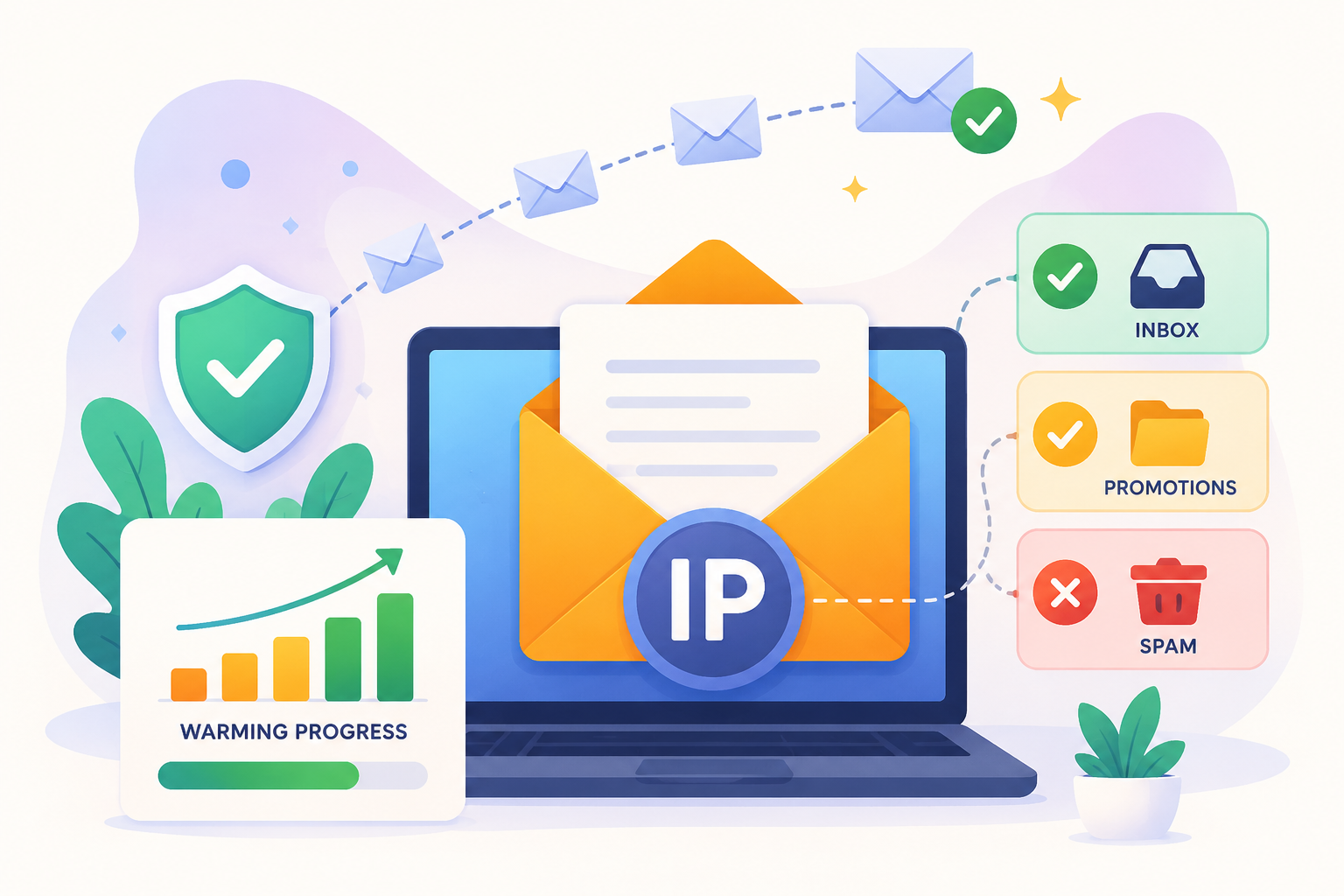
That is where IP warming comes in. It’s the process of gradually building sender reputation so mailbox providers can gain confidence in your sending activity over time.
This guide explains what IP warming is, why businesses use it, how the process works, and the mistakes that can damage a reputation before it has a chance to develop.
IP warming is a gradual approach to email sending that helps a new IP address earn trust and build a positive reputation over time.
A dedicated IP is an IP address used only by a single sender. Unlike shared sending environments, the reputation of a dedicated IP depends entirely on the sending activity connected to it.
Every new IP starts without a sending history. Mailbox providers have limited information about the sender, which makes large email sends riskier during the early stages.
The IP warming process helps establish that history gradually. Starting with smaller sends and increasing volume over time allows mailbox providers to observe sending behavior and build confidence in the sender.
The objective is to build enough trust with mailbox providers so you can increase sending volume without hurting email deliverability.
A new IP address does not have a track record.
Mailbox providers and internet service providers (ISPs) rely on sending history to decide whether a sender can be trusted. Without that history, they have limited information to evaluate the sender.
Every new IP starts without an established IP reputation.
Mailbox providers have not seen how the sender behaves over time. They cannot tell whether future emails will generate positive engagement or create problems for recipients.
IP warming helps build that history gradually and supports a positive sender reputation from the start.
Large increases in email volume are often associated with spam activity.
When a new IP begins sending thousands of emails immediately, mailbox providers may view that behavior as risky.
IP warming introduces email volume gradually, which helps reduce scrutiny and lowers the chance of triggering spam filters.
Sender reputation influences where emails appear after delivery.
A strong reputation improves the likelihood of inbox placement. A weaker reputation can lead to spam placement, temporary delays, or lower inbox visibility.
IP warming helps establish trust before larger sending volumes begin.
Before warming a new IP, take time to make sure the basics are in place. Mailbox providers look for signs that a sender is legitimate, and a few preparation steps can help build trust from the start.
A properly authenticated domain, a clean email list, and a carefully selected audience help reduce risk and give a new IP the best chance to build a positive reputation from the start.
Trust starts with proving that your emails come from the source they claim to come from. Email authentication protocols help provide that verification.
Most organizations rely on three core email authentication protocols:
Mailbox providers want to see that basic authentication is in place before they fully trust a new sending source. Missing records can slow down the reputation-building process.
The early stages of IP warming are not the time to take chances with list quality. Invalid or outdated email addresses can create unnecessary issues before a reputation has had time to develop.
Take time to review your list before sending. Remove old contacts, invalid addresses, and records that no longer serve a purpose.
Strong list hygiene helps improve the quality of your data and gives a new IP a more reliable foundation from day one.
Before sending from a new IP, separate your most active contacts from the rest of your list.
Focus on active subscribers who have recently opened, clicked, purchased, replied, or otherwise shown interest in your emails.
These engaged subscribers provide a stronger audience for the earliest stages of IP warming.
IP warming works by gradually increasing email activity from a new IP instead of sending large volumes right away. The process begins with a smaller audience and expands over time as the IP develops a sending history.
Once you've identified your most active audience segments, begin the warm-up process by sending to those contacts first. These recipients are already familiar with your emails and are more likely to interact with them.
The first emails should go to your most engaged subscribers. These are active subscribers who have recently opened, clicked, replied to, or interacted with your emails.
Once the initial sends are complete, increase sending volume in controlled steps. The exact warm-up process varies by sender, audience size, and desired volume, but the principle remains the same: avoid sudden jumps in activity.
A simple example might look like this, although the right schedule depends on your list size, sending history, and performance:
Let the previous day's volume guide the next stage of the warm-up process instead of making dramatic increases.
Email campaigns do not need to follow this exact schedule. Every sender works with different list sizes, goals, and sending habits, so the pace of growth will naturally vary.
IP warming is not a set-it-and-forget-it process. Review your results first, then decide whether it's time to increase sending volume.
Monitor key metrics throughout the warming process, including opens, clicks, bounce rates, spam complaints, and unsubscribes. These key metrics can help reveal issues early and provide time to make adjustments before the next stage.
Checking performance regularly can help keep the warm-up process moving in the right direction and prevent small issues from growing over time.
The warm-up period varies depending on how many emails you plan to send and how quickly mailbox providers respond to your sending activity.
Some senders complete the IP warm-up process in a few weeks, while larger programs may require several months before reaching their target volume.
Several factors influence how long successful IP warming takes:
A sender working toward a modest volume may complete the process much sooner than an organization planning large-scale email programs. Because every sending environment is different, there is no universal timeline that applies to every business.
Mailbox providers do not evaluate a new IP based on sending volume alone. They review several indicators to determine whether a sender is following good sending practices and whether emails are being received as expected.
While each provider uses its own systems, several factors consistently influence how a new IP is evaluated during the warm-up period.
Bounce rates help mailbox providers understand how often emails are being sent to invalid or undeliverable addresses.
If you send messages to addresses that no longer exist or cannot receive email, mailbox providers may see it as a sign of weak list quality. Bounce rates help them catch that early during IP warming.
Spam complaints occur when recipients mark an email as unwanted.
When recipients submit spam reports, they are signaling that the emails were unwanted. Mailbox providers take that feedback seriously.
Mailbox providers pay close attention to these signals because they come directly from the people receiving the messages.
Mailbox providers look beyond delivery and pay attention to what happens after an email arrives.
Common engagement metrics include opens, click-through rates, replies, and other actions that suggest recipients are interacting with the content. Compelling subject lines can encourage more opens and help generate the positive interactions that mailbox providers look for.
Strong positive engagement metrics can indicate that emails are being sent to an audience that values the communication and chooses to engage with it.
Sending patterns provide another important signal.
A steady sending schedule helps mailbox providers understand what normal activity looks like for a sender. Large fluctuations in volume can make evaluation more difficult and slow the development of a positive sending reputation.
Consistent sending behavior creates a clearer picture of long-term sending practices.
Authentication helps reinforce that emails are coming from the sender they claim to come from.
Protocols such as SPF, DKIM, and DMARC help verify that emails are coming from an authorized source. Proper authentication supports sender legitimacy and can contribute to a stronger reputation score over time.
Authentication alone does not determine whether a sender is trustworthy, but it remains an important part of the overall evaluation process.
Problems during IP warming do not always disappear once the warm-up period ends. Delivery issues can continue affecting future email activity, sometimes long after the original problem occurred.
One of the most common signs of a failed IP warm-up is a decline in inbox placement.
Emails may still be delivered, but they are more likely to appear in the spam folder instead of the inbox. In some cases, messages that previously reached the inbox may begin landing in the promotions tab, reducing visibility and engagement.
Recipients cannot interact with emails they never see. As more messages are filtered away from the inbox, campaign performance often begins to decline.
Mailbox providers may temporarily limit or delay email delivery when concerns arise about a new sender.
Delivery may become slower, some messages may be delayed, and sending activity can be temporarily restricted while the situation is reviewed.
If problems continue, a sender's blacklist status may also come into question, which can create further delivery challenges.
Delivery issues can become more common when a new IP develops a poor reputation during the warm-up period.
Some messages may be delayed, deferred, or rejected before reaching the recipient. Even valid email addresses may experience delivery problems if mailbox providers lose confidence in the sending source.
As delivery failures increase, email campaign reach becomes less predictable, and fewer messages successfully reach the intended audience.
Some IP warming problems do not disappear quickly. A damaged sender reputation can continue affecting email performance long after the original issue has been resolved.
Inbox placement may remain inconsistent, and rebuilding a positive reputation often requires time and patience.
The effects can carry over into future email marketing campaigns, making reliable delivery more difficult to maintain.
Many IP warming problems come from a few avoidable mistakes. Knowing what to watch for can help keep the process on track from the start.
One of the most common IP warmup mistakes is increasing volume too quickly.
Building trust with a new IP takes time. Large jumps in sending activity can make it difficult to gauge how the warm-up process is going before moving to the next stage.
Old or unverified lists can create problems quickly during IP warming.
These lists often contain invalid email addresses, hard bounces, outdated contacts, and spam traps. Sending to those contacts can create negative reputation signals during a stage where list quality should be tightly controlled.
Before starting IP warming, make sure the people on your list are still valid, reachable, and appropriate to contact.
Inactive subscribers are often disconnected from your email program and may no longer pay attention to your messages.
Including large numbers of these contacts in early warm-up campaigns can make it harder to assess how your emails are being received.
Performance data should be reviewed throughout the warm-up process.
Rising complaints, increasing bounce rates, and sudden changes in deliverability metrics can signal that adjustments are needed.
Overlooking these warning signs can make it harder to identify problems before volume continues to grow.
IP warming and domain warming are often discussed together because both help establish trust with mailbox providers. While they are related, they focus on different parts of your email infrastructure.
An organization may need IP warming, domain warming, or both, depending on its sending setup. For example, a business using a new dedicated IP and a new email domain may need to establish trust for both before sending at larger volumes.
IP warming is important in many situations, but it is not required for every sender. Whether you need it depends on how email is being sent, the type of infrastructure being used, and the volume of messages you plan to send.
IP warming is typically necessary when sending activity is tied to a new or unfamiliar sending source.
Common situations include:
In these situations, mailbox providers have a limited history to evaluate, which makes a gradual introduction process more important.
IP warming is not always required for organizations that use a shared IP environment.
With shared IP addresses, reputation is built collectively by multiple senders using the same infrastructure. Since the IP already has an established sending history, individual businesses may not need to warm it up themselves.
Very low-volume senders may also have less need for a formal warm-up process, especially if sending activity remains small and consistent.
Organizations that primarily send transactional emails may have different requirements as well. Messages such as account notifications, receipts, and password resets often follow different sending patterns than promotional campaigns.
As a result, they may require a different warm-up strategy rather than the gradual volume increases commonly used for marketing emails.
During IP warming, mailbox providers have limited historical data to evaluate. Every bounce and complaint carries more weight because there is very little sending history available to balance those signals.
That is why list quality becomes especially important during the early stages of IP warming.
Invalid email addresses can increase bounce rates and create unnecessary delivery issues before a new IP has had the opportunity to establish trust. Verification helps clean up bad data, strengthen list quality, and support a smoother warm-up process.
Cleaning an email list also makes it easier to build a strong sender reputation over time. When more emails reach valid recipients, sending activity becomes more reliable and better positioned for ongoing success.
Verification is not a replacement for IP warming, but it can help support the process by reducing problems that may affect deliverability and increasing the likelihood that emails avoid spam filters.
Listmint helps businesses verify both standard and catch-all email addresses from a single platform.
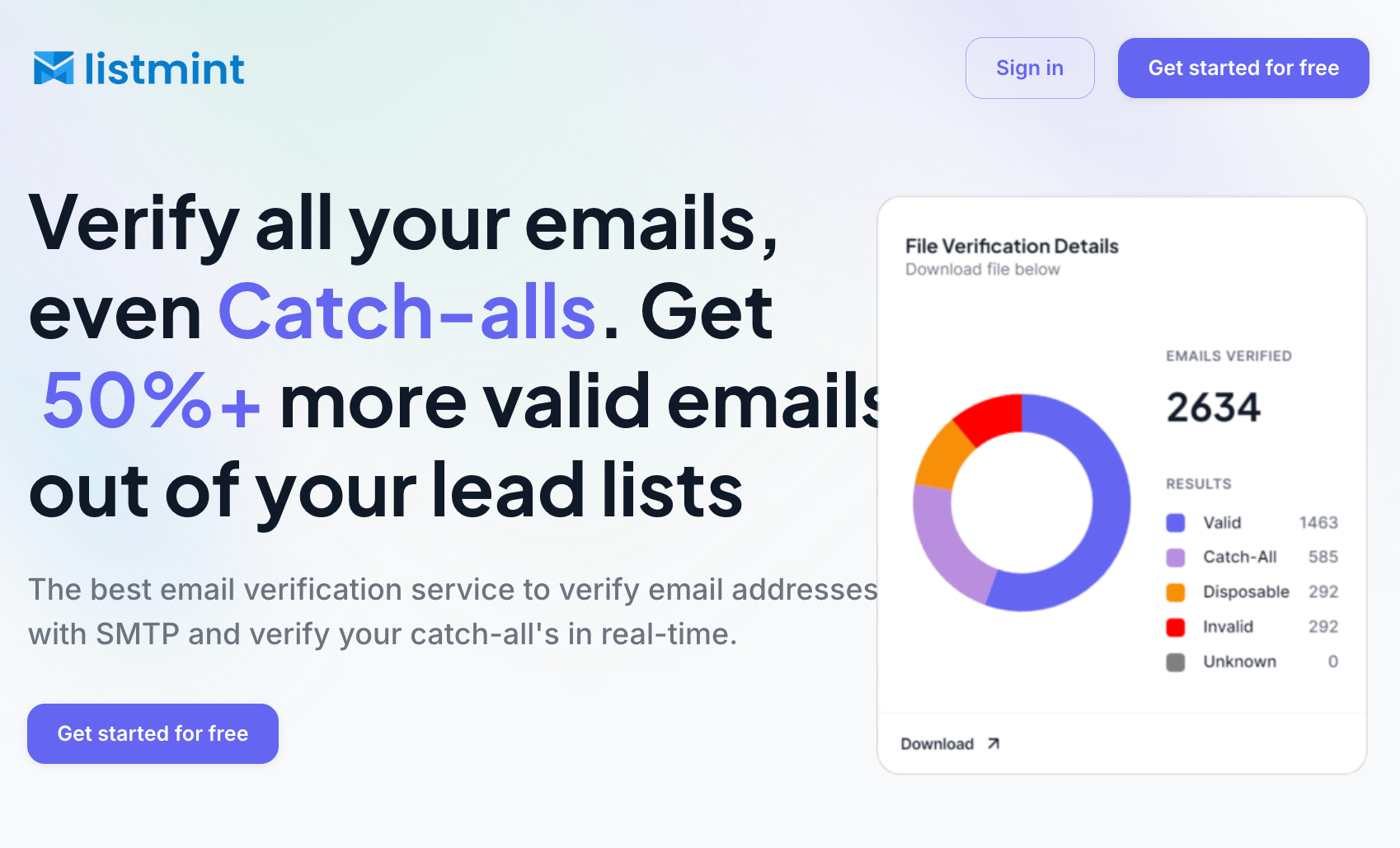
Many verification tools stop at identifying a catch-all domain and label the address as risky. Listmint goes further by verifying catch-all addresses and classifying them as either catch_all_valid or catch_all_invalid.
This gives businesses clearer verification results without sending verification emails to the address being checked.
Key benefits include:
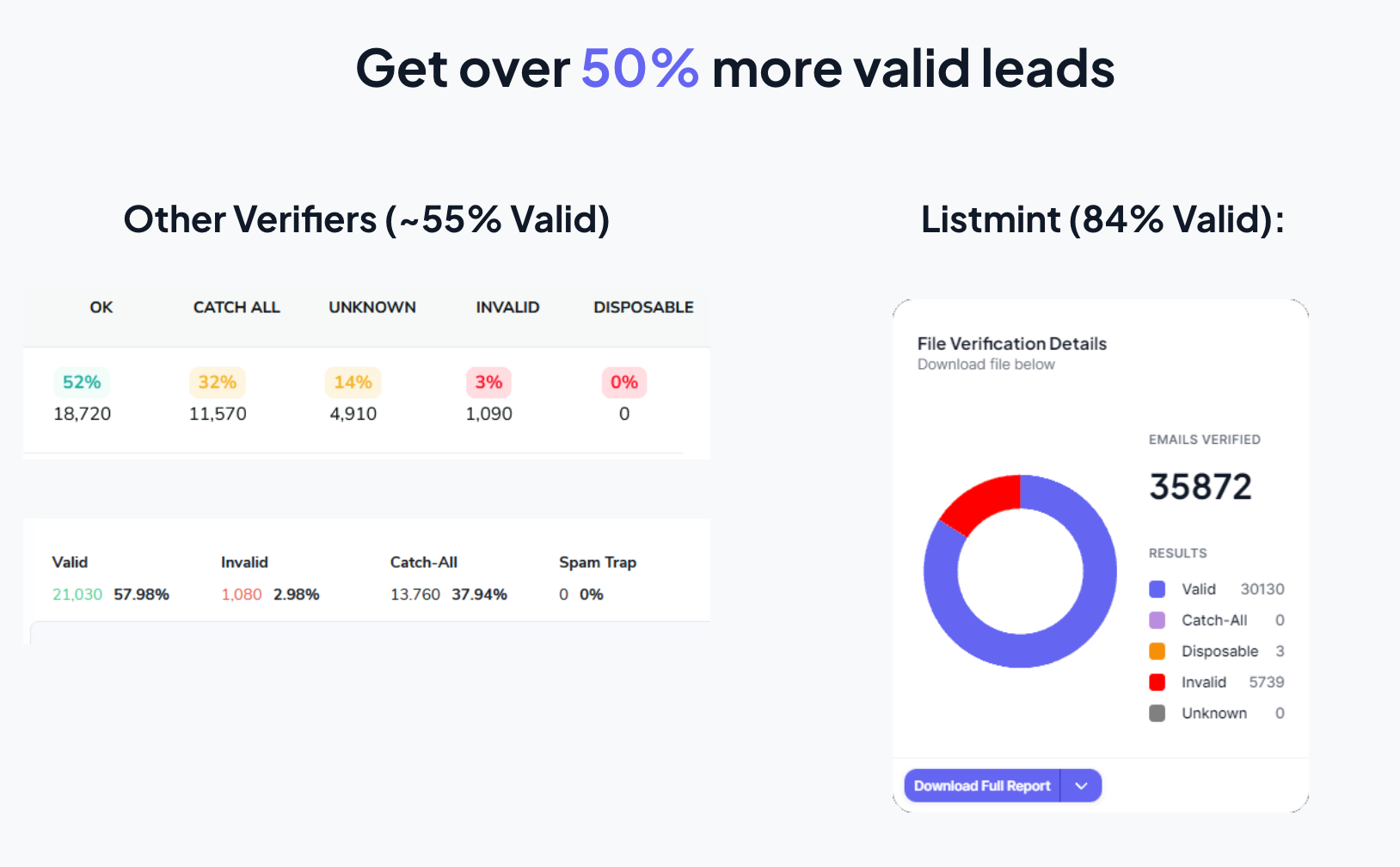
You can also use Listmint to recover leads that are often ignored by traditional verification tools. When you verify catch-all emails instead of treating them as unknown, you can recover more valid contacts and send with greater confidence.
IP warming is ultimately about building trust. A gradual sending schedule can help, but the quality of the email addresses behind that schedule plays an equally important role.
Starting with clean, verified data gives a new sending environment a stronger foundation from the beginning. Fewer invalid contacts means fewer unnecessary delivery issues and greater confidence in the audiences you are contacting.
Listmint helps businesses verify standard and catch-all emails in real time, giving teams more confidence in the contacts they plan to reach. Real-time verification, bulk processing, and API access make it easier to validate email data before sending begins.
There is no single number that works for every sender. Most businesses start with a small group of engaged recipients and gradually increase volume as performance remains healthy.
For example, a new sender may start with 500 emails, then increase to 1,000, 2,500, and 5,000 before moving toward normal sending levels.
Automated tools can help with the moving parts of IP warming, from send scheduling to performance tracking and volume adjustments. They should still be reviewed carefully because automated IP warm-up tools cannot replace clean data, engaged audiences, and good sending practices.
IP warming should fit into your overall email strategy because sender reputation is shaped by more than just the number of emails being sent. List quality, audience engagement, authentication, sending consistency, and monitoring all work together to support better deliverability.
An email marketing automation platform can simplify parts of the IP warming process by helping control volume increases and monitor performance. It can support the process, but it cannot replace good data and careful review.
You can warm both at the same time, but patience becomes even more important. Since the IP and domain are both new, a controlled rollout can help support healthy sending performance as trust develops.