Every email campaign starts with a simple assumption that the email address you're sending to is real.
Unfortunately, that assumption is often wrong.
Email lists naturally lose accuracy as people change jobs, abandon accounts, switch domains, or use temporary addresses when filling out forms.
When those contacts remain in your database, they can lead to failed deliveries, lower engagement, and missed opportunities to connect with real prospects and customers.
That's why businesses take time to validate email addresses before launching campaigns.
If you're wondering how to verify email address records before sending, this guide walks through the process step by step. You'll learn how email verification works, what checks to perform, how to identify risky addresses, and how to keep your lists accurate over time.
Verifying email addresses helps identify delivery issues before they affect campaign performance. It allows businesses to remove bad data, improve list quality, and make better use of every email they send.
One of the main reasons businesses verify email addresses is to reduce bounce rates. A bounce occurs when an email cannot be delivered to the destination address.
Not all failed deliveries happen for the same reason. Some emails are temporarily rejected, while others fail permanently because the address does not exist. These permanent failures are known as hard bounces and are often caused by invalid emails.
For example, if you send 1,000 emails and 150 bounce because the addresses are no longer valid, those recipients never had the opportunity to see the message. Every failed send wastes time, credits, and effort.
Verification helps identify problematic addresses before a campaign launches, which makes reducing bounces much easier and helps teams focus on contacts that can actually receive emails.
Mailbox providers track sending behavior over time to determine whether a sender is trustworthy. One of the signals they evaluate is the quality of the addresses receiving your emails.
Repeatedly sending to bad or inactive addresses can affect the sender reputation because it suggests poor list management practices. Consistent delivery failures may negatively impact how providers view your sending activity.
Verification helps remove problematic addresses before they become a recurring issue. Maintaining clean data supports a high sender reputation and demonstrates responsible sending behavior.
Once mailbox providers evaluate sender reputation, they use that information to help determine where messages land.
Strong sending practices improve inbox placement and increase the likelihood that messages land where recipients are most likely to see them. Poor-quality data can produce the opposite result.
When trust signals are positive, emails have a better chance of reaching the primary inbox instead of the spam folder. Better visibility creates more opportunities for recipients to open, read, and engage with your content.
Email addresses are often used throughout sales and marketing systems long after they are first collected. If outdated information remains in your database, it can affect reporting, segmentation, and campaign performance.
Regular verification helps keep contacts current and improves the quality of your email list. This makes it easier to target the intended recipient with relevant email campaigns while maintaining more reliable records for future emails.
Accurate data also helps sales and marketing teams make better decisions based on information they can trust.
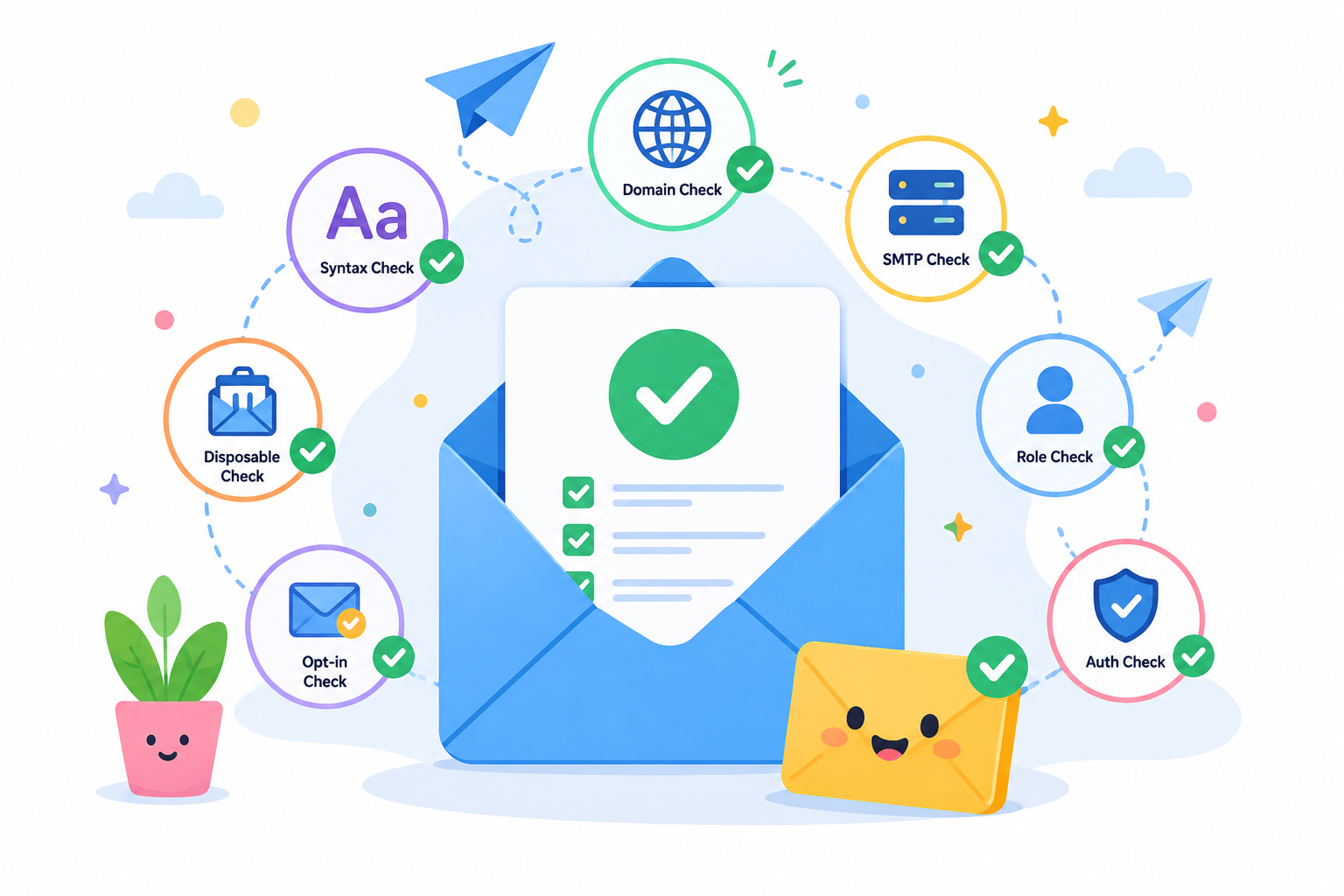
Verifying an email address involves more than checking whether it looks correct. A complete verification process examines the address itself, the domain behind it, the mail infrastructure that supports it, and any risk factors that could affect delivery.
The first step is confirming that the address follows proper email address syntax. Every address should contain a username, an @ symbol, and a domain name in a valid format.
For example, john@company.com follows a standard structure, while john.company.com is missing the @ symbol and cannot receive email.
It's also important to look for obvious mistakes such as:
This basic email validation helps eliminate clearly invalid addresses before moving to deeper checks. However, it is just the first step. An address can look correct and still be unable to receive messages.
After confirming that the email address is formatted correctly, the next step is to check if the domain can actually receive email.
For example, if you're verifying sarah@company.com, look at the domain portion of the address: company.com. A valid email domain should have DNS records and MX records configured to direct messages to the correct email server.
Many email verification tools perform this check automatically. If the domain does not exist or has no active mail servers, the address cannot receive email, regardless of how correct it looks.
For example, an address like sarah@realcompany.com may appear valid, but if the domain has no MX records, messages sent to that address will likely fail.
Next, check whether the address is from a disposable email provider. These are temporary email addresses people use when they do not want to share a real inbox.
Temporary addresses often appear in sign-up forms, free trials, gated downloads, and lead magnets. For example, someone may use a throwaway inbox to access a resource without wanting follow-up emails. The address may work for a short time, then disappear or stop accepting mail.
Most email verification tools compare addresses against databases of known disposable email providers. If the address is temporary, it can be flagged before it enters your CRM.
Removing these addresses helps maintain better list quality and prevents wasted sends to contacts that are unlikely to engage with future campaigns.
This check is especially useful when leads come from public forms, imported spreadsheets, or Google Sheets managed by different team members.
The next step is to determine if the address belongs to a catch-all domain.
When a verification system checks an email address, the receiving server normally confirms whether the mailbox exists.
Catch-all domains, sometimes called accept-all domains, work differently. The server may accept email for virtually any address on the domain, making it difficult to determine if a specific mailbox is real.
For example, a company may configure its email system to accept messages sent to any address at its domain. That means test@company.com, sales@company.com, and randomname@company.com may all receive the same accepted server response.
The problem is that an accepted response does not always confirm email validity. The server may accept the message first and later reject it, route it elsewhere, or discard it. As a result, many verification tools classify catch-all addresses as risky or unknown.
This creates uncertainty during outreach. A catch-all result does not always mean the address is bad, but it also does not confirm that a real mailbox exists.
As a result, catch-all or accept-all addresses often require additional verification before they can be treated like standard, valid addresses.
Manual checks can help with one or two addresses, but they do not scale when you need to check email addresses in bulk. A team working with hundreds or thousands of contacts needs a faster and more consistent process.
An email verification service automates the checks that are difficult to perform manually. A strong email validator can review format, domain setup, MX records, SMTP responses, disposable addresses, and catch-all behavior in one workflow.
The process is simple. Upload your list, run the scan, and review the results. A bulk email verifier helps you check large lists in just a few clicks, instead of reviewing each address one by one.
For teams that need a faster way to verify large lists, Listmint automates the process from start to finish. It checks if an email address exists, supports bulk verification, and provides clearer insight into addresses that other tools often classify as unknown or risky.
Start with a free account and clean your list before bad data affects campaign performance.
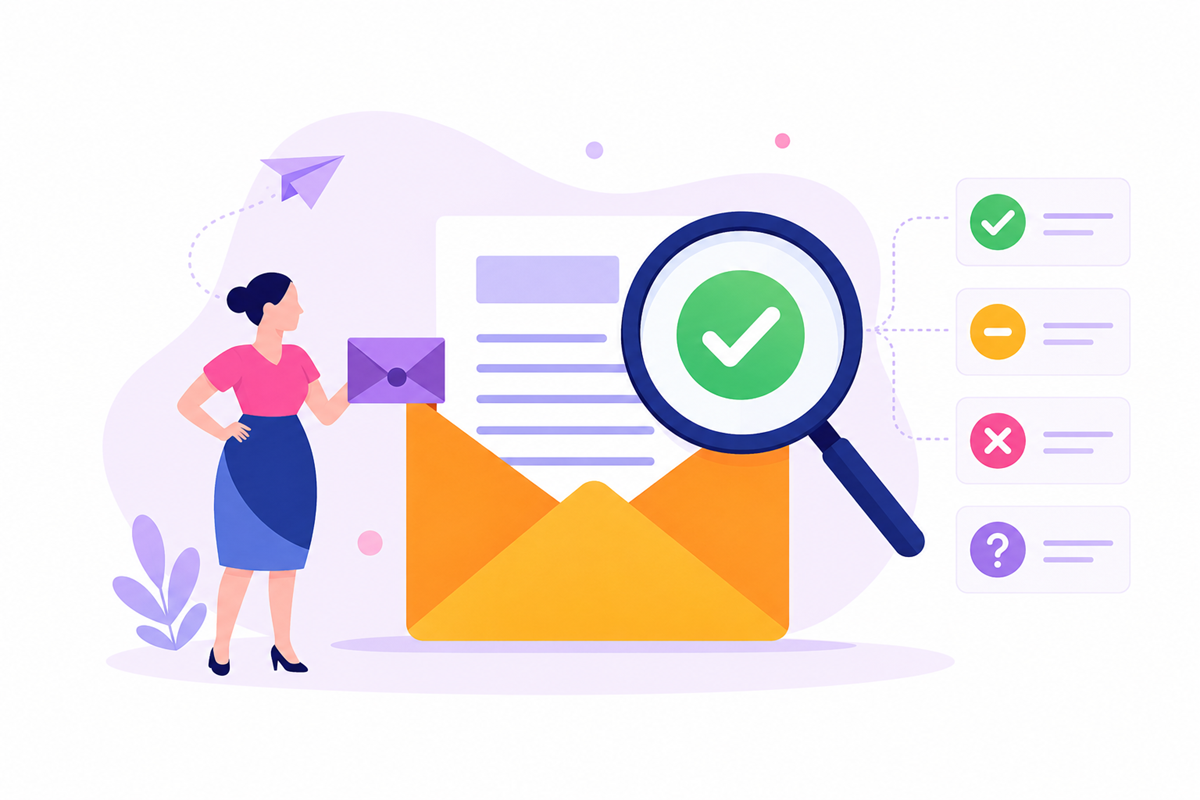
After running an email verification check, you'll typically receive a verification status for each address on your list. Understanding what these results mean helps you decide which contacts to keep, remove, or review before sending a campaign.
A valid result means the address passed verification checks and is considered safe to send to. The domain is active, the mailbox appears available, and the address can likely receive messages.
For example, if a contact is marked as valid, your email message has a strong chance of being delivered successfully.
Recommended action: Include these contacts in your campaigns and outreach lists. They represent the lowest delivery risk.
An invalid result means the address cannot be verified as deliverable. The mailbox may not exist, the domain may no longer accept email, or the address may contain errors.
Common examples include misspelled addresses, closed accounts, or invalid addresses tied to domains that no longer accept email.
Recommended action: Remove these contacts from your sending list. Continuing to email them will only create unnecessary delivery failures and inflate bounce rates.
A catch-all result means the domain accepts incoming email for any address, even if the individual mailbox does not exist.
For example, a server may accept messages sent to sales@company.com and randomname@company.com. That response does not guarantee a real person is receiving those messages.
Because of this, unverified catch-all addresses are less certain than fully verified contacts. Some perform well, while others may never reach an active recipient.
Recommended action: If a catch-all address has not been verified, treat it cautiously because the server response does not confirm that the mailbox exists.
If it has been verified through Listmint, use the result as either catch_all_valid or catch_all_invalid and handle it like any other verified result.
A disposable result usually indicates that the address was created through a temporary email service rather than a long-term mailbox.
These addresses are often used to access free content, register for a trial, or bypass sign-up requirements without sharing a permanent email address.
While some may receive messages initially, they rarely represent long-term engagement opportunities.
Recommended action: Remove disposable addresses from marketing and sales campaigns. Most provide little value beyond a short-term interaction.
A risky or unknown result means verification could not determine the address with complete confidence.
Several factors can cause this outcome. The server may restrict verification requests, the mailbox may be unavailable during the check, or there may be technical limitations that prevent a clear result.
In some cases, the address may still be valid. In others, it may produce soft bounces because of temporary issues such as a full mailbox.
Recommended action: Review these contacts carefully before sending. Consider placing them in a separate segment, monitoring engagement closely, or running another verification check later if the address is important to your outreach efforts.
Email verification should be an ongoing process, not a one-time task.
Even a clean database today can become outdated as contacts change jobs, switch companies, or abandon old addresses.
Following established email verification best practices helps maintain list quality and prevent avoidable delivery issues over time.
Verify new contacts before importing them into your CRM or before sending emails. Catching bad data early prevents unnecessary problems later.
Re-verify older records regularly. Many teams review their databases every quarter, while others verify contacts before major campaigns. This helps improve email deliverability and keeps outreach focused on active recipients.
Avoid buying bulk lists whenever possible. Purchased data often contains outdated or low-quality contacts that can create delivery issues and reduce campaign performance.
Use double opt-in for newsletter subscriptions and lead capture forms. This confirms that contacts want to receive communications and helps maintain a cleaner database.
As a general rule, verify contacts before every campaign, before importing large lead lists, and whenever a database has gone unused for several months.
Clean data gives email service providers stronger engagement signals and helps more messages reach the inbox.
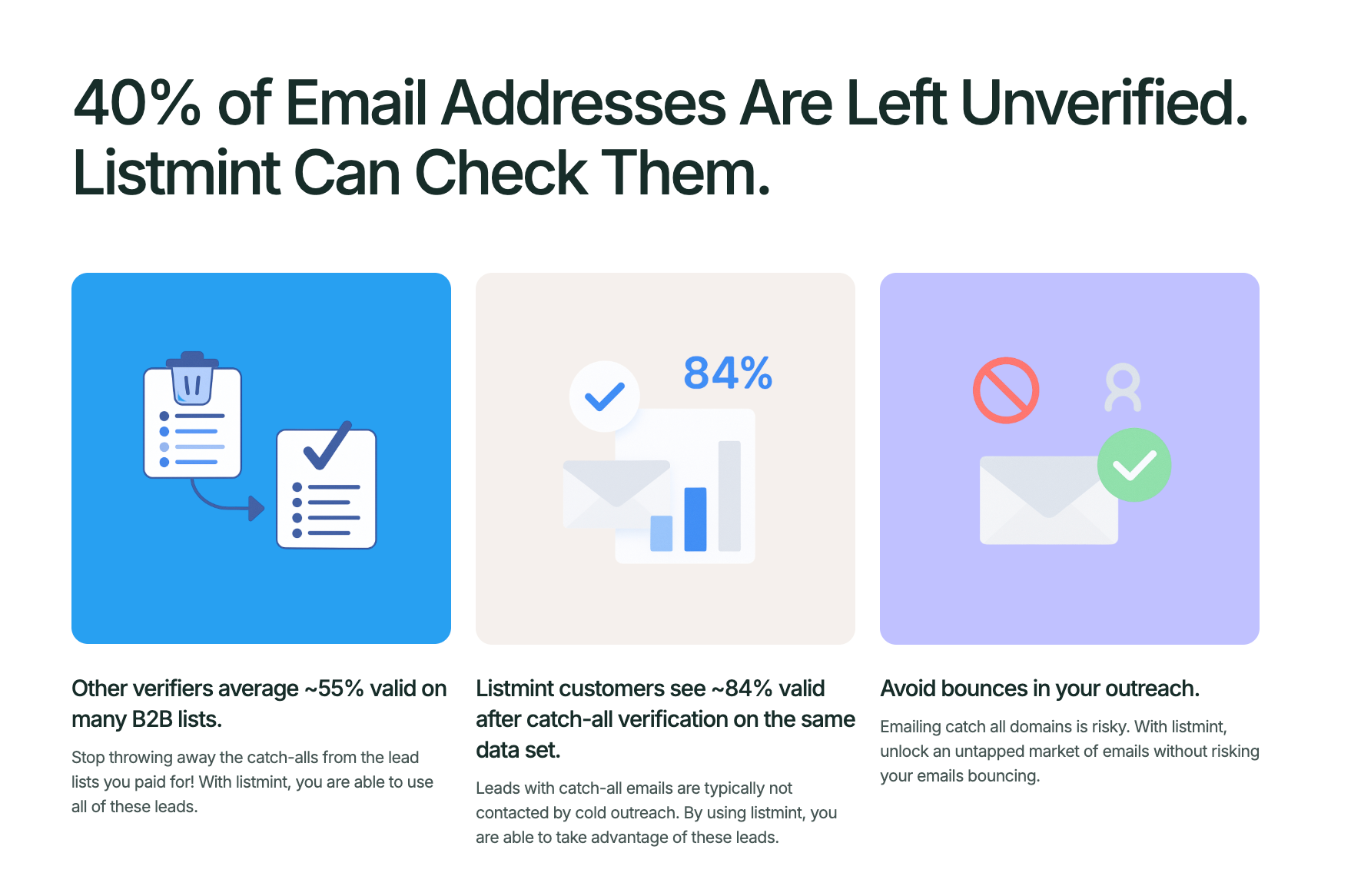
Most email verification tools stop at catch-all addresses. They label them as risky or unknown and leave you guessing if they're safe to contact.
As a result, a large portion of your lead list often goes unused, even though many of those contacts may be valid.
Listmint solves that problem with real-time catch-all verification.
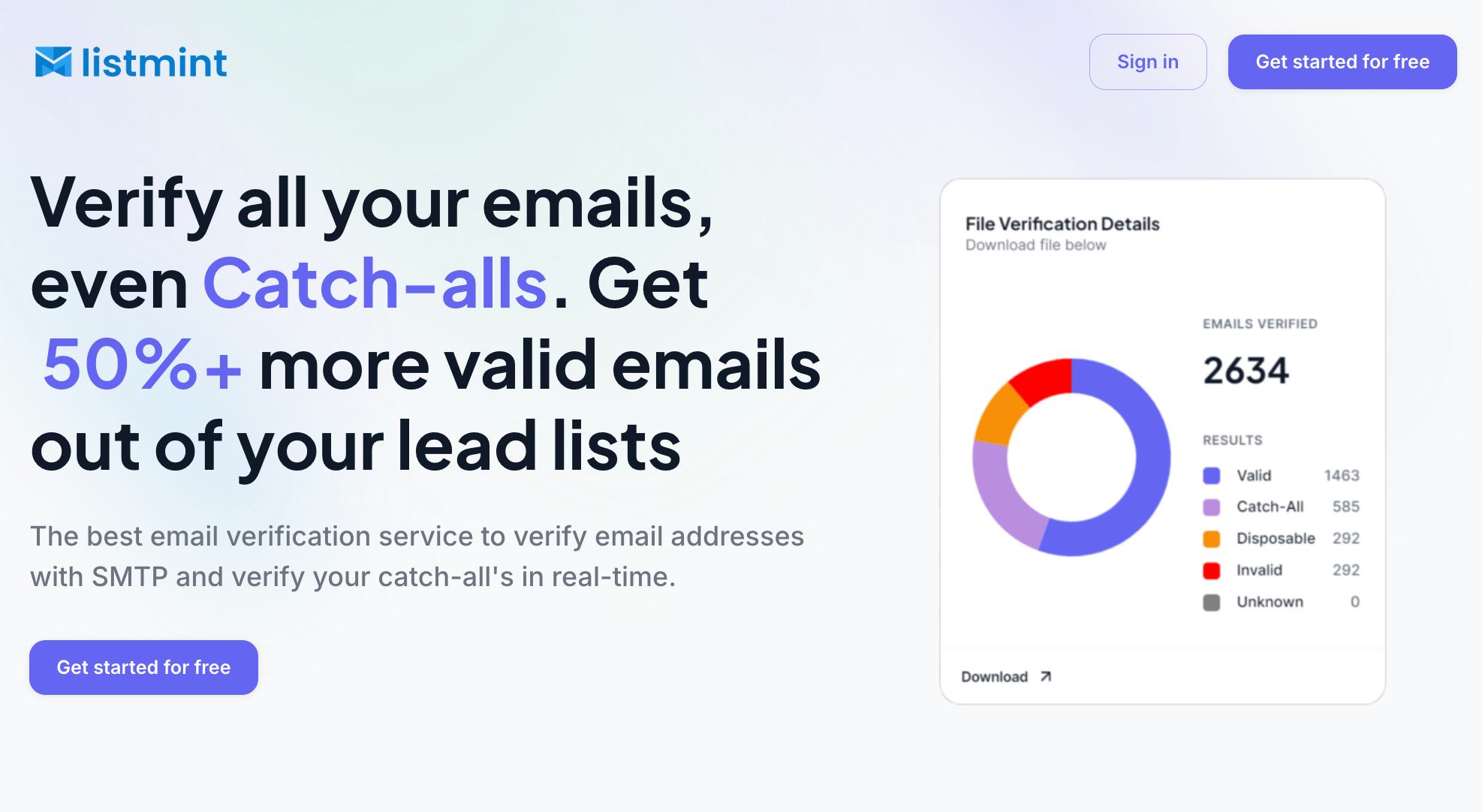
Instead of simply flagging catch-all emails, Listmint verifies them and classifies them as either catch_all_valid or catch_all_invalid.
Unlike solutions that rely on sending verification emails or waiting up to 48 hours for results, Listmint verifies both standard and catch-all emails in real time.
The difference can be substantial. Many verification platforms stop at labeling catch-all addresses as risky or unknown. Listmint goes a step further by verifying those addresses in real time, which helps businesses recover more valid contacts from their existing lists.
With more than 1 billion emails verified and over 99% catch-all verification accuracy, Listmint helps teams make more informed sending decisions.
Whether you're running outbound sales, lead generation, recruiting, or email marketing campaigns, Listmint helps verify more contacts before messages are sent.
That means fewer wasted leads, better data quality, and greater confidence that every mailbox on your list is worth contacting.
Knowing how to verify email address records is an important part of maintaining a healthy email list. A simple verification process can help identify invalid, disposable, and risky addresses before they lead to delivery issues, wasted sends, and unnecessary bounce rates.
If you're managing a small contact database or sending outreach at scale, regular verification helps reduce bounce rates, protect sender reputation, and improve the chances that your emails reach real recipients.
For teams that want greater confidence in their email data, Listmint helps verify both standard and catch-all addresses before they enter campaigns and outreach workflows.
To verify a Gmail address without sending a test email, enter the address into an email verification tool. The tool checks the address format, confirms that the domain is active, and evaluates if the inbox appears capable of receiving messages. Listmint performs these checks in real time, helping identify delivery issues before you send an email.
No. Email verification helps identify addresses that can receive email, but it does not guarantee delivery. Factors such as sender reputation, content quality, recipient engagement, and mailbox provider filtering can still affect delivery outcomes.
Email validation checks that an address follows the correct format and structure. Email verification goes further by checking the domain, mailbox status, and mail infrastructure, including responses from the SMTP server, to determine if the address is likely to receive email.
Not always. Risky or unknown results indicate that the address could not be verified with complete confidence. Review these contacts carefully before removing them, especially if they belong to important prospects or customers. As an added bonus, running a second verification check later may provide a clearer result if the issue was temporary.
No. An email finder helps locate contact information, while email verification determines if an address can receive email. After finding an address, use a free email checker or verification tool to confirm that it is valid and deliverable before adding it to your outreach or marketing list.