A catch-all email setup lets a domain accept messages sent to different email addresses, including ones that may not belong to an active mailbox.
That is why understanding the catch-all email meaning becomes important when a prospect list is verified and certain contacts are marked as catch-all.
For email marketers, the key point is that a domain can accept a message without confirming that the specific recipient exists, which means that you need a catch-all verifier to determine if it’s valid.
In this guide, you’ll learn how catch-all email works, why businesses use it, and what that status means when it appears in your list.
A catch-all email is part of a mail setup that accepts messages sent to different recipient names under the same email domain.
With catch-all domains, the mail system may accept a message even when the specific recipient address is not recognized as an individual mailbox.
Imagine a company uses company.com:
Anne might have a real mailbox, while the other two addresses might not belong to anyone. On a catch-all domain, all three can appear to be accepted even though only one belongs to an actual recipient.
In other words, seeing a catch-all address does not tell you on its own if the recipient's email address belongs to a real person. It describes how the domain handles mail, not who is behind the address.
A regular email setup and a catch-all setup differ mainly in how they handle mail sent to unrecognized recipients.
The key difference is what happens when the recipient name is not recognized. A regular setup may reject the message, while a catch-all setup may accept it under the domain's mail rules.
A catch-all setup changes how a mail system handles incoming emails sent to recipient names it does not recognize.
The basic flow looks like this:
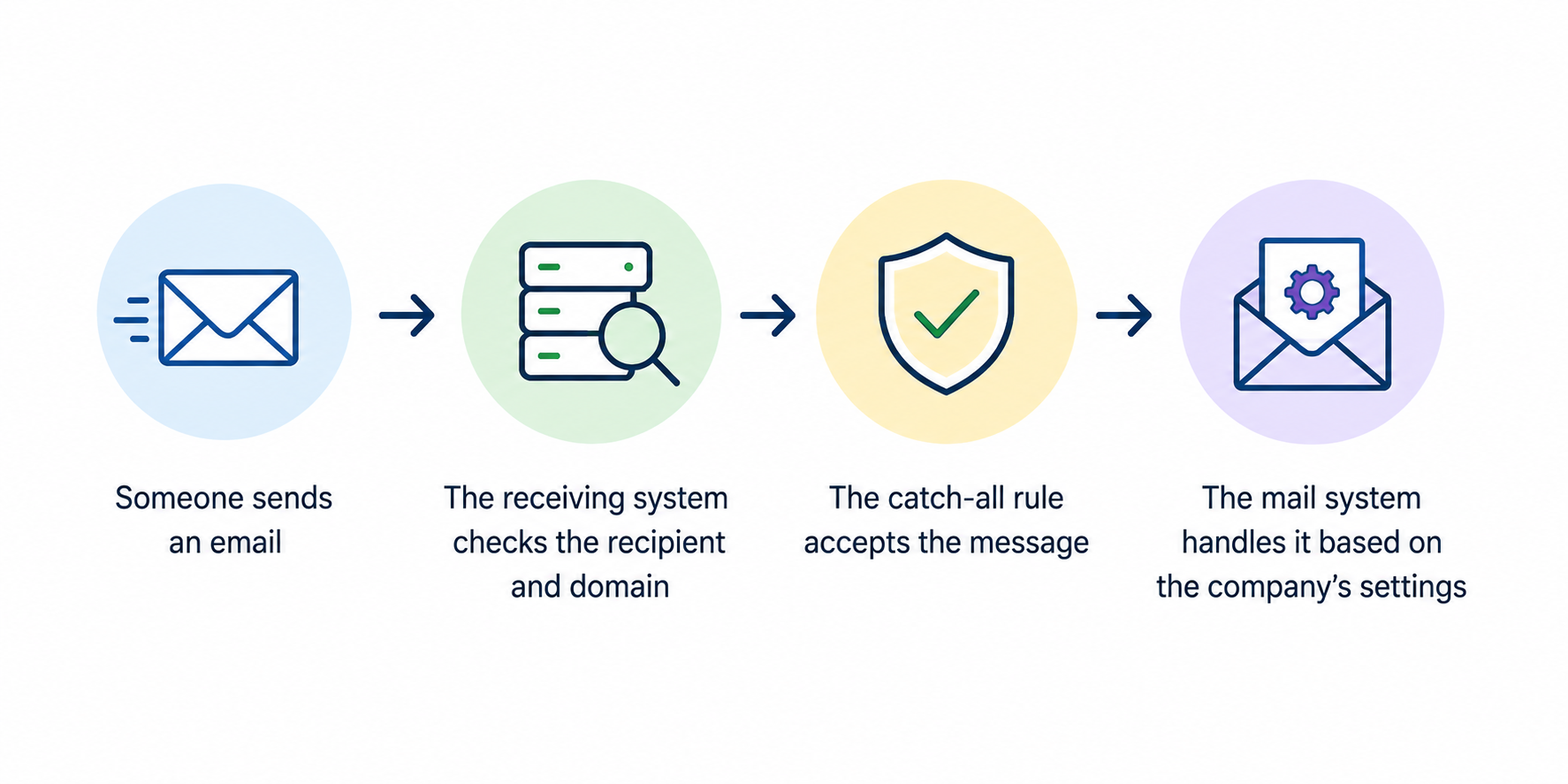
With a standard setup, an unrecognized recipient may be rejected. A mail system with a catch-all server configuration can be set to accept all recipient names covered by its rules.
In that case, the server accepts the message even when there is no matching mailbox.
What happens to that message depends on the company's catch-all configuration. It may go to a designated catch-all inbox or follow another routing rule.
Businesses may use centralized inbox management to keep these messages in one place and avoid overlooking important messages.
Put simply, the catch-all accepts the message first, then the company's mail rules determine where it goes.
Businesses can configure catch-all email to receive messages even when the sender uses a recipient name that is misspelled, outdated, or does not have its own mailbox.
It can help companies capture useful messages that might otherwise be rejected simply because the sender used the wrong address.
Typos happen when customers, prospects, or vendors enter an email address manually. A catch-all setup can act as a safety net for these incorrect addresses.
For example, someone might type suport@company.com instead of support@company.com. With a catch-all setup, the domain may still accept the message and route it based on the company’s mail settings.
Business contact details change over time. Employees leave, departments change names, and old email addresses may no longer be actively used.
A company may use catch-all email accounts alongside routing rules to handle messages sent to recipient names that are no longer recognized. For example, a customer might reply to an old address saved from a previous conversation.
The same idea can apply when messages are sent to inactive catch-all addresses that people still have saved in their contact information.
A catch-all setup can also support domain-level routing rules.
For example, a business may want messages sent to several aliases or unrecognized recipient names directed to a shared mailbox or another designated destination.
How those messages are routed depends on the company’s mail system and email service providers. Businesses can set their own rules for directing mail sent to unrecognized recipient names.
If you verify a contact and the result comes back as “catch-all,” the tool has detected that the domain accepts mail in a way that makes the specific mailbox harder to confirm.
Email verification tools can identify catch-all domains based on server behavior. The issue is that catch-all domains accept messages for recipient names without necessarily revealing if each email address exists.
Because of that, the initial check may not tell you whether the address corresponds to a real mailbox or a nonexistent one. A catch-all result alone does not confirm that the address is valid or invalid.
Detailed reporting can provide more context and help you make informed decisions about the contact.
A catch-all email address can belong to a real mailbox, but the domain's catch-all configuration does not prove that it does.
The distinction comes down to what each term describes. Catch-all domains describe how mail is handled at the domain level. A valid address refers to a mailbox that belongs to an actual recipient.
For example, two addresses can use the same catch-all domain but have different mailbox statuses. One may belong to an employee, while another may not correspond to anyone at the company.
So, not all addresses associated with a catch-all domain have the same status. Knowing that an address belongs to a catch-all domain tells you about the domain's mail configuration, not whether the specific mailbox is valid.
Catch-all is a domain characteristic. Validity is an address-level question.
Yes, an email sent to a catch-all address can still bounce.
A receiving system may initially accept a message, but that does not guarantee it will reach the intended recipient.
If there is no active mailbox behind the address, the system may reject the message later or send a bounce-back message. These delayed bounce messages are one reason catch-all contacts can be difficult to judge from initial acceptance alone.
Sending repeatedly to risky addresses can raise your bounce rate. If that becomes a pattern, frequent bounces and spam complaints can hurt your sender reputation and domain reputation.
That can lead to email deliverability problems, including weaker inbox placement for later email campaigns.
The catch-all configuration itself does not cause these problems. The concern comes from repeatedly sending to addresses that do not lead to active mailboxes.
Don't automatically send to every catch-all address, but don't remove every one simply because the domain is catch-all.
If you only have a generic catch-all result, the specific address may still need further verification. For cold email campaigns, verifying newly sourced contacts can help you avoid wasted effort on addresses that may not belong to active mailboxes.
If catch-all contacts make up a significant chunk of your list, you can segment catch-all addresses until you have a more definitive verification result. Once an address is verified as valid, there is no reason to keep treating it differently just because it belongs to a catch-all domain.
Past email marketing activity can give you useful context for contacts already on your list. Engagement monitoring can help you identify engaged contacts and avoid overlooking valuable leads, but engagement alone does not confirm that a mailbox is valid.
Unresolved catch-all contacts should be managed carefully until you have more information about the specific address. Dedicated catch-all verification can give you more information before sending messages to these contacts in future campaigns.
You can verify catch-all emails with a tool that evaluates the address after catch-all behavior has been detected.
Standard email verification may identify the domain as catch-all without confirming the mailbox itself. A dedicated catch-all verification tool uses additional checks and careful testing to evaluate the address further.
Sending a test email is not the same as dedicated verification. A verifier can evaluate the mailbox without relying on a message being sent to the recipient.
Depending on the service, you may also receive comprehensive reports with more context about the returned result.
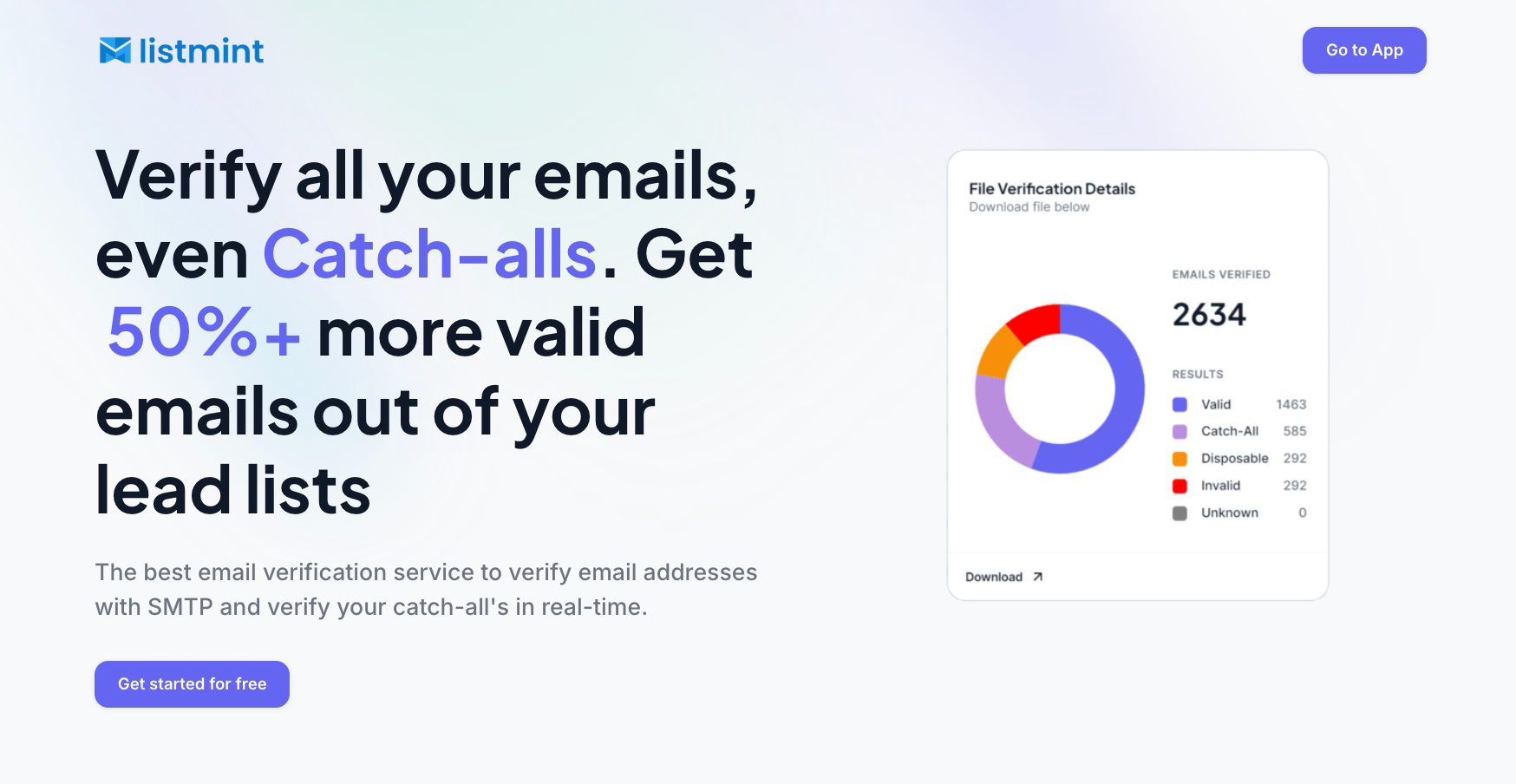
A standard email verifier may detect that a domain uses a catch-all setup without confirming the specific mailbox. Listmint is built to take that verification further.
Listmint combines standard SMTP verification with dedicated catch-all verification in one platform. It can classify catch-all results as catch_all_valid or catch_all_invalid, helping you distinguish valid catch-all addresses from invalid ones.
That distinction is especially useful for lead lists where catch-all contacts would otherwise remain unresolved. A catch_all_valid result can be treated like another verified email, so you do not need to automatically discard or isolate the contact simply because it came from a catch-all domain.
Listmint also supports real-time catch-all verification through its API without sending an email to the recipient.
Businesses can use the platform for their own lists, while companies that provide verification to their customers can integrate standard and catch-all verification into their products through the email API.
“Catch-all” means an email domain is configured to accept messages sent to recipient names under that domain, including names that may not have an active mailbox. The company’s mail settings determine how those messages are handled.
A catch-all result alone does not tell you if the mailbox is valid. Further verification can help you decide which contacts are suitable for outreach campaigns before sending campaigns to them.
Being a catch-all does not automatically make an address a spam trap. The two terms describe different things: catch-all refers to how a domain handles incoming email, while a spam trap is used to identify questionable sending or list management practices.
Unverified catch-all contacts may include addresses that do not belong to active mailboxes, which can increase bounce risk. Verification can provide more actionable insights about individual addresses, while monitoring engagement and reviewing engagement metrics can help you spot poor engagement and assess campaign performance after sending.
Yes. Catch-all configurations may receive messages sent to unrecognized recipient names, including spam messages or phishing attempts. The receiving mail system's filtering and security rules determine how those messages are handled.