Seeing “catch-all” in your verification results can leave you with more questions than answers.
The domain accepts mail, but that alone does not tell you whether the person associated with the address has a real mailbox. For anyone cleaning an email list, that can make the next step unclear.
A catch-all email verifier is designed to look deeper into these uncertain results and help you make a better decision about catch-all emails before outreach begins.
This guide explains what catch-all verification means, why these addresses are difficult to verify, how the checks work, and how to read the results with more confidence.
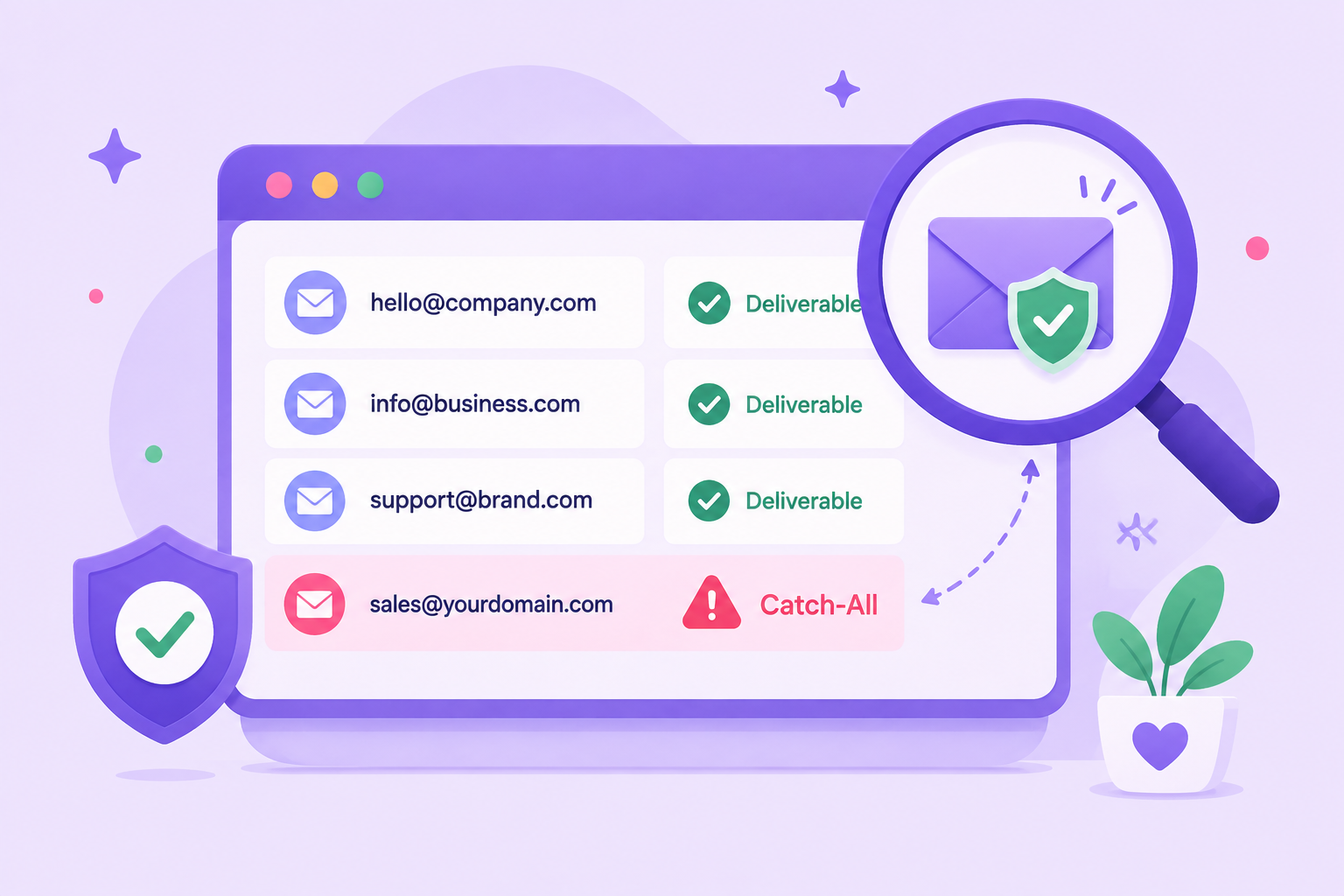
A catch-all email is an address on a domain whose mail server appears willing to accept incoming mail for addresses that may not actually exist.
For example, take a look at these two addresses:
John may have a real, active mailbox, while madeupname@company.com may not belong to anyone. If the company's mail server appears willing to accept both during verification, email verification tools will identify the domain as a catch-all.
That creates a problem when verifying email addresses. The server response shows that the domain's mail system is responding, but it does not confirm that the specific mailbox exists.
A catch-all result does not mean an email exists. It describes how the receiving domain responds during verification.
A catch-all email verifier checks individual addresses on catch-all domains to determine whether a specific mailbox is valid or not.
Standard checks can identify catch-all behavior but may not be able to confirm the individual recipient. A catch-all verifier takes the verification further by evaluating additional available signals and returning a more useful verification status for the address.
For example, if a standard check gets a similar response for both john@company.com and madeupname@company.com, it classifies the domain as catch-all. Dedicated catch-all verification investigates the individual addresses further rather than assuming both are valid.
That makes catch-all verification useful when standard email verification tools leave you with addresses that cannot be confidently classified from the initial server response.
Both approaches play a role in verifying emails, but they answer different questions.
The key difference is what happens after catch-all behavior is detected.
Standard verification can identify that the receiving server appears willing to accept different recipient addresses. Dedicated catch-all verification goes further by evaluating additional signals about the specific address.
That distinction helps you avoid assuming every address on a catch-all domain is valid or automatically discarding every catch-all result.
Catch-all emails are difficult to verify because the receiving email server may respond positively even when the exact mailbox being checked does not exist.
You see this often with company domains that use catch-all settings. The server may accept recipient checks for addresses on the domain without revealing whether each individual mailbox exists.
That makes it harder for a verifier to separate real employee mailboxes from made-up addresses.
Suppose maria@company.com belongs to a real employee, but random123@company.com does not exist.
On a catch-all setup, the server may appear to accept incoming emails for both addresses. A verifier can see that the domain receives mail, but the positive response does not automatically make random123@company.com a valid address.
What happens after the SMTP response depends on how the receiving mail system is configured.
SMTP verification checks how the receiving server responds when an address is tested.
When the server provides a definite response for an individual mailbox, email verifiers can use that information to classify the address.
Catch-all settings make that response less conclusive. The server may respond similarly to real and nonexistent recipients, leaving the individual mailbox unresolved.
The limitation comes from the information the receiving server provides, not from SMTP verification being ineffective.
A domain that accepts mail indicates that its mail system is responding. It does not prove that the exact recipient has an active mailbox.
That distinction is important when deciding if you have a valid email or an address that still carries risk.
A catch-all result should therefore be treated as information about the domain's behavior, not automatic confirmation that the recipient exists.
A catch-all email verification process examines an address in stages. It usually starts with basic checks, then examines how the receiving mail server responds before determining whether further catch-all analysis is needed.
The exact verification process varies between providers. Catch-all addresses can require advanced techniques beyond a standard SMTP response, and providers do not always disclose the methods they use.
The verifier first checks if the address follows a usable email format, such as person@example.com.
It looks for problems such as missing components, misplaced symbols, or formatting errors that could make the address invalid.
These checks help validate emails before contacting a mail server. The verifier also examines the domain portion because a properly formatted address is not useful if its domain cannot receive email.
Next, the verifier checks the domain's mail setup, including its MX records. These records help identify the mail servers responsible for receiving email for the domain.
Working mail infrastructure allows the verifier to continue with server-level checks. At this stage, however, it has not confirmed that the individual email addresses being tested belong to active mailboxes.
The verifier can then start a limited SMTP conversation with the receiving mail server. It tests how the server responds to the recipient address without sending the actual email content.
The server may accept the recipient, reject it, return a temporary response, or restrict the check. An acceptance response provides useful information, but it may not confirm an individual mailbox when the domain uses a catch-all configuration.
The verifier can detect catch-all behavior by checking how the server responds to an address that is unlikely to exist, such as random839427@example.com.
If the server accepts the random recipient much like the address being tested, the verifier will identify the domain as catch-all.
That tells the verifier that SMTP acceptance alone cannot reliably distinguish a real recipient from a made-up one on that domain.
Once catch-all behavior has been detected, the focus shifts from the domain to the individual address.
A provider may use additional available signals and its own verification methods to investigate an address that the standard SMTP check could not conclusively classify.
The exact methods differ between services and may be proprietary. Providers that verify catch-all addresses should not be assumed to use the same underlying process.
The verifier uses the available evidence to classify the address. Depending on the provider, results may include valid, invalid, risky, catch-all, unknown, or other labels.
For example, one service may return catch-all when it detects catch-all behavior but cannot resolve the individual mailbox. A provider with dedicated catch-all verification may investigate the address further and return a more specific result.
Status names and definitions vary between services, so always interpret the result according to the provider's documentation.
Catch-all verification can provide more information about an address that standard checks cannot fully resolve, but it cannot promise perfect accuracy.
The receiving mail server decides how much information it reveals, and a catch-all setup may respond similarly for real and nonexistent mailboxes.
The trade-off is that deeper verification can provide a more useful assessment of the individual address, but no result can guarantee what will happen when a future message is sent.
A catch-all result reflects what the verifier can determine at the time of the check. Several things can affect that result later.
These changes are one reason verification should be treated as a point-in-time assessment. Using recent results can help reduce avoidable bounce rates and support better email deliverability, especially when you are working with older contact data.
Yes. A catch-all address that receives a positive verification result can still bounce when you send to it later.
Verification tells you what could be determined about the address at the time it was checked. It cannot control future mailbox changes, temporary server problems, sending policies, or how the receiving system handles the actual message.
That does not make verification pointless. It gives you better information before sending and helps you avoid sending blindly to unresolved addresses.
Reducing avoidable bounces can also help protect your sender reputation, since repeatedly sending to invalid addresses can contribute to poor sending signals.
Catch-all verification results tell you what the verifier could determine about an address based on the information available during the check.
Understanding each status helps you make informed decisions about which contacts to keep, remove, or verify again.
Status terminology varies between verification providers. Basic verification services may use labels such as catch-all, risky, or unknown when an individual mailbox remains unresolved, while dedicated catch-all verification can provide a more specific result.
A valid or deliverable result generally means the verifier found enough positive evidence to consider the address usable. It suggests a higher level of confidence in the mailbox than an unresolved catch-all result.
It should not be treated as a guarantee that every future email will be delivered.
An invalid or undeliverable result means the available checks indicate that the address should not be treated as a working recipient.
An undeliverable email is generally removed or suppressed before outreach because sending to it can lead to an unnecessary bounce.
A risky or uncertain result generally means the provider could not gather enough evidence to classify the address as valid or invalid.
You may see this when a verification service detects catch-all behavior but does not resolve the individual mailbox. In that case, dedicated catch-all verification may provide more information before you decide what to do with the contact.
An unknown result means the verifier could not reach a reliable conclusion at the time of the check. Temporary server problems, restricted responses, timeouts, or other inconclusive signals can lead to this status.
Treat unknown emails as unresolved rather than automatically mark them as valid or invalid. Depending on the provider and reason for the result, you may be able to verify them again later.
Don't automatically remove an address because a standard verification check returns catch-all.
That result tells you the domain accepts recipient checks broadly, but it does not tell you if the individual address is valid or invalid.
Deleting every unresolved catch-all result could mean losing valuable leads before those addresses receive dedicated verification.
The better next step is dedicated catch-all verification. It gives you more information about the individual address instead of leaving the entire group in an unresolved category.
Once dedicated verification returns a valid or invalid result, you can handle those email contacts like other verified records. Keep addresses confirmed as valid and remove or suppress those confirmed as invalid.
Reverification can also make sense if a significant amount of time passes before outreach. Mailboxes and company mail systems can change after the original check.
A catch-all verifier is useful when you have addresses that standard checks cannot confidently classify, and you need to decide what to do with them before outreach. Common situations include:
Bulk and real-time verification solve the same basic problem at different points in your workflow. Bulk verification checks addresses you already have, while real-time verification checks new addresses as they enter your system.
Bulk verification works well when you already have a list that needs to be checked. You can use it for CSV files, CRM exports, prospect lists, older databases, or list cleanup before an email campaign.
When you're working with a high volume of addresses, bulk verification lets you review the results together before using the list.
Real-time verification checks an address when it enters your system. Common examples include a lead form, application, signup flow, or another process that collects contact information.
With an API integration, the address can be submitted for verification as part of that workflow. This can help you automate workflows that need verification results before new contact data moves to the next step.
The main difference is timing. Bulk verification reviews existing data, while real-time verification checks new addresses at the point of collection.
A useful catch-all verifier should help you get beyond a basic catch-all label and decide what to do with the individual address.
When comparing other tools, focus on how they handle catch-all contacts, what their results tell you, and how well they fit the way you collect and manage email data.
Start by checking if the platform only detects catch-all domains or investigates individual addresses on those domains further. Basic detection can tell you why an address is difficult to classify, but it may still leave you with a large group of unresolved contacts.
Look for a verifier that provides dedicated analysis after catch-all behavior is detected. Check the provider's documentation to understand what it claims to evaluate and how it reports the outcome.
A verification result should help you decide what to do with the address. If every uncertain contact receives the same catch-all label, you may still be left deciding which ones to keep or remove on your own.
Review the provider's status definitions before choosing a service. You should be able to understand which results indicate a usable address, an invalid one, or a contact that still needs caution.
Bulk verification is useful if you regularly work with CSV files, CRM exports, prospect lists, or existing databases. Check the platform's upload limits, supported file formats, processing options, and how results can be exported.
Also look at how catch-all addresses are handled within a bulk job. A service that only identifies them without further evaluation may not solve the problem that led you to look for a dedicated catch-all verifier.
API access is worth considering if addresses need to be checked as part of a form, lead collection process, or another automated workflow. Review the API documentation to see what data you can submit and what results are returned.
Pay particular attention to how catch-all outcomes appear in the API response. Your system needs enough information to decide what happens to the contact next.
Check how each provider handles addresses it cannot conclusively classify. Status definitions should explain what an unresolved result means and what information the service was able to determine.
Be cautious with verification services that promise a definitive answer for every address or guarantee perfect accuracy. Receiving mail servers control what information they reveal, so verification providers should explain the limits of their results.
Standard verification tools can identify a catch-all domain, but that result can still leave you without an answer about the individual address.
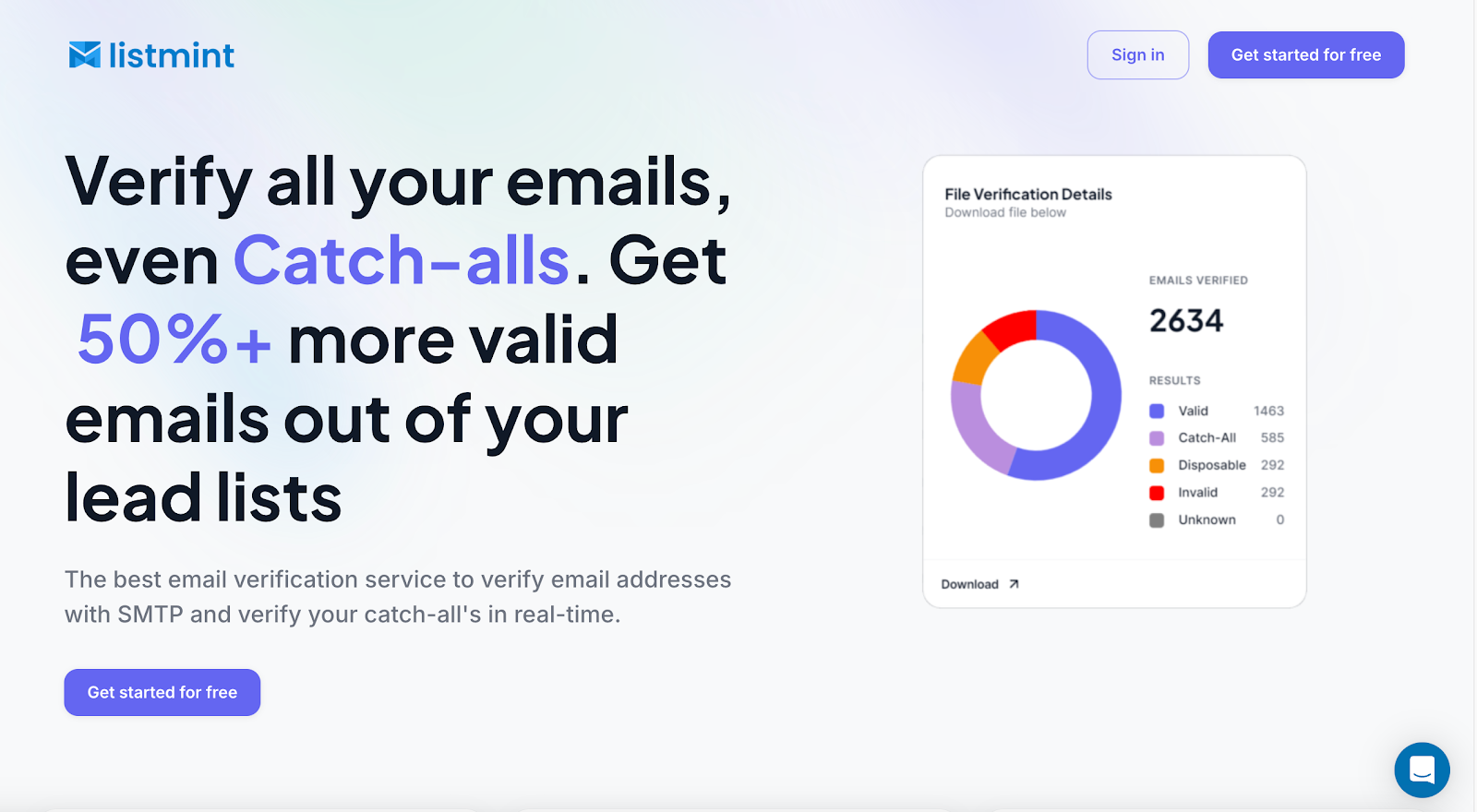
Listmint goes further by verifying catch-all emails and returning catch_all_valid or catch_all_invalid results, so you do not have to treat the entire group as risky.
Listmint combines standard SMTP and catch-all verification on a single platform. Catch-all verification happens in real time without sending an email to the recipient, giving you an answer before you use the contact for outreach.
For existing lists, you can upload your contacts and verify them in bulk. Listmint checks standard and catch-all addresses, helping you keep valid contacts and remove invalid ones before sending.
Listmint also offers an API for businesses that need verification built into their own products or workflows. Standard and catch-all verification are available through the API, including for companies that want to offer email verification within their own service.
The main benefit is simple. You do not have to discard every catch-all contact or leave those addresses sitting in a risky category. Listmint verifies the individual catch-all address, helping you recover more usable contacts from lead lists you already have.
Verify your catch-all emails with Listmint. Get started for free.
It can be safe to send to a catch-all address if dedicated verification confirms the individual mailbox as valid. An email marketer should not assume that domains that appear to accept all recipients make every address safe to use.
Yes, a verified catch-all email can still bounce because mailbox status and server behavior can change after verification. Verification can act as a safety net against some avoidable bounces, but it cannot guarantee future delivery.
Catch-all means the domain appears to accept arbitrary recipients, while unknown means the verifier could not reach a conclusive result. Basic verification services may group unresolved catch-all or unknown addresses with other risky emails, while dedicated catch-all verification can investigate catch-all addresses further.
No, you should not automatically remove catch-all emails from your list. Verify them first so you can keep addresses confirmed as valid and remove those confirmed as invalid. Catch-all verification may also be part of a broader list-cleaning process that checks for other issues, including possible spam traps.
Catch-all status alone does not determine engagement rates. A verified address can belong to a real account and still show low engagement if the recipient is not interested in the message, so engagement and mailbox validity should be evaluated separately.