Getting more names and email addresses into a list can feel like progress. But a bigger list is only useful when the people on it make sense for your business.
Email leads are people or business contacts whose email addresses have been collected for potential sales or marketing communication.
They can enter your pipeline through inbound or outbound lead generation, from website forms and events to prospecting.
The real work is finding the right target audience and keeping enough accurate information to understand each contact.
This guide explains where email leads come from, how to generate quality leads, and how to keep your lead data useful after you collect it.
An email lead is a person or business contact whose email address has been collected for a potential sales or marketing relationship. The address gives you a way to reach the person, but the lead record usually tells you more about who they are.
Along with email addresses, a lead record may include a name, company, job title, lead source, expressed interest, or a previous interaction with your business. These contact details give sales and marketing teams more context when reviewing the people in their pipeline.
An email address on its own is simply contact data. It becomes more useful as a lead when you have enough contact information to understand who the person is and why they may be relevant to your business.
That distinction is useful because not all leads come with the same amount of context. A record with a name, company, and known source can tell you far more than an email address sitting alone in a list.
Email leads, email subscribers, and sales leads can refer to the same person, but the terms describe different relationships with your business.
The main difference is why the contact is in your records and how your business views that relationship.
An email subscriber has specifically signed up to receive emails, such as a newsletter or company updates. A sales lead is a prospect your business has identified as a potential customer. An email lead is broader and may be relevant to marketing, sales, or both.
These categories can overlap. Someone may join your newsletter as a subscriber, show they are interested by requesting a demo, and later become one of the contacts your sales team follows up with.
The key difference is the relationship and context. Not every subscriber is ready to become one of your customers, and not every email lead has subscribed to your emails.
Email leads can be grouped based on how the contact enters your pipeline and how far that person has progressed toward becoming a potential customer.
These categories help you understand the context behind a lead without assuming every email address represents the same level of interest.
Inbound email leads are people who initiate an interaction with your business and provide their email address along the way.
A person might request a product demo or register for a webinar, giving your team a signal about what caught their attention.
These actions can help identify engaged leads because the contact has already taken a step toward your business.
Outbound email leads are contacts your business identifies as potential prospects without waiting for them to make the first move.
Sales teams usually look for people who match specific criteria, such as decision-makers at companies within a certain company size or market segment.
For example, a software company serving customers around the world might identify decision makers at companies that fit its target market as potential outbound leads.
Marketing-qualified leads (MQLs) and sales-qualified leads (SQLs) describe how a business evaluates a lead after it enters the pipeline.
An MQL has typically shown signals that meet the marketing team's criteria, while an SQL has been assessed as ready for direct sales attention.
These labels describe qualification or stage, not a different type of email address, and the criteria can vary from one business to another.
Email leads can come from channels your business owns, interactions with potential customers, outbound research, or external data providers. The source gives you useful context about how a contact entered your pipeline.
Common sources include:
Getting quality email leads starts with knowing who you want to reach and giving those people a practical reason to connect with your business. A focused approach helps you build a list around relevance, not just volume.
Start with the type of customer or company that fits what you offer. Consider their role, account type, needs, and common pain points.
For B2B sales, you might target operations managers at mid-sized companies rather than collecting contacts from any company you can find. That kind of precise targeting gives your team a better starting point.
Choose channels based on where you are likely to find leads that fit your business. Your audience may discover you through search, content, events, direct outreach, or a mix of channels.
Focus on the places where the people you want to reach already look for information, compare options, or connect with businesses like yours.
People are more likely to provide an email address when they receive something useful in return. That value could come from a practical guide, webinar, newsletter, consultation, product demo, or free trial.
Match the offer to what the person needs at that point. Someone researching a problem may prefer a guide, while someone comparing solutions may be ready for a demo.
Ask for enough information to understand the contact without turning the form into an interview. A newsletter signup may only need a name and email, while a demo request could reasonably ask for a company and role.
A few useful fields can also support better personalization later because your team has context for future communication.
Search, social channels, paid marketing campaigns, partnerships, and existing audiences can bring people to your forms and landing pages.
Getting more leads is useful only if those visitors have a reasonable connection to what your business offers. Focus your traffic efforts on places where potential buyers already spend time or look for answers.
For outbound campaigns, start with companies that fit your customer profile, then identify the people whose roles relate to the problem your product or service solves.
Good prospect data gives your team enough context to create relevant messages and connect with the right people. The result is a prospect list built around fit, not a large collection of unrelated addresses.
A good email lead is not simply someone whose address you have. The contact should make sense for your business and come with enough information to help you decide what to do next.
Here are the main qualities to look for.
A useful lead should match the type of person or company your business wants to reach. Look at factors such as role, industry, company type, or location when they are relevant to your offer.
A great contact at the wrong type of company may still be a poor fit for your business.
A good lead record gives you enough information to understand who the person is.
Their name, company, role, and source can provide useful context alongside their email address, while data enrichment can add or update details about the person or company.
That information should also be up to date, especially if the lead has been sitting in your records for a long time.
A useful lead also needs an email address that can receive mail. Having the right person in your records does little good if the address attached to that person is no longer usable.
Email validity is only one part of lead quality, though, and does not tell you if the person is a good potential customer.
For inbound leads, actions such as requesting a demo or registering for an event can provide context about what the person is looking for.
That activity can help your team understand the lead without automatically proving they are ready to buy. Not every useful lead needs to show buying intent, especially when the contact comes from outbound prospecting.
Knowing where a lead came from helps you understand the context behind the record. A form submission, event registration, referral, or prospecting source can tell you how the contact entered your pipeline.
A known source also provides a link between the contact and its original source, making it easier to judge if the data fits the way your business plans to use it.
Even a well-targeted lead list can contain email addresses that are no longer usable. People change jobs, companies retire old accounts, and simple typing mistakes can enter your data during collection.
Lead lists may contain unusable addresses or email types that need a closer look, such as:
These issues become more noticeable when you prepare contact lists for email campaigns. Sending to unusable addresses wastes outreach and can increase bounce rates, especially when older or externally sourced lead data is involved.
Poor email data can also leave your CRM filled with contacts your team cannot reliably reach. For cold outreach, that means time and effort may go toward leads that had little chance of receiving the message in the first place.
Email verification helps you evaluate the email address attached to a lead before you use it. It doesn't tell you whether the person fits your customer profile, is interested in your offer, or is qualified to buy.
Those are separate decisions based on the context and information you have about the lead.
To verify email leads, you run their email addresses through an email verification tool before using the list. The process can involve several checks that examine different parts of an address without sending an actual email.
Common verification components include:
Real-time email verification can also check new addresses as they enter your system, while bulk verification is useful for lead lists you have already collected.
If you want more usable lead data, verify your email leads with Listmint before outreach.
Collecting a lead is only the beginning of working with the record. Contact information can change, and leads can move through different stages over time.
A few practical habits can keep the details organized and useful.
Fix obvious errors when you find them, such as a misspelled name, incorrect company, or outdated role. Remove records you know are no longer usable instead of leaving them mixed with active lists.
If you download or export lead data between systems, review the file before adding it back to your records.
Group leads based on information that helps your team work with them appropriately. Useful segments can include source, audience, campaign, or lifecycle stage.
For example, webinar registrants may belong in a different group from prospects collected for outbound sales.
Qualification helps determine which leads deserve sales or marketing attention. Your team can consider customer fit, previous behavior, and signs of intent when deciding how to prioritize a lead.
Remember that verification checks email data quality, while qualification determines sales or marketing priority.
Lead information can become stale as people change jobs, move to another company, or stop using an old email account.
Review older records periodically and update information when you have a reliable new source. Pay attention to the date a lead was collected or last updated so your team knows how old the information is.
Keep the original source and current status attached to each lead. Knowing that someone came from a webinar, demo request, referral, or outbound list gives useful context later.
Recording these changes in the same platform also helps your team understand how the lead entered the pipeline and where the relationship currently stands.
Even a large lead list can be difficult to use if the contacts lack relevance or context. Watch for these common mistakes:
Even a free source can cost your team time and campaign spend if the contacts are poorly matched.
Generating quality leads takes time and money. You should not have to discard potentially useful contacts simply because a standard verification result leaves you uncertain about the address.
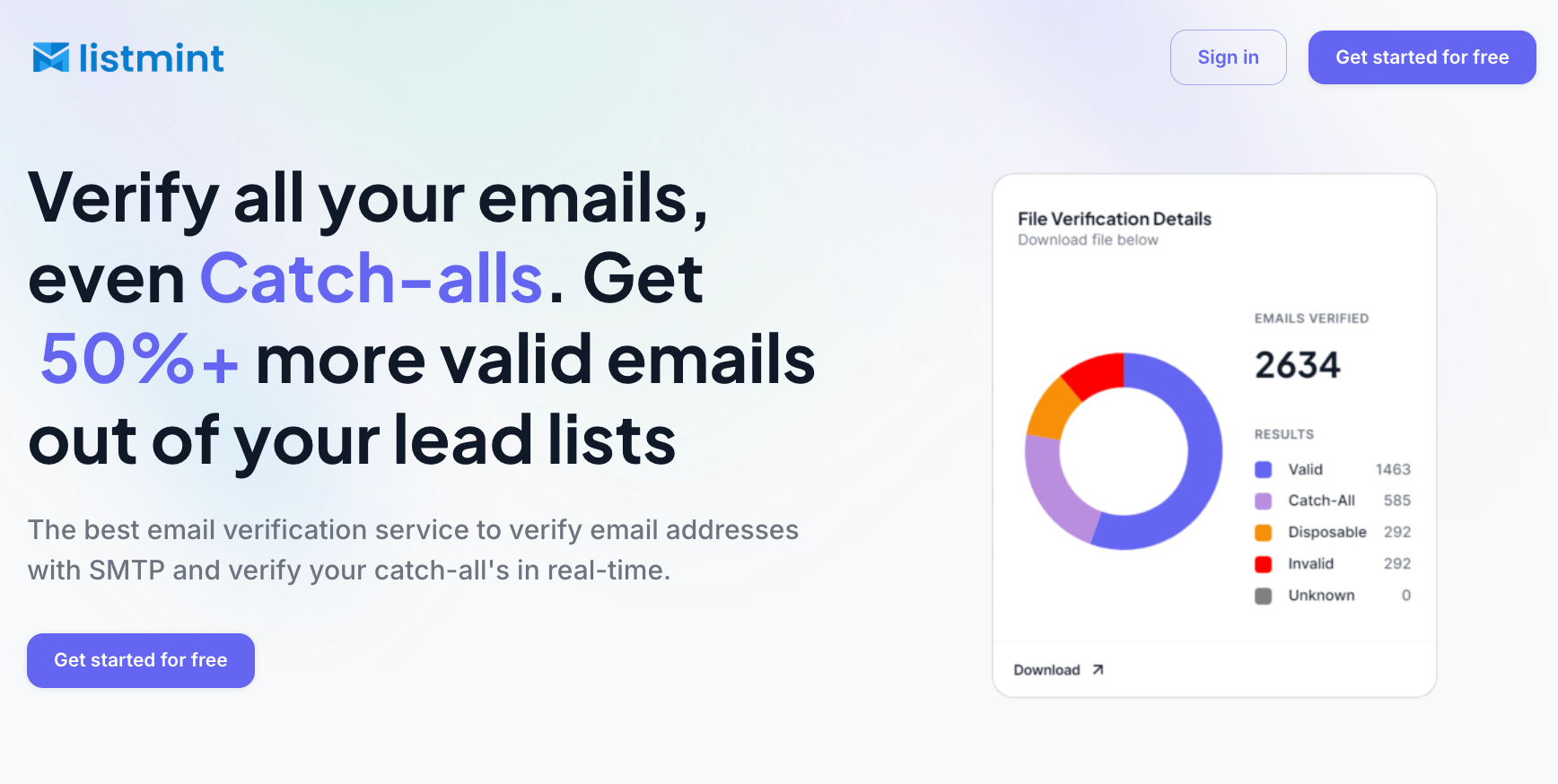
Listmint combines catch-all and standard SMTP verification in one platform.
Its dedicated catch-all verification goes beyond simply labeling these addresses as risky or unknown. Listmint verifies them and returns catch_all_valid or catch_all_invalid results, giving your team more usable information before outreach.
That can make a meaningful difference for lead lists you paid for. Listmint offers around 84% valid results, compared with about 55% from standard verification methods.
The platform has verified 1 billion+ emails and reports 99%+ accuracy for both SMTP and catch-all verification. Bulk verification works well for existing lists, while its API supports real-time standard and catch-all verification as new addresses enter your workflow.
Your leads may come from forms, events, referrals, content, or outbound prospecting. Listmint handles the email verification step after you collect them.
You can generate email leads through website forms, gated content, newsletter signups, webinars, referrals, events, and targeted outbound prospecting. The best approach is to focus on people who fit your business and collect enough information to understand why each contact may be relevant.
There isn't one fixed value for a 1,000-person email list. Factors such as engagement, source, relevance, revenue potential, and data quality can significantly affect what the list is worth to a business.
CRM platforms and other tools can give users one place to access lead information, track interactions, and organize contacts for sales or marketing. The right setup depends on how your team collects leads and manages them after they enter your pipeline.
A lead record can include a name, work email, company, role, source, and relevant personal or professional details that help your team understand the contact. Keeping this information connected to the lead enables your team to understand who the person is and why they may be relevant to your business.