You send an email, but instead of reaching the person you intended, it comes back with a delivery failure notification.
That's a bounced email. It means the message couldn't be delivered, either because of a temporary problem or a more permanent issue.
If you email customers, prospects, or subscribers, understanding the failure helps you decide what to do next.
This guide explains the different types of email bounces, the common reasons behind them, and how to fix delivery problems before they affect future campaigns.
A bounced email is an email message that couldn't be delivered to the intended recipient.
An email delivery failure happens when the recipient's email server rejects the message or reports that it couldn't complete delivery.
When this happens, you may receive an automated notification explaining that your email couldn't reach its destination. The receiving server might reject it immediately or report the problem after initially accepting it.
For example, imagine sending an email to a customer's old company address after their account has been deleted. The message may bounce back with a notification that it couldn't be delivered.
An undeliverable email doesn't always mean the address is wrong. The notification simply tells you that delivery was unsuccessful.
Email bounces fall into two main categories: hard bounces and soft bounces. The difference is whether the delivery failure is permanent or temporary.
A hard bounce occurs when an email cannot be delivered because of a permanent failure. For example, you might send a message to a non-existent email address after an employee leaves a company and their mailbox is deleted.
A hard bounce can also happen when the receiving server permanently rejects a message. However, it doesn't always mean the address itself is invalid. A legitimate email address can occasionally hard bounce because of the receiving server's policies.
A soft bounce means an email couldn't be delivered because of a temporary problem. The recipient's mailbox might be full, or their email server could be temporarily unavailable.
Unlike hard bounces, soft bounce emails may still reach their recipients once the problem is resolved.
Many email platforms automatically retry delivery after temporary failures, although the number of attempts depends on the provider.
Here's how the two types compare:
Emails bounce when the receiving mail system cannot deliver a message or rejects it. The exact reason can come from the recipient's email address, mailbox availability, server problems, or delivery restrictions.
An invalid email address can cause a bounce because there's no active mailbox to receive the message.
This can happen when an address is misspelled, an employee's account has been deleted, or your contact information is outdated.
A false email address entered during signup can also lead to delivery failure, since the mailbox may never have existed.
A message can bounce when the recipient's inbox has reached its storage limit. With a full inbox, the mailbox may be unable to accept additional messages until space becomes available.
A mailbox can also become temporarily inaccessible because of account restrictions or maintenance, even when the address still exists.
Email delivery depends on the recipient's server being available to accept messages. If mail servers experience outages, connection timeouts, or traffic limits, they may be unable to process new emails.
These temporary delivery issues can interrupt delivery even when the recipient's address is correct.
A receiving server may reject a message because it doesn't meet its security or delivery policies.
For example, poor sender reputation caused by repeated spam complaints can affect how a server treats your emails. Problems with domain reputation or email authentication can also trigger rejection.
A spam filter may flag suspicious content, including a misleading subject line. Server restrictions on attachment sizes or blocked senders can also result in a blocked email.
Your sending service records the rejection response or non-delivery report. This information explains why delivery failed and may appear in your email platform.
Depending on your email provider, email bounce backs may appear as automated messages in your inbox or as failed deliveries in your campaign reports.
The important thing is that the incoming email was not successfully delivered, and the bounce notification provides information about what went wrong.
You can usually find the reason in the bounce notification sent to your inbox or in your email platform's bounce reports. Most email service providers include bounce data that helps you understand why delivery failed.
Start by checking the recipient's email address, the bounce classification, and the error message returned by the receiving server.
You may also see an SMTP error code. Common bounce codes fall into two SMTP response classes:
These codes provide useful clues, but they don't always explain the full problem. Read the server's response alongside your email provider's bounce classification to understand what caused the failure.
When an email bounces, the next step depends on why delivery failed. Here's how to handle it without repeatedly sending messages to an address that may not work.
For authentication-related rejections, ask your administrator to check SPF, DKIM, and DMARC. If a security filter blocks a valid address, contact the recipient through another channel.
Reducing avoidable bounces starts with the quality of your contact list and how you manage it. Regular checks can help protect your sender reputation and support better email deliverability.
Before launching an email campaign, check your contacts to see if an email address is invalid so you can improve the quality of your sending list.
Listmint helps you verify contacts with bulk verification, real-time checks, and dedicated catch-all verification for B2B lists.
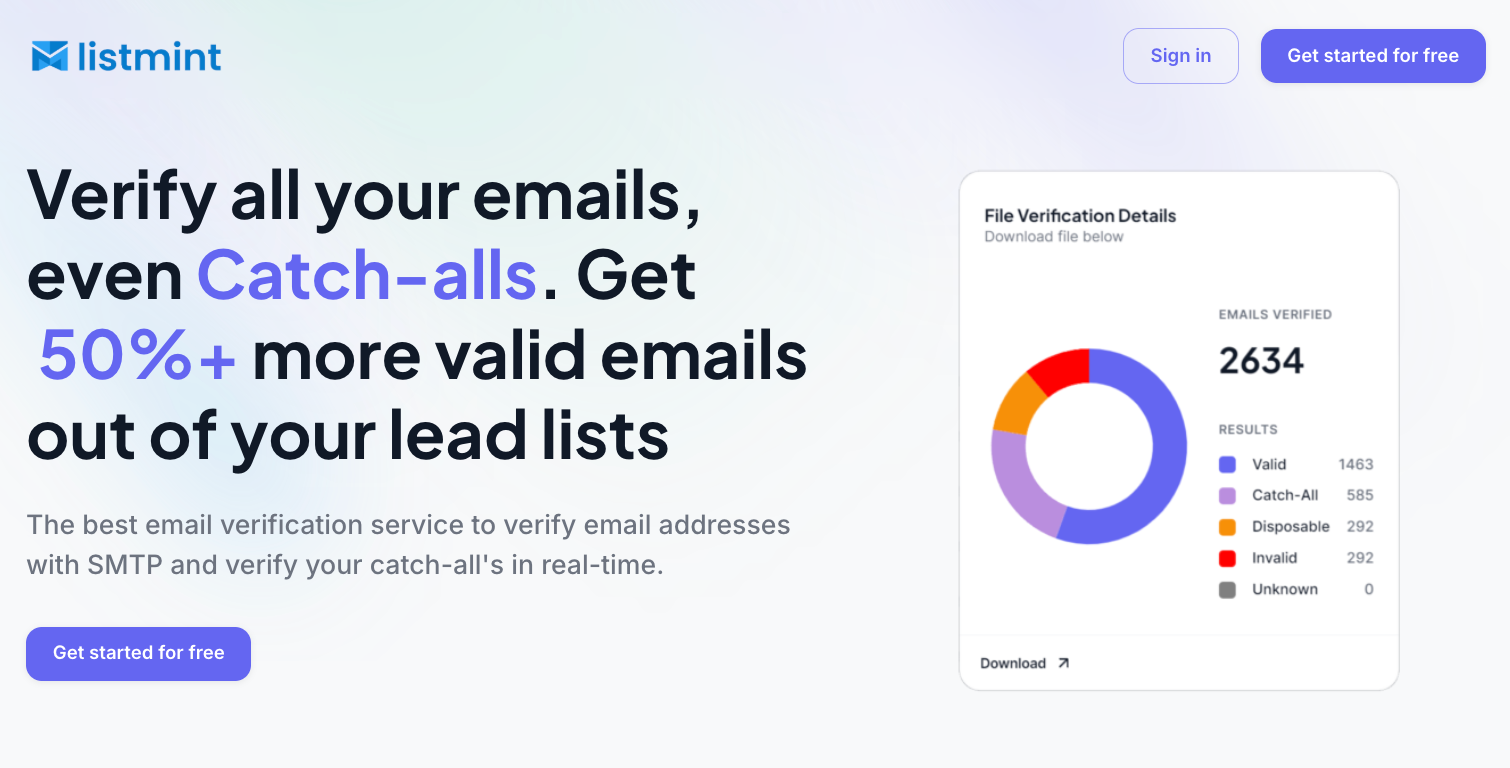
Its advanced verification helps you identify more usable contacts on catch-all email domains, so you can make better use of your prospect lists.
With Listmint, your team can approach every email campaign with greater confidence in the quality of the email addresses you're sending to.
People change jobs, and old email accounts eventually close. Review your email marketing contacts for outdated information and obvious typos.
You can also use double opt-in to confirm new subscriptions. Keep inactive subscribers under review, but don't assume their addresses are invalid simply because they haven't engaged.
Keep confirmed invalid email contacts on your suppression list so they aren't accidentally included in your next email marketing campaign.
Make sure those exclusions remain active when importing lists or updating your contact database.
Check your email bounce rate and review hard and soft bounces after each send.
If your email performance reports show repeated rejections from particular inbox providers, investigate the pattern before your next campaign.
Invalid email addresses are a common cause of bounced emails.
For B2B teams, there's another challenge. Standard verification tools often leave catch-all addresses unresolved, which can mean losing valuable prospects from your contact lists.
Listmint helps you address both challenges by verifying standard email addresses and catch-all contacts in one platform.
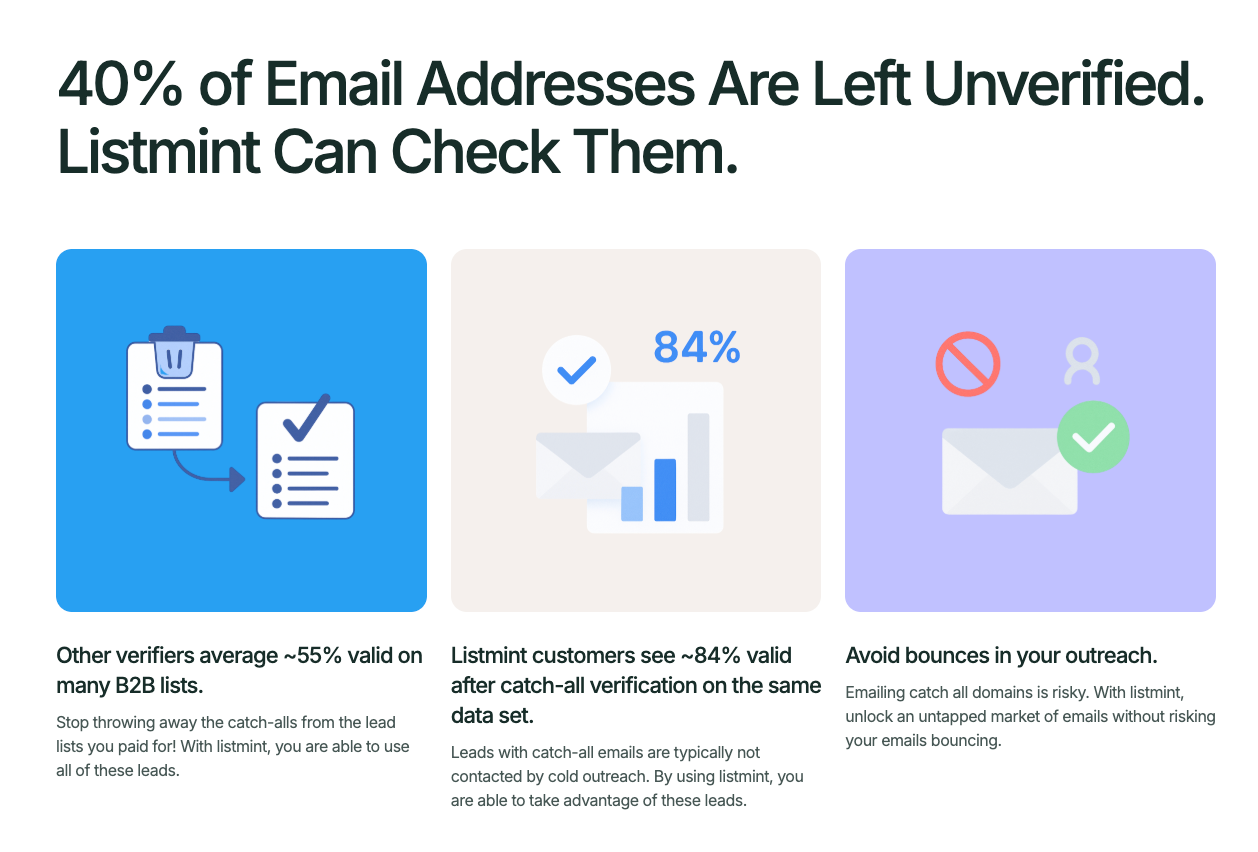
With 99%+ SMTP verification accuracy and 99%+ catch-all verification accuracy, Listmint gives your team reliable verification results before launching outreach campaigns.
Its dedicated catch-all verification identifies contacts as catch_all_valid or catch_all_invalid, so you can confidently keep verified addresses and exclude invalid ones.
Listmint also supports real-time catch-all verification through its platform and API, without sending verification emails to recipients. Your team can check prospect lists before outreach, verify new contacts, or integrate verification into your existing systems.
With 84% of catch-all addresses identified as valid, compared with approximately 55% from other verification tools, Listmint helps B2B sales teams and agencies recover more usable leads from their existing prospect lists.
When you verify your contacts before sending, you can reduce avoidable address-related bounces and make better use of the prospects you've already invested in finding.
Emails bounce when the receiving server cannot deliver them because of non-existent addresses, unavailable mailboxes, or server rejections. Check the delivery notification in your email program to identify the reason for the failure.
No, a bounced email doesn't automatically mean your account was hacked. However, if you receive bounce notifications for messages you never sent, someone may be spoofing your email address. Check your account's recent activity for suspicious access.
Common causes of hard bounces in HubSpot include invalid email addresses, unknown recipients, mailboxes that have been full for a long time, and security-related rejections. HubSpot automatically excludes previously hard-bounced addresses from future marketing emails.
You don't always need to delete bounced contacts. Suppress confirmed hard-bounced addresses from future campaigns, but keep their contact records if you need the history. For temporary delivery failures, review the bounce reason before deciding what to do with the address.
Yes, you can resend an email to the same address if the temporary delivery problem has been resolved. For a permanent failure, confirm the address your contact gave you before trying again. Repeatedly resending to an invalid address won't resolve the problem.